
What Makes a Keyboard Ergonomic? A Complete Guide for Comfort, Health, and Productivity
In an generation where many people spend hours each day typing—whether for work, gaming, or creative pursuits—the keyboard has become one of the most important tools we interact with. Yet despite its central role, many users give little thought to whether their keyboard is actually helping or hurting them.
An ergonomic keyboard is designed to reduce physical strain, improve comfort, and support healthy posture during prolonged use. Selecting the appropriate keyboard can have a big impact on lowering fatigue, increasing overall productivity, and preventing repetitive strain injuries (RSIs).
So what exactly makes a keyboard ergonomic? Let’s break it down.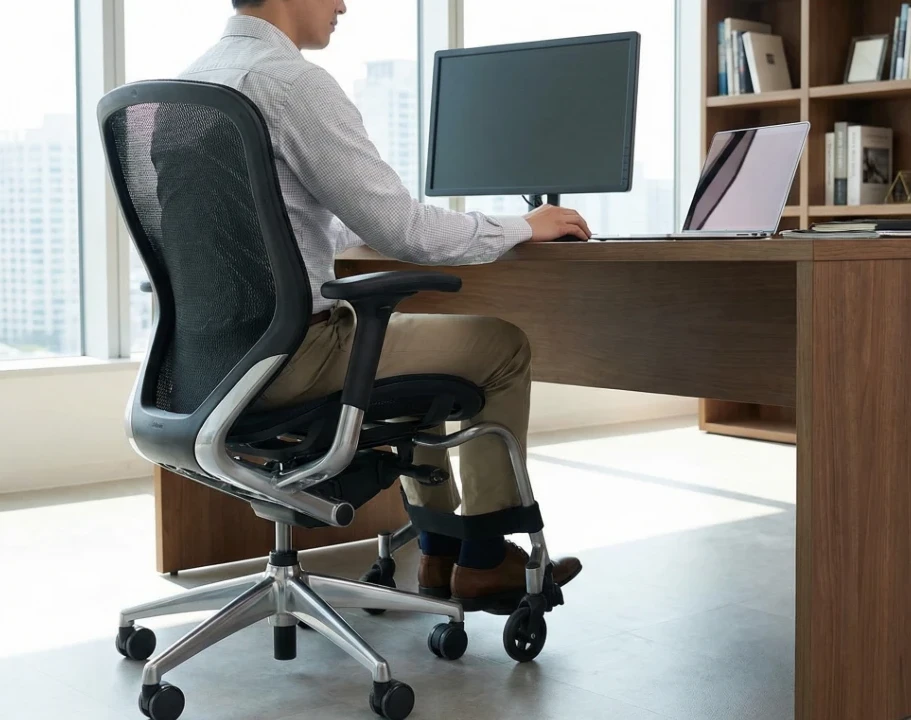
What Does “Ergonomic” Really Mean?
The term ergonomic refers to designing tools and environments to work around and ideally fit our human body rather than us being forced to adapt to the tool, be it a keyboard, mouse, chair or monitor.
An ergonomic keyboard is not just about comfort—it’s about minimizing stress on muscles, joints, and tendons while promoting neutral posture.
A truly ergonomic keyboard accounts for:
- Natural hand, wrist, and arm alignment
- Reduced repetitive strain
- Minimal muscle tension
- Long-term comfort during extended typing sessions
Ergonomics is less about a single feature and more about how multiple design elements work together.
Key Features That Make a Keyboard Ergonomic
1. Neutral Wrist Position
One of the most important aspects of keyboard ergonomics is wrist alignment. Traditional flat keyboards often force the wrists to bend outward (ulnar deviation) or upward (extension), which increases strain over time.
An ergonomic keyboard encourages a neutral wrist position, meaning the wrists remain straight rather than bent.
How this is achieved:
- Split keyboard designs
- Tenting (raising the center of the keyboard)
- Proper keyboard height and angle
Maintaining neutral wrists reduces pressure on the carpal tunnel and helps prevent conditions like carpal tunnel syndrome.
2. Split Keyboard Design
Split keyboards separate the left and right halves of the keyboard, allowing users to position each side according to shoulder width.
Benefits of a split design:
- Reduces inward rotation of the shoulders
- Allows arms to rest more naturally
- Minimizes wrist deviation
Some keyboards are fully split into two independent halves, while others have a fixed split angle. Both can be effective depending on user preference.
3. Tenting and Keyboard Angle
“Tenting” refers to raising the middle of the keyboard so that the hands angle slightly inward, similar to a handshake position.
Why tenting matters:
- Reduces forearm pronation (twisting)
- Decreases strain on wrist tendons
- Improves long-term comfort
Many ergonomic keyboards offer adjustable tenting so users can customize the angle based on comfort and anatomy.
4. Key Layout and Staggering
Most traditional keyboards use a row-staggered layout, a design inherited from typewriters. Ergonomic keyboards often use alternatives such as:
- Columnar (ortholinear) layouts
- Curved or contoured key wells
These layouts align keys more closely with natural finger movement, reducing lateral finger travel and improving typing efficiency.
Advantages:
- Less finger stretching
- Reduced movement fatigue
- More consistent finger positioning
5. Key Switch Type and Actuation Force
The physical effort required to press a key plays a major role in ergonomics.
Ergonomic considerations include:
- Low actuation force (requires less pressure)
- Smooth, consistent key travel
- Reduced bottoming out
Mechanical keyboards can be ergonomic if they use lighter switches, while membrane keyboards may also work well if they offer soft, responsive keystrokes.
6. Keyboard Height and Profile
A keyboard that sits too high can force the wrists to bend upward, increasing strain.
Ergonomic keyboards often feature:
- Low-profile designs
- Adjustable feet (or none at all)
- Compatibility with wrist rests
The goal is to keep the keyboard at or slightly below elbow height when seated.
7. Integrated or Optional Wrist Rests
While wrist rests are sometimes misunderstood, they can be helpful when used correctly.
An ergonomic wrist rest:
- Supports the palms, not the wrists
- Encourages brief rest periods
- Prevents hovering fatigue
Wrist rests should not elevate the wrists during typing but provide support during pauses.
8. Thumb Clusters and Reduced Finger Travel
On traditional keyboards, thumbs are underutilized, mostly hitting the spacebar. Ergonomic keyboards often include thumb clusters—groups of keys positioned near the thumbs.
Benefits:
- Offloads work from weaker fingers
- Reduces pinky strain
- Improves efficiency for common actions (space, enter, backspace)
This design significantly reduces finger movement and overall strain.
9. Customizability and Adjustability
No two users are the same. A keyboard that is ergonomic for one person may not be ideal for another.
High-quality ergonomic keyboards often offer:
- Adjustable split width
- Custom key mapping
- Programmable layers
- Adjustable tenting angles
Customizability allows users to tailor the keyboard to their body and workflow.
10. Build Quality and Stability
An ergonomic keyboard should feel solid and stable. A keyboard that slides, flexes, or shifts during use can increase muscle tension as users subconsciously compensate.
Good ergonomic design includes:
- Non-slip feet
- Rigid construction
- Even weight distribution
Stability supports relaxed typing and reduces micro-adjustments that cause fatigue.
Ergonomic Keyboards vs. Ergonomic Setup
It’s important to note that even the best ergonomic keyboard cannot compensate for a poor workstation setup.
For optimal results, an ergonomic keyboard should be paired with:
- Proper chair height
- Desk at correct elevation
- Monitor at eye level
- Neutral sitting posture
Ergonomics is holistic—your keyboard is one piece of the puzzle.
Who Benefits Most from Ergonomic Keyboards?
Ergonomic keyboards are especially beneficial for:
- Office workers typing for long hours
- Programmers and writers
- Gamers during extended sessions
- People with RSI, carpal tunnel, or wrist pain
- Anyone seeking long-term comfort and injury prevention
Even users without current pain can benefit from preventive ergonomic design.
Frequently Asked Questions (FAQ)
Are ergonomic keyboards hard to learn?
There is often a short adjustment period, especially with split or columnar layouts. Most users adapt within a few days to a few weeks. The long-term comfort benefits usually outweigh the learning curve.
Do ergonomic keyboards really prevent injuries?
While no keyboard can guarantee injury prevention, ergonomic keyboards significantly reduce risk factors associated with repetitive strain injuries by promoting neutral posture and reducing muscle strain.
Are ergonomic keyboards only for people with wrist pain?
No. They are just as valuable for preventing pain as they are for relieving existing discomfort. Many users adopt ergonomic keyboards proactively.
Are mechanical keyboards ergonomic?
They can be. Ergonomics depends more on layout, key force, and posture than on whether a keyboard is mechanical or membrane. Mechanical switches with light actuation can be very ergonomic.
Is a wrist rest necessary?
Not always. Wrist rests can help during pauses but should not be used to support the wrists while typing. Proper keyboard height and posture are more important.
Can gaming keyboards be ergonomic?
Some gaming keyboards include ergonomic features, but many prioritize aesthetics over health. There are ergonomic keyboards suitable for gaming, especially those with customizable layouts and thumb clusters.
How long does it take to feel benefits?
Some users notice reduced strain within days, while others experience gradual improvement over weeks. Consistency and proper setup play a major role.
Are ergonomic keyboards worth the cost?
For users who type frequently, the investment often pays off in comfort, productivity, and reduced risk of injury. Think of it as a long-term investment in your health.
What is the difference between ergonomic and standard keyboards?
The way ergonomic keyboards are made to support the body is the primary distinction between them and conventional keyboards. The flat, rectangular design of standard keyboards emphasises familiarity and portability but often places your hands, wrists, and shoulders in awkward positions.
This can raise the risk of repetitive strain injuries, weariness, and strain over extended periods of time.
Conversely, ergonomic keyboards are made especially to fit the hands, wrists, and arms in their natural positions. They frequently have thumb clusters, curved or columnar key arrangements, split layouts, and tenting. These design features are better suited for extended typing and long-term comfort because they minimise needless finger movement, ease muscle tension, and maintain neutral wrist alignment.
What are the 4 types of keyboards?
Keyboards can generally be grouped into four main types based on how they are built and used. Each type serves different needs, preferences, and use cases.
1. Standard (Traditional) Keyboards
The most popular kind of keyboards are standard ones, which are typically included with desktop and laptop computers. They have a row-staggered key layout and a flat, rectangular design.
Despite being well-known and simple to use, they are not designed for long-term comfort and may cause shoulder and wrist strain when typing for extended periods of time.
2. Ergonomic Keyboards
Ergonomic keyboards are designed to reduce physical strain and support natural hand, wrist, and arm positioning. They often include features such as split layouts, tenting, curved or columnar key arrangements, and thumb clusters. These keyboards are ideal for users who type for long periods or want to prevent or alleviate repetitive strain injuries.
3. Mechanical Keyboards
Mechanical keyboards use individual mechanical switches under each key, offering tactile feedback, durability, and customization options. They are popular among typists, programmers, and gamers. While not inherently ergonomic, mechanical keyboards can be ergonomic depending on their layout, switch type, and overall design.
4. Virtual or On-Screen Keyboards
Virtual keyboards appear on touchscreens such as smartphones, tablets, and some computers. They do not have physical keys and rely on touch input. While convenient and portable, they generally provide less tactile feedback and may cause fatigue if used for long periods of typing.
Final Thoughts
An ergonomic keyboard is not defined by a single feature but by how well it supports the natural mechanics of the human body. From split layouts and tenting to key force and thumb clusters, every design choice plays a role in reducing strain and improving comfort.
Whether you’re dealing with discomfort or simply want to protect your hands for the future, understanding what makes a keyboard ergonomic empowers you to make better choices.
When paired with a well-designed workstation and healthy typing habits, an ergonomic keyboard can transform the way you work—comfortably, efficiently, and sustainably.
That’s it for now peeps, have a great day!