The two brands overlap more than their marketing suggests, so the useful question is which of their flagship chairs matches the way you sit.


Comfort that fuels your hustle!
The two brands overlap more than their marketing suggests, so the useful question is which of their flagship chairs matches the way you sit.
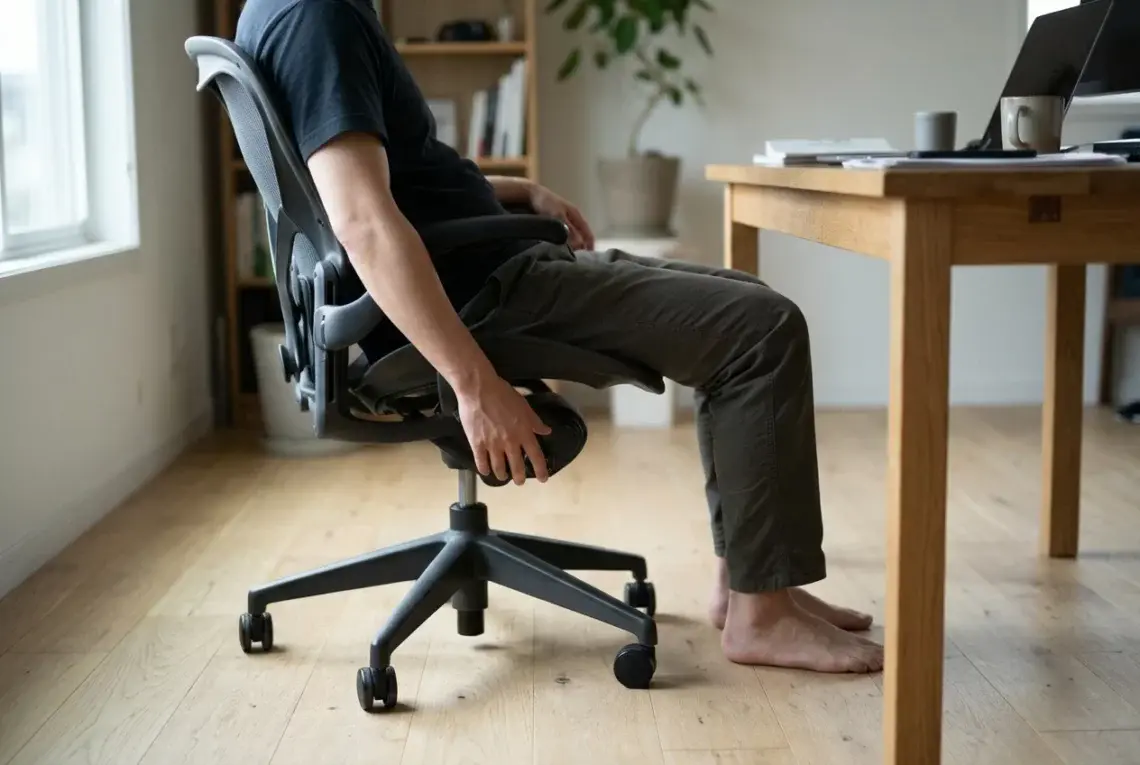
Most ergonomic chairs ship with a dozen levers, knobs and sliders, and most people touch only the height lever.
Mesh looks cool, but a chair made with mesh can still leave you sweaty.
If you’re searching for wireless headphones that won’t drain your wallet but still bring the goods when it comes to features and comfort, the Anker Soundcore Life Q30 might catch your eye. I’ve spent plenty of time with these headphones, trying out everything from daily commutes to long work sessions. Here’s what I learned using them in the real world. Why I Gave the Soundcore Life Q30 a Shot Plenty of wireless headphones say they deliver great sound and battery life, but not many manage to keep prices low while still offering the whole package. I wanted headphones that included…
If you spend a lot of time gaming, you probably know how uncomfortable a basic desk chair can get after a few hours. I definitely learned that the hard way after spending long nights playing online games and ending up with a sore back. Looking for something that balanced comfort, support, and a bit of style, I came across the Gtplayer gaming chair, and I decided to give it a try. The Gtplayer gaming chair stands out for offering solid support and features at a price that doesn’t break the bank. In this review, I’ll cover what you can expect,…
Sitting for long periods at a desk can be tough on my back, hips, and neck. After a few hours, I tend to feel stiff and unfocused. Using a kneeling chair is one way I found to support a better posture while working. Switching to an ergonomic kneeling chair feels strange at first, but I noticed it encourages me to keep my back straighter and distribute my weight differently. My core feels more engaged, and I end up moving a bit more during the day. Over time, I realized that using a kneeling chair, even for a few hours, not…
If you’re searching for a pair of noise cancelling headphones that deliver comfort, great sound, and reliable performance, I think the Bose QuietComfort 2026 is worth a close look. I’ve spent a lot of time trying out different models, but this release stands out to me for a few simple reasons: the combination of active noise cancelling, clear audio, and long lasting comfort makes it an everyday go-to for travel, work, and relaxing at home. My experience with Bose headphones started years ago, and I’ve always enjoyed how easy they make it to tune out distractions. The QuietComfort 2026 feels…
Working from home has a bunch of perks, but it also comes with some hidden challenges. Staying focused, avoiding distractions, and creating a work zone that supports real productivity can feel tough if your workspace isn’t set up right. I’ve tested all kinds of home office setups, and I’ve found that some simple changes and smart choices make a huge difference for getting real results. Whether you’re remote full time, hybrid, or growing your own side hustle from home, making your home office a productive hub smooths out your workday and helps set clear boundaries between work and personal time.…
If you work from home, manage teams remotely, or find yourself jumping into one Zoom call after another, you’ve probably wondered if there’s a headset that makes the whole experience easier. The Jabra Evolve2 65 pops up a lot in those conversations. After spending time using it for everything from video calls to blasting playlists between meetings, I’m sharing my honest experience in this all-in-one review. You’ll find everything you need to know here, including what worked (and what didn’t). Check out my quick summary of the Jabra Evolve2 65 specs and rating, and then I’ll go deep with what…
Choosing the right wireless headset can make working from home more comfortable and productive. It gets easier to focus on calls, block out distractions, and stay connected whether you’re in back-to-back meetings or tuning into music while tackling your to-do list. As someone who spends a lot of time on calls and loves a fuss free workspace, I’ve seen how the right headset can totally change your home office experience. The market is packed with options, but not all of them are created equally when it comes to sound quality, comfort, or handy features for remote work. I’ve rounded up…