
Almost every office chair sold online carries the word “ergonomic,” and the word has no fixed meaning. At a $300 ceiling it often just means the chair has a curved back and a height lever. The best ergonomic office chair under $300 is the one whose adjustments fit your body, and that is easier to judge with a checklist than with a ranking.
This guide gives you six features to look for on any chair in this price range. It also covers which extras you can skip, which chair profile suits which body and workday, and how to test the chair once it arrives.
What “ergonomic” should still mean when the price cap is $300
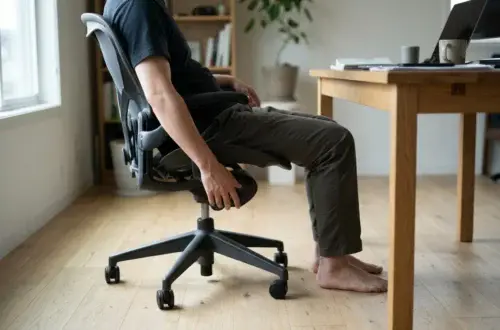
An ergonomic chair lets you sit with your feet flat on the floor, your thighs roughly level with the floor, your lower back supported, and your forearms resting at desk height with your shoulders relaxed. A chair earns the label by letting you reach that position and change it through the day. No chair holds good posture for you.
Premium chairs reach that position for a wider range of bodies, with more adjustments and longer warranties. If you want to see how the top tier compares, our Steelcase and Herman Miller comparison covers it. Under $300 you get fewer adjustments, so your job is to pick the chair whose limited adjustments cover the ones your body needs.
That changes how you shop. A chair with twelve adjustment levers is not better than one with five if the five are the right ones and the twelve include several you will never touch. The rest of this guide helps you decide which five.
The six support features worth protecting, and how to spot them on a spec sheet
Spec sheets for budget chairs vary a lot. Some list every dimension and some list only adjectives. Learn what each feature looks like in numbers and in photos, and you can sort out the serious listings quickly.
1. Seat depth
Seat depth is the distance from the backrest to the front edge of the seat. If the seat is too deep for your legs, the front edge presses behind your knees or you perch forward and lose the backrest. If it is too shallow, your thighs go unsupported.
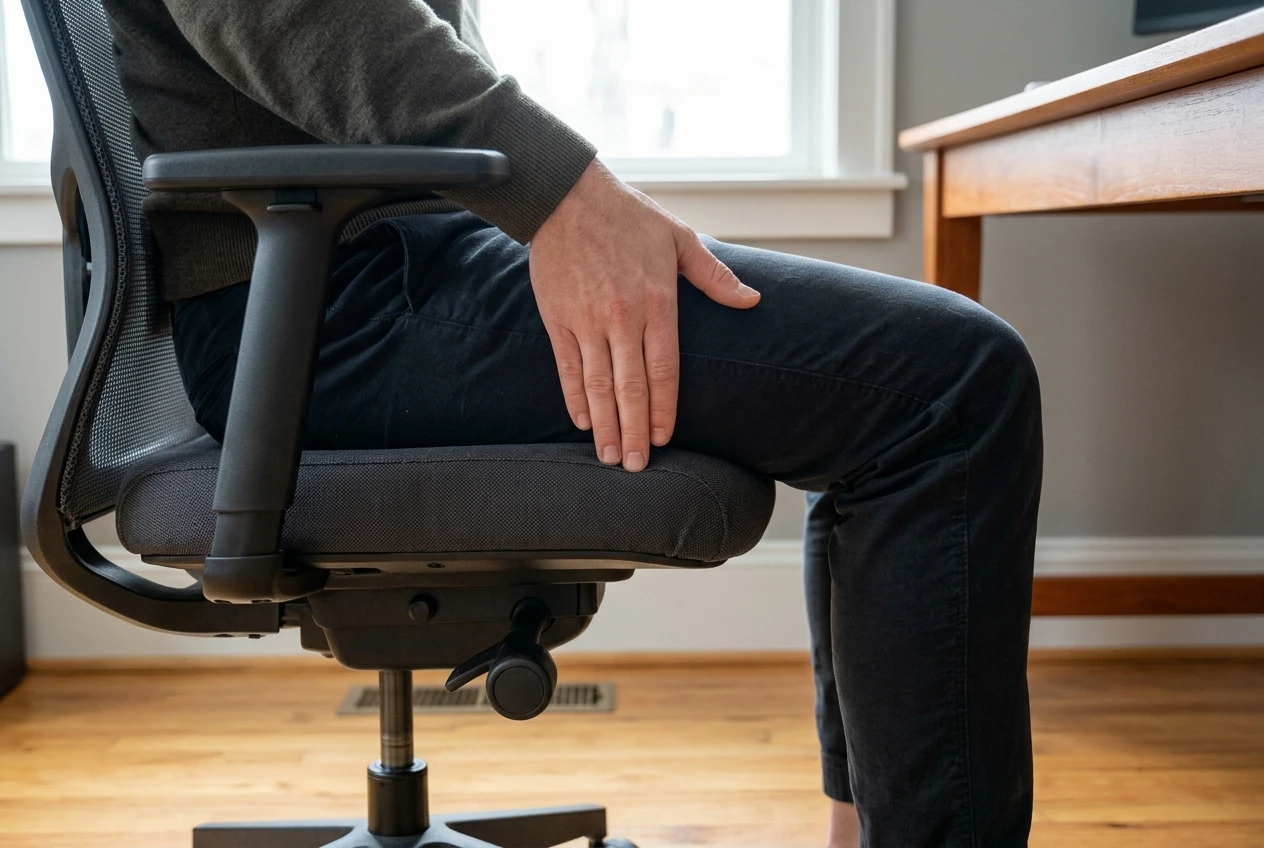
A common rule of thumb is to leave about two to three finger widths between the seat edge and the back of your knee when you sit all the way back. A chair with an adjustable seat slide lets you set that gap. Many budget chairs have a fixed seat, so check the listed seat depth and compare it with the length of your thigh, measured from the back of your hip to the back of your knee.
On a spec sheet, look for “seat slide,” “seat depth adjustment,” or a stated seat depth in inches or centimeters. A listing with only a seat width is incomplete.
2. Lumbar support
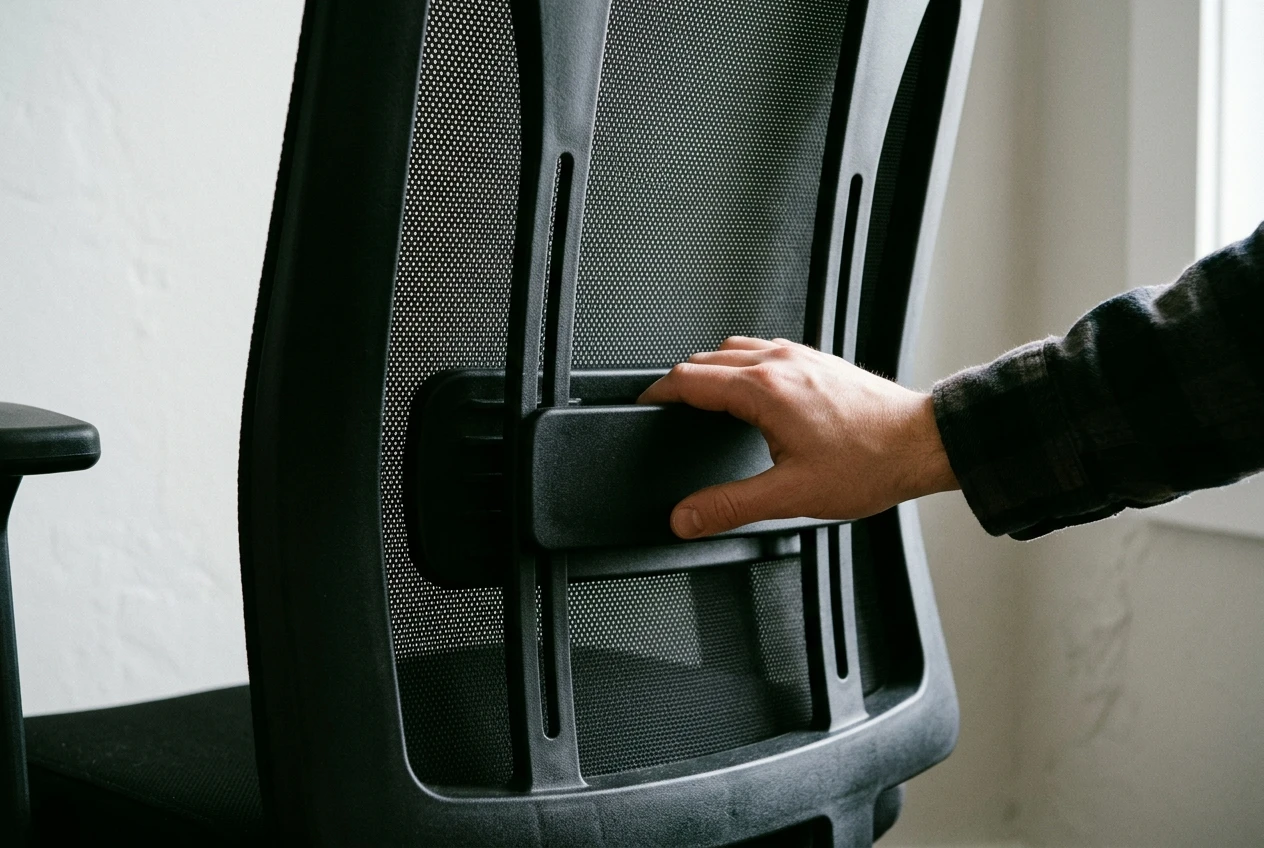
The lower spine curves inward, and a chair that supports that curve reduces how much you slump as the day goes on. What matters is that the support sits at the height of your own lower back. A fixed bulge at the wrong height pushes into the wrong place.
Better budget chairs offer one of these:
- A lumbar pad that moves up and down.
- A backrest whose height adjusts, which moves the built-in curve relative to your spine.
- A lumbar support that adjusts in depth as well as height, which is less common at this price.
If the listing says “lumbar support” and the photos show only a fixed curve in the backrest, treat it as a shape and not an adjustment. It may still fit you, so test it early.
3. Tilt mechanism
Tilt lets the backrest recline as you lean back, so you are not locked upright for hours. What to look for is a mechanism that does more than rock: a tilt lock that holds the chair upright or at one recline angle, and a tension knob that sets how hard the chair pushes back against your weight.
Some listings use the term “synchro-tilt,” meaning the seat and backrest move together in a set ratio. It is a good sign, though the term is not a guarantee of quality. The tilt lock and tension control are the more practical details to confirm. A chair that rocks freely with no lock suits very few people for focused work.
4. Armrests
Armrests take weight off your shoulders and neck when they sit at the right height. Too high and your shoulders hike up. Too low and they do nothing, or they pull you into leaning to one side.
At minimum, the arms should adjust in height. Width adjustment helps people with narrower or broader shoulders. Pivoting or sliding arms are nice at this price but optional. Check also that the arms are low enough to slide under your desk, since arms that hit the desk edge force you to sit farther away.
5. Seat height range
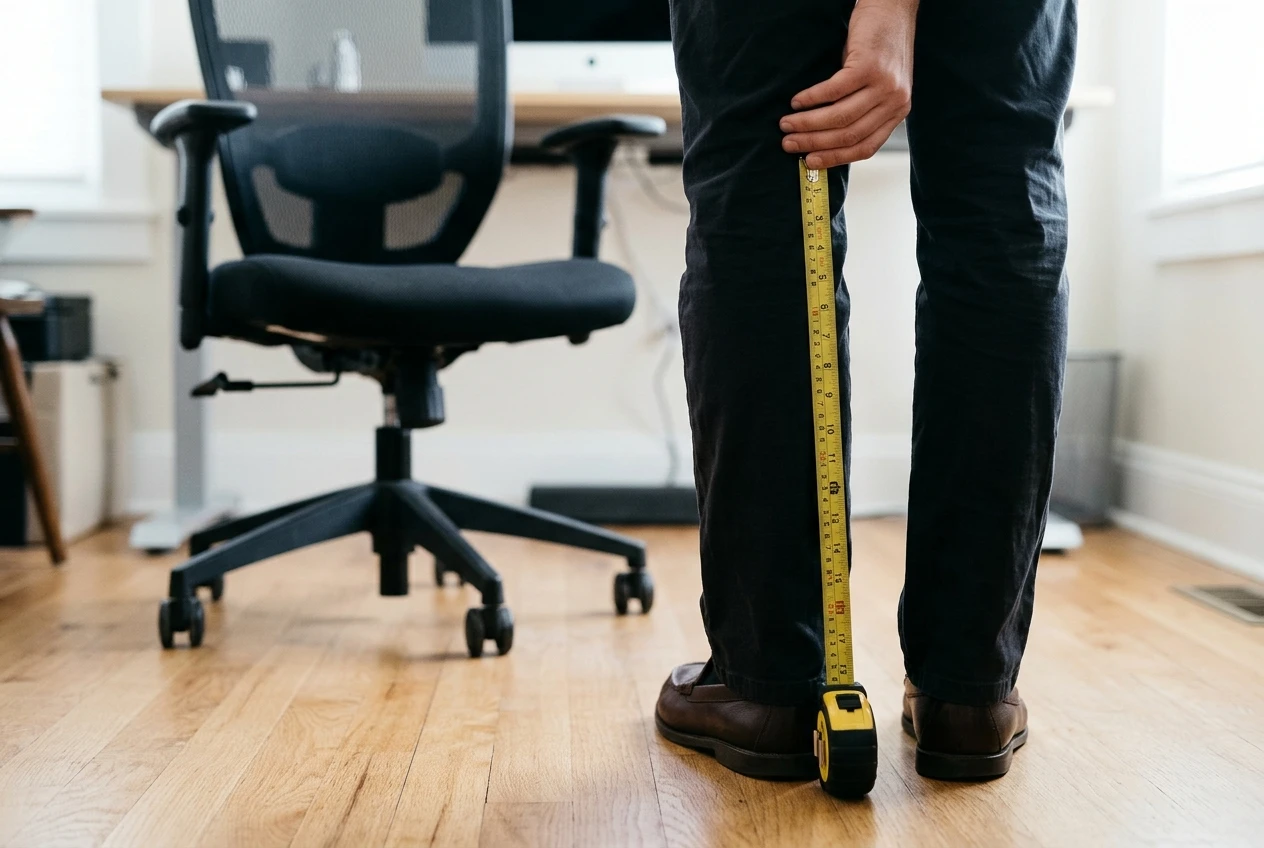
A chair’s gas lift sets the lowest and highest seat height. Chairs at this price often list one range for everyone, and that range does not fit everyone. Someone short may be unable to put their feet flat at the lowest setting. Someone tall may find the highest setting leaves their knees bent too far.
Look for the listed seat height range, measured from the floor to the top of the seat, and compare it with your own measurement: the distance from the floor to the back of your knee when you stand in the shoes you wear at your desk. Your ideal seat height sits near that number. If it falls at the very top or bottom of the chair’s range, you have no room to adjust.
6. Build
Build is the least visible of the six on a product page and the one that decides whether the other five survive a year of use. Look for:
- A stated weight capacity that sits well above your weight. A chair running close to its rating wears out sooner.
- A metal base and a metal frame where the listing says so. Plastic bases exist on cheap chairs and are the part most likely to crack.
- Casters suited to your floor. Hard casters on hardwood slide and scratch, and soft rubber casters are gentler on hard floors.
- Any mention of a standard. Some chairs list compliance with a standard such as BIFMA for the gas lift or the base. That is a point in the chair’s favor. It is a listing claim, and it does not replace testing the chair yourself.
Warranty length also hints at what the maker expects. A longer warranty on the frame and gas lift is more reassuring than one that covers only the fabric.
What you can safely give up at this price (and what you can’t)
A $300 cap forces trade-offs. Some of what premium chairs include adds little for most people, and you can let it go without hurting your back.
Safe to give up:
- A headrest. It helps only when it adjusts to where your head actually is. A fixed one often sits in the wrong spot, and many people never use it. If you want to lean back and rest your head during calls, it earns a place. Otherwise it is optional.
- Fully multidirectional armrests. Height-adjustable arms cover most needs, and extra pivots and slides are conveniences.
- Premium materials. Leather-look upholstery, fancy stitching and decorative finishes do nothing for support. Whether you choose mesh or padded foam is a matter of comfort and warmth; if heat is your main concern, our guide to mesh office chairs that keep you cool goes deeper on that.
- A built-in footrest or massage function. These are extras on a chair that should first get the six features right.
- Many color and finish options. Appearance is separate from fit.
Not safe to give up:
- A seat height range that matches your leg length.
- A lumbar curve you can position at your lower back.
- A tilt lock and tension control.
- Armrests that adjust in height and clear your desk.
- A weight rating and frame you trust.
If a chair gives up any of those five to include a headrest and a footrest, it has spent its budget in the wrong places.
Picks by body and situation
Without knowing your measurements, any single product recommendation is a guess. Here are the chair profiles that suit common situations, so you can match the features above to your own case.
Long hours at a desk
If you sit for most of the workday, the tilt mechanism and seat comfort count most. Look for a tilt with a tension adjustment, a seat with enough padding that it does not feel hard after a few hours, and armrests that adjust in height so your shoulders stay relaxed while typing. A chair that lets you shift between upright and slightly reclined positions will serve you better than one fixed in a single position, however well shaped.
Lower back discomfort
Prioritize an adjustable lumbar support or a backrest whose height you can set. Seat depth comes second, because a seat that is too deep pushes you away from the backrest and removes the support you paid for. Add a tilt that holds in at least one reclined position, so you can change your angle during the day. If your discomfort is persistent or severe, see a clinician. A chair supports your back and does not treat a medical condition.
Smaller frames
On chairs built for an average adult, the seat is often too deep and the lowest seat height too high for shorter people. Check the lowest seat height first, then the seat depth. Seat depth adjustment makes the biggest difference for people with shorter thighs. Narrow-set armrests help too, since wide arms can force your shoulders outward. If your space is also tight, our guide to ergonomic chairs for small spaces covers compact designs.
Taller users
Taller people run into the opposite problem: seats that are too shallow, backrests that end below the shoulder blades, and a highest seat height that is not high enough. Check the maximum seat height, the backrest height and the weight rating. A taller backrest gives more upper-back contact, and a deeper seat keeps your thighs supported. If a chair’s listed dimensions are missing, that is a reason to look at another model.
Red flags that mark a chair as ergonomic in name only
Some listings lean on the word and give you nothing to verify. Watch for:
- No list of adjustments. If the page says “ergonomic design” and never says what adjusts, assume only the height does.
- Missing dimensions. No seat depth, seat height range or backrest height means you cannot check fit before buying.
- No weight rating. A responsible maker states it.
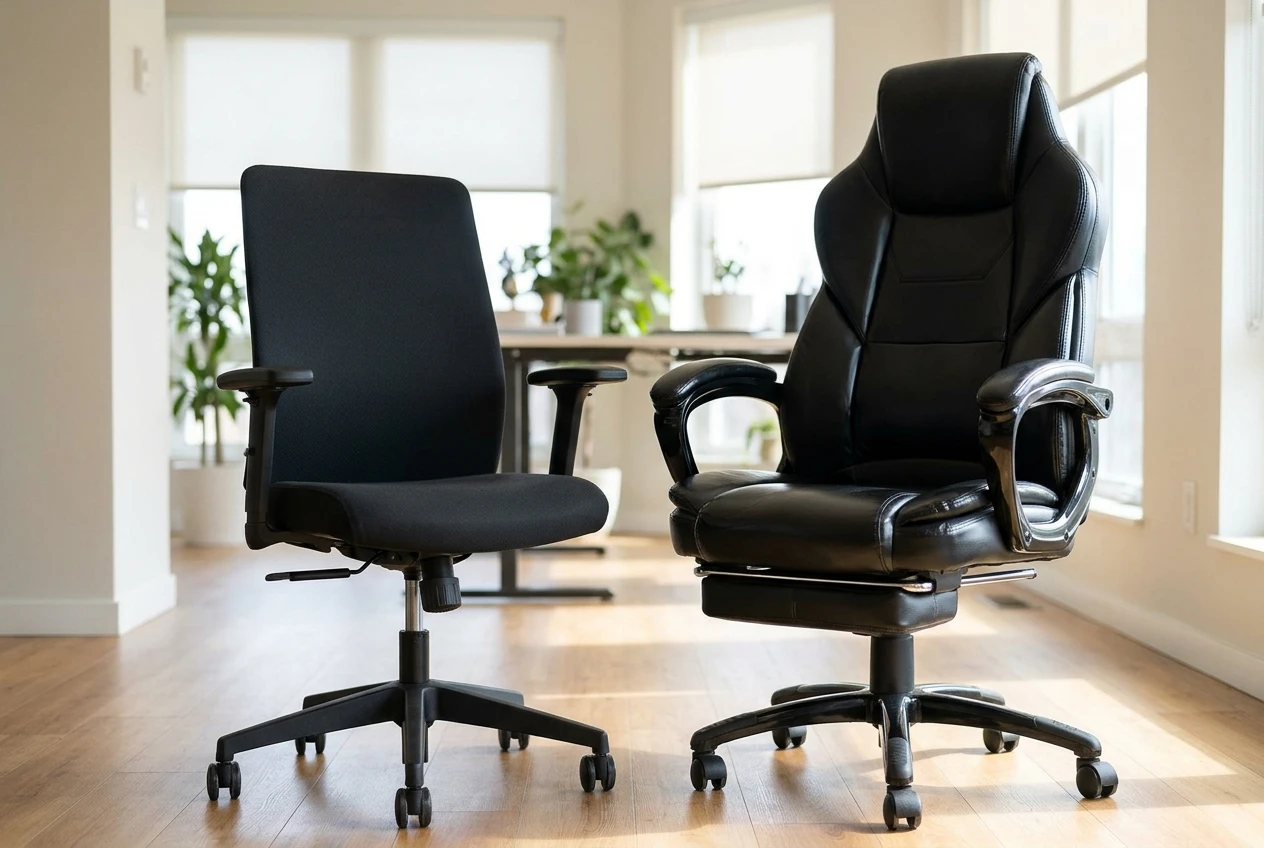
- A deep bucket seat with raised side bolsters. Racing-style shapes can restrict how you shift your legs and hips, and they fit a narrow range of bodies.
- Armrests that are fixed. Arms at one height suit one body.
- Lumbar support that is only a loose pillow. A pillow can help, but a chair that depends on one has not solved the problem in its own design.
- Reviews that report wobbling, a sinking seat or cracked bases. Read the lower-rated reviews for these specific failures, and weigh recent ones more heavily.
- Vague or missing return terms. A chair you cannot return is a bet on your measurements.
One red flag is a reason to look closer. Several together are a reason to move on.
How to check a budget chair in the first days and when to return it
Read the return policy before you order: how long the window lasts, who pays return shipping, and whether a restocking fee applies. Keep the box and packing material until you have decided to keep the chair.
When it arrives, assemble it and sit in it for a full working day at your actual desk. A few minutes in the living room tells you little. Note where you feel pressure, where you slump, and what changes by mid-afternoon.
Run through these checks:
- Feet and knees. At a seat height where your feet rest flat, are your thighs roughly level?
- Seat edge. Can you sit back fully with a small gap behind your knees?
- Lumbar position. Does the support meet your lower back, and can you move it if it does not?
- Tilt. Does the lock hold? Does the tension suit your weight?
- Armrests. Do they reach a height where your shoulders relax, and do they clear the desk?
- Stability. Does the base stay steady when you lean or turn? Any wobble, creak or sinking seat in the first days will get worse.
Return the chair if you cannot get your feet flat at the lowest height, if the seat edge presses behind your knees at any depth setting, if the lumbar curve sits in the wrong place and cannot move, or if the base is unsteady. Any of these points to a poor match, and no later adjustment will fix it.
A little stiffness or an unfamiliar feel in the first few days is normal, especially if your old chair let you slump. Give the chair a fair trial. Aching that gets worse, or pressure points that stay in the same spot, are signs the fit is wrong.
Set it up properly: the adjustments that matter most
A well-chosen chair set up badly will still hurt. Work through the adjustments in this order, because each one changes the next:
- Seat height. Set it so your feet are flat and your thighs are roughly level.
- Seat depth. If the chair has a slide, leave a small gap behind your knees.
- Lumbar position. Move the support to your lower back.
- Backrest angle and tilt tension. Choose an upright or slightly reclined angle and set the tension so the chair supports you without effort.
- Armrest height. Bring the arms up until your shoulders drop and your elbows sit near a right angle.
Desk height and monitor position then complete the setup. Our guide on how to adjust an ergonomic office chair, setting by setting walks through every lever and knob in detail.
Check the current price and return policy on the pick that fits your body, then use the setting by setting adjustment guide the day it arrives.