
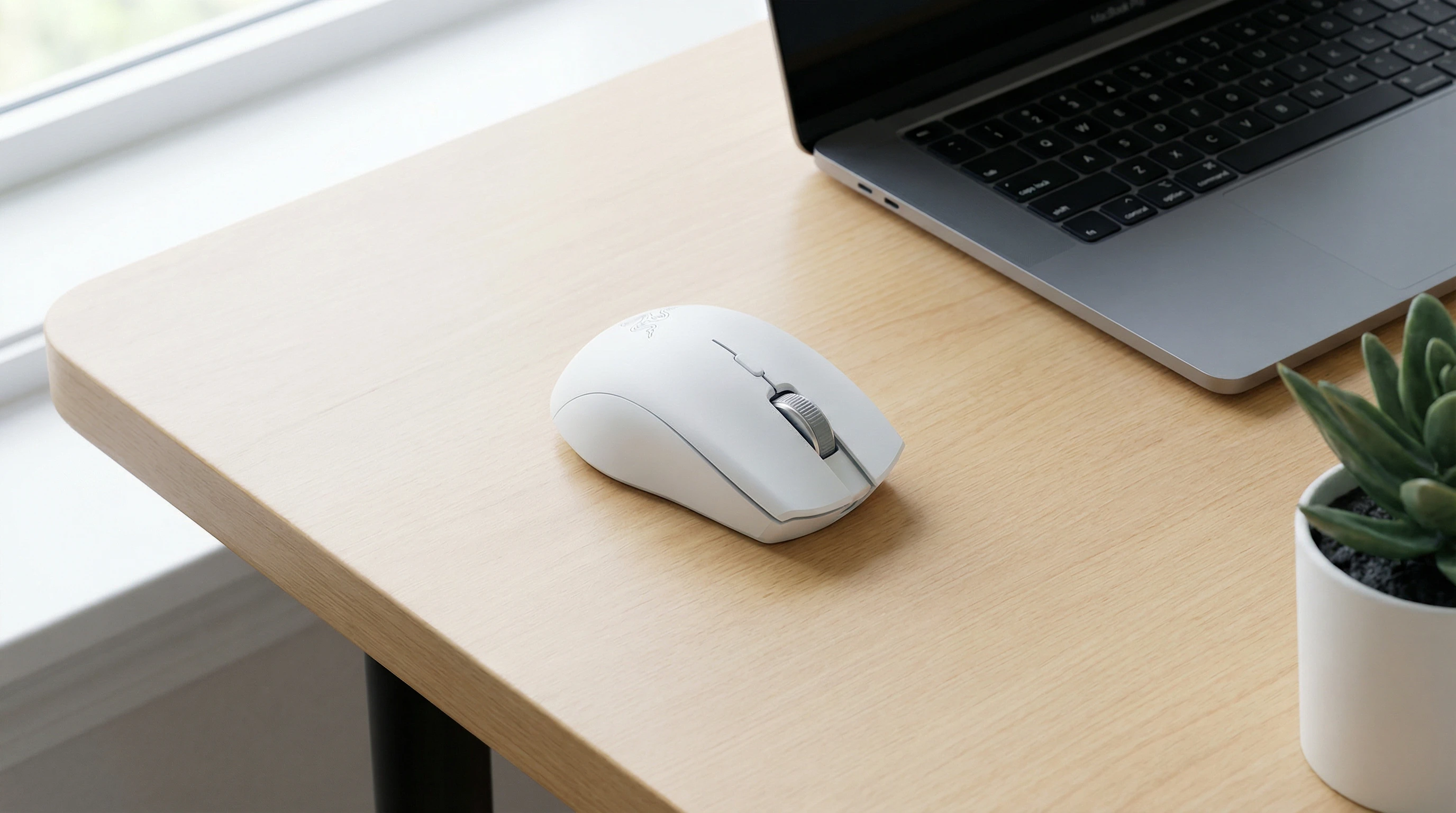
 If you spend hours at your desk every day, looking for a mouse that blends accuracy, comfort, and versatility, you’ll want to check out the Razer Pro Click Mini. Razer is usually known for gaming gear, but the Pro Click Mini feels made for work. I’ve had this mouse on my desk for several months, using it for everything from spreadsheets to design, so I’ve seen how it holds up during long workdays and quick travel sessions. Let’s jump into what makes this mouse stand out, and how it fits in with both professional and everyday needs.
Razer Pro Click Mini: Quick Rating
Overall Rating: ★★★★☆ (4/5)
The Pro Click Mini delivers a really solid office and travel mouse experience, but it isn’t perfect in every way. Here’s how it stacks up for me.
Pros and Cons
- Pros:
-
- Compact, easy to travel with
- Super silent clicks; great for shared spaces
- Dualmode scroll wheel (free spin or tactile)
- Connects to up to four devices
- Comfortable even during long sessions
- Cons:
-
- Runs on AA batteries instead of being rechargeable
- No left-handed option
- Scroll wheel can feel wobbly during fast use
- No included dongle storage in the mouse body
What Is the Razer Pro Click Mini All About?
The Razer Pro Click Mini is a wireless mouse built for productivity instead of gaming. Good design is a big focus, with a matte white and slightly metallic look that fits in at any office or home workspace.
The mouse stands out for being compact and lightweight while still offering features I usually see in more expensive or bigger mice. It’s easy to slip into a laptop bag or backpack and carry anywhere without worrying about bulk.
It supports both Bluetooth and Razer’s HyperSpeed wireless (which needs the included dongle). On Bluetooth, you can switch between up to three devices by pressing a button on the underside.
This makes moving between a laptop and a tablet super simple, and the fast connection works without hiccups. The HyperSpeed dongle gives you that snappy, lagfree feel if you’re working with software that needs fast responses.
Razer Pro Click Mini Features
Silent Clicks: The mouse buttons give tactile feedback but are so quiet they barely make a sound. This is really handy if you work in a shared space or want less noise during Zoom calls or late-night work sessions at home.
Dualmode Scroll Wheel: Flip a switch and the scroll wheel goes from notched, precise movement to a free spin mode. It’s ideal for flying through long documents or web pages. I use the freespin mode for quick scrolling and notch mode for working in spreadsheets or detailed editing.
Multidevice Connectivity: Connects to up to three devices via Bluetooth plus a fourth with the HyperSpeed dongle. Swapping is as quick as pressing a button on the bottom, letting you jump between work and personal devices in seconds.
Portable Build: At just under 90 grams (with batteries) and sized right for tossing in a bag, it’s a top choice for travel; it’s designed small but still comfy for my medium-sized hands.
Eight Programmable Buttons: The side buttons, clickable scroll wheel, and extra top button can be remapped for shortcuts, copy/paste, or custom macros using Razer Synapse. Whether for editing or creative work, it’s easy to set up your own workflow.
Specs at a Glance
- Weight: About 88g with batteries
- Connectivity: Bluetooth, 2.4GHz HyperSpeed wireless
- Sensors: Razer 5G Advanced Optical Sensor, 12,000 DPI
- Battery Life: Up to 725 hours on Bluetooth with 2x AA batteries; around 465 hours on HyperSpeed
- Buttons: 7+1 programmable (including scroll tiltclicks)
- Size: 100.2mm x 62.7mm x 34.2mm
How to Customize Razer Pro Click Mini
You’ll want to install Razer Synapse (Windows only) to unlock the best customization. With it, I easily remapped the side buttons for copy, paste, and launching apps.
The scroll wheel’s tilt function is perfect for horizontal scrolling in sheets or media timelines. If you prefer a basic setup, it works right out of the box, but Synapse really helps give a boost to the features.
DPI can be set between low and high sensitivity in the Synapse app, so whether you like fast movements or lots of control, it handles both.
You can even save custom profiles for different programs—pretty handy if you switch between editing, browsing, and working with documents. For lefties, you might wish for more options, but right-handed users will find plenty to work with.
Who Is the Pro Click Mini Made For?
- Frequent travelers or remote workers who need something portable but not flimsy.
- People in open offices or shared spaces who want quiet mouse clicks for focused work.
- Fans of multidevice setups—think pairing with work PCs, laptops, and a tablet all together.
- Those who need long battery life and don’t want to deal with charging cables every night or worry about running out of power mid-project.
- Anyone with small to medium hands will probably find it super comfy. If you have large hands, it might feel a bit tiny after a while, but it’s still good for quick grab-and-go tasks.
Day-to-Day Use: My Experience
I’ve used the Pro Click Mini as my main mouse for a bunch of different tasks, from spreadsheet marathon days to editing graphics, writing, or scrolling through playlists and streaming.
The silent clicks help me work without distracting family or coworkers, and the build feels sturdy despite being lightweight. Swapping between my laptop and mini PC is way smoother because of the Bluetooth switching.
I do wish the mouse recharged through USB-C instead of using AA batteries, but battery life is plenty long, and changing batteries is rare—one pair easily lasts over a month with daily use.
The scroll wheel took a few days to get used to, especially the fast free-spin mode, but now I find myself missing it when I use other mice.
Even after hours of solid use, it’s comfortable—no hand cramps, which is a big deal for productivity gear. The programmable buttons came in clutch for launching apps and working faster, while the mouse’s compact size was a real advantage during travel and hot-desking at the office.
Worth Buying?
If you’re looking at premium, portable mice with a clean design for both home and the office, the Razer Pro Click Mini is worth checking out. The price is a bit higher than basic mice, but for the flexibility, comfort, and next-level cool features, it’s not wasted money.
Travelers and folks with multiple devices will appreciate it most. If you really hate dealing with swapping batteries, you might prefer a recharge-friendly option, but otherwise, it’s hard to go wrong with this one.
Wrapping up: The Pro Click Mini shines as a super handy mouse for professionals. Its silent clicks, compact build, and versatile connectivity make it stand out in a crowded field.
While it’s not perfect, especially if you want USB-C charging or have larger hands, it’s still one of the most user friendly office mice you can find. If you need something portable yet capable, this mouse should be near the top of your list.
Thanks for stopping by and have a great day!