
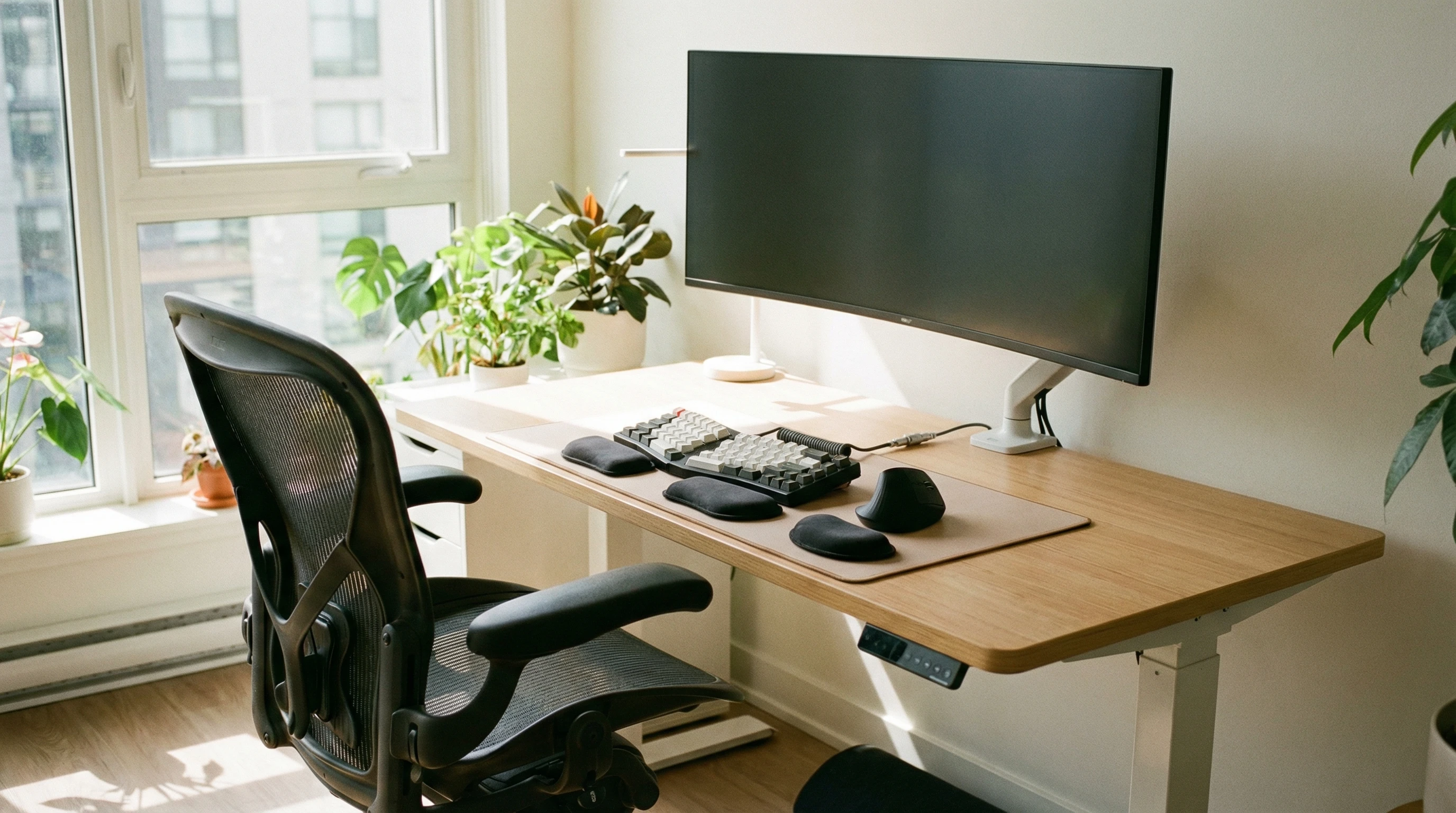
 Spending long hours at a desk can leave you with a stiff neck, sore back, and eye strain if your workspace isn’t set up right. Whether you are working from home or at the office, a good ergonomic setup can help keep you comfortable and productive, while lowering the risk of aches, pains, and repetitive strain injuries.
Getting your office set up the right way doesn’t require fancy equipment. Simple adjustments, smart habits, and a bit of knowledge go a long way. Here is a practical guide to creating a workspace where you—and your body—actually want to spend the workday.
Planning Your Ergonomic Office Setup
Before changing things around, it helps to think about what makes your workday physically uncomfortable. Some people find their backs ache by lunchtime, while others notice tension in their shoulders or wrists. Pinpointing these trouble spots can guide your setup so it makes a real difference for you.
Key Things to Consider:
- What kind of work takes up most of your day? (typing, phone calls, reading)
- Do you move around your space often, or stay mostly seated?
- Where do you feel discomfort after a long day?
Once you’ve got these answers, you can tweak your workspace to help avoid those usual pains and boost your comfort all day.
Ergonomic Workspace Setup Guide
Find the Right Chair
Your chair needs to support good posture and keep you relaxed. Adjust the height so your feet rest flat on the floor (or a footrest), with your knees bent at around 90 degrees. Your lower back should be supported, and you should be able to sit back comfortably without leaning forward.
- Look for adjustable seat height and lumbar support.
- If your chair has armrests, keep them low so your shoulders stay relaxed.
- Add a small cushion or rolled towel behind your lower back if needed.
Set Up Your Desk and Work Surface
Your desk height should let your forearms rest flat or slightly angled down, avoiding any wrist bending when you type. Be sure you have enough leg room to stretch and move your feet.
- Keep the things you use most within easy reach (keyboard, mouse, phone).
- Declutter under your desk to avoid bumping your knees or feet.
Monitor Placement for Comfort
Your screen should sit about an arm’s length away, with the top of the display at or just below eye level. This helps ease eye and neck strain.
- If you use a laptop, try a separate keyboard and mouse with a laptop stand or stack of books to raise the screen.
- Do not angle your body to face the monitor; keep it straight in front of you.
Health and Safety Executive (HSE) Office Tips
The Health and Safety Executive (HSE) in the UK gives excellent advice for setting up any workspace safely. Even if you are not based in the UK, these basic ideas apply everywhere:
- Change position regularly; switch from sitting to standing if possible.
- Take short breaks for movement and stretches throughout the day.
- Report any discomfort or equipment issues to HR or your manager.
Following HSE guidance helps prevent long-term health problems and supports overall well-being, no matter your line of work. Track down more on HSE Display Screen Equipment guidelines.
Safe Working from Home: What Matters Most
Working remotely brings new challenges, especially if you do not have a dedicated office space. It is all too easy to end up hunched over a kitchen table or perched on a sofa. But there are ways to make almost any area more ergonomic.
Best Tips for Home Offices:
- Pick a chair from around the house that supports your lower back.
- Use a kitchen counter or high table for a standing desk break.
- Set up near a window for good lighting and fresh air.
- Stack books or boxes to raise your monitor or laptop to eye level.
It is vital to keep screens at a comfortable distance and height at home, just like at the office. Comfort at home matters for your health as much as a proper office setup does, and little improvements can go a long way.
Display Screen Equipment (DSE): Staying Safe with Screens
Staring at a screen throughout the day can strain your eyes, shoulders, and wrists. In many places, employers must assess workstations for DSE risks (meaning any display device, like computers, tablets, or monitors).
Simple Screen Safety Tips:
- Blink often, and try the 20-20-20 rule: every 20 minutes, look at something 20 feet away for 20 seconds.
- Adjust screen brightness and contrast so it fits your workspace lighting.
- Use blue light filters or night mode features if you work late.
Remember to change your sitting position several times an hour, and give your eyes short breaks—even just gazing out the window works wonders over time.
Good Posture: Why It’s Really Important
From experience, even minor tweaks to your posture can make big differences in how you feel by the end of the workday. Poor posture can sneak up on you, especially if you get caught up in your tasks, so checking in with your body is always a smart move.
How to Check Your Posture While Working:
- Sit back in your chair with your feet flat on the floor.
- Keep your eyes level with the top third of your screen, so you don’t tilt your head forward.
- Relax your shoulders; don’t let them creep up toward your ears.
- Keep elbows close to your body when typing.
If you have trouble remembering, set a reminder for a quick posture check every hour. Doing this can truly give your body a boost day after day.
Extra Ergonomic Tips and Tricks
Get Moving During Your Workday
- Stand up every 30 to 60 minutes, then stretch or walk around.
- Set reminders on your phone or computer to nudge you to move.
- Try gentle wrist, neck, and back stretches during breaks.
Lighting for Less Eye Strain
- Use natural light where possible, but avoid glare on the screen.
- Add a desk lamp in darker spaces to lower eye fatigue.
Optimize Accessories
- A separate keyboard and mouse help you put your laptop screen at the best height.
- Footrests, wrist pads, and monitor risers can be worth checking out if you work long hours.
As an added tip, try using organizational tools, like cable ties or desk trays, to keep your workspace neat. This reduces clutter and keeps your focus on your work instead of searching for supplies.
Frequently Asked Office Ergonomics Questions
What if I have a small workspace?
You can still create a comfy setup, even in small spaces. Prioritize your chair and monitor setup. Even raising your laptop on books can help a lot. Keep clutter out of your work zone, and use wall shelves or underdesk storage to free up space. Try to rotate the position of your chair or add a small plant to boost the feel of your corner office spot.
How often should I replace office equipment?
Quality office chairs and equipment can last years, but if you notice sagging cushions, broken support, or pain that starts showing up after long days, it’s probably time for an upgrade. Ergonomics isn’t about having the newest gear; it’s about setups that are comfy and supportive long-term, so listen to how your body feels and change gear as needed.
Are standing desks worth it?
Mixing sitting and standing can help reduce fatigue and pump up your energy level. You do not need a fancy standing desk—an adjustable riser or even a sturdy box can do the trick. The idea is to give your body more variety, not give up sitting entirely.
Next Steps for a Comfy Workspace
Setting up a workspace that feels good does not have to be complicated. Start with the basics. A supportive chair, level screen, and some movement breaks make a real impact on your health and productivity.
Your Action Plan:
- Check your posture and adjust your chair and monitor height today.
- Set a timer for short movement breaks throughout the workday.
- Raise your screen to eye level and make sure you have enough light.
- Try a stretch or quick walk after every big task.
Your body and productivity will thank you for putting a bit of thought into your office setup. What is the first change you will make to your workspace? Take the opportunity to create a comfortable, energizing spot that helps you do your best work each day.
Small changes add up and can really give a boost to your well-being both now and in the long run.
Thanks for stopping by and have a great day!