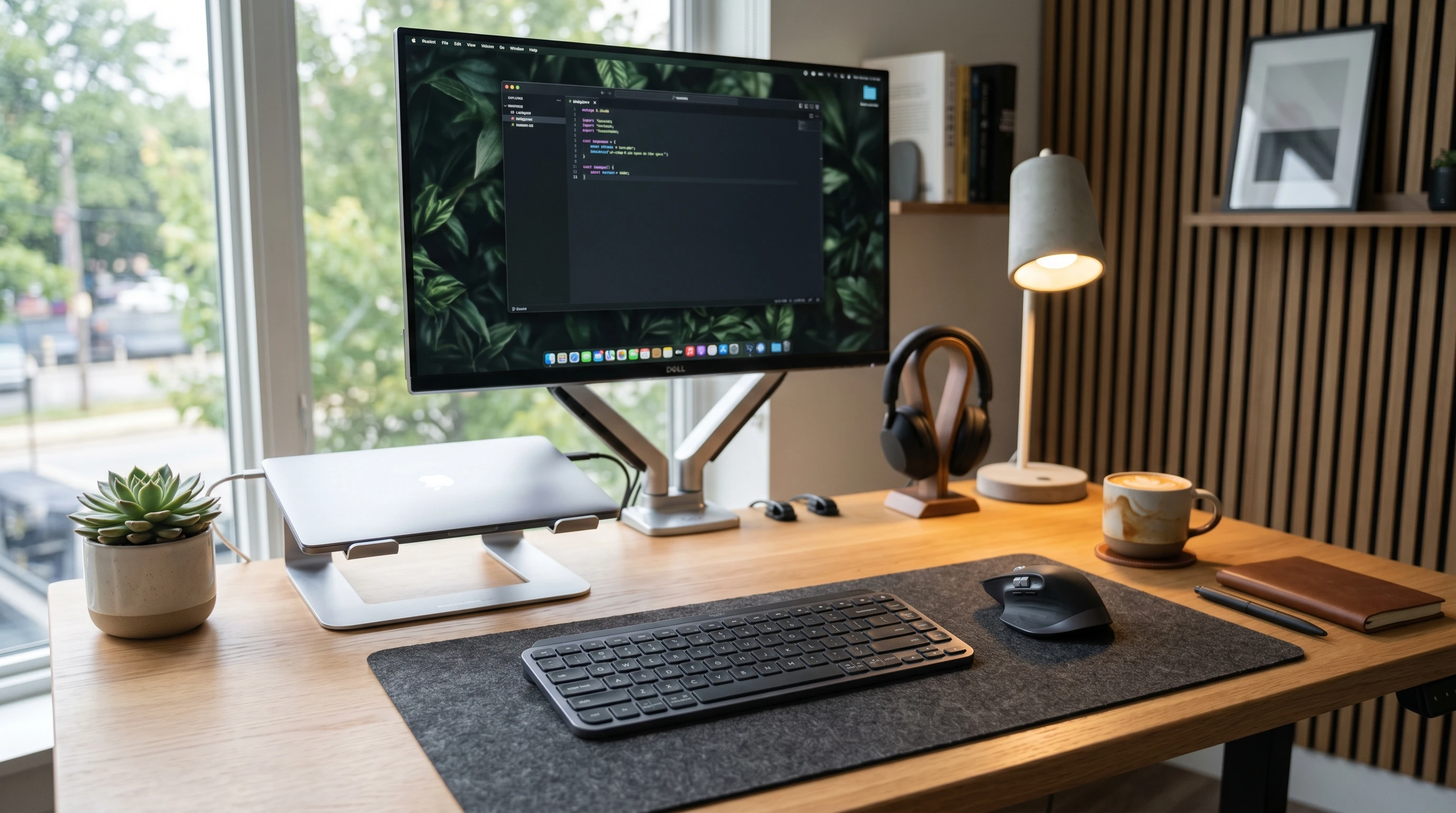
 If you’re tired of tangled wires or outdated typing tools, a keyboard and mouse set designed for easy pairing and all-day comfort can really switch up how you work or play each day. When I first tried the Icetek keyboard and mouse set, I was curious if it would match the buzz I’d seen online. A
fter testing it out in my home office, and logging some marathon gaming nights, I’ve pieced together what stands out, what I’d tweak, and who’ll get the most out of this bundle.
Disclosure: This post may contain affiliate links which means that I may earn commission if click and make a purchase but no additional cost to you.
What is the Icetek Keyboard and Mouse Set?
The Icetek keyboard and mouse set is a wireless combo pack made for people who want a hasslefree setup with both style and reliability. You get a fullsize keyboard, complete with a numeric keypad, and a matching mouse.
Both run off a single, tiny USB receiver. They’re designed for Windows and Mac computers and work straight out of the box. One thing I like is how it looks—it’s got an eye-catching, modern, lowprofile vibe that fits in with any workspace.
- Fullsize wireless keyboard with quiet, lowprofile keys
- Wireless mouse with adjustable DPI and ergonomic shape
- 2.4GHz wireless connection with plugandplay USB receiver
- Compatible with desktops, laptops, and some tablets
Pros, Cons, and My Star Rating
- Pros:
-
- Super easy to set up, no extra software needed
- Long battery life (I easily got weeks before swapping AAA batteries)
- Slim, quiet keyboard that works well for shared spaces or late-night typing
- Comfortable mouse that’s still comfy after hours of work
- Affordable price, easy to snag for home or office setups
- Cons:
-
- No backlighting on keys, so can be tough to see in low light
- Not really built for serious gaming—just basic gaming is fine
- Mouse is mainly designed for righthanded users
Star Rating: ⭐⭐⭐⭐☆ (4 out of 5)
This set scores high on value, comfort, and easy setup. The one big thing missing for me is backlit keys. If you use it mainly in a welllit room, it won’t bother you.
Who Is the Icetek Keyboard and Mouse Set Ideal For?
The Icetek set is a smart pick for students, office workers, or anyone wanting a solid upgrade from their laptop keyboard and touchpad.
If you type a lot for school or remote work, the comfort of this keyboard helps reduce fatigue. It’s also perfect for folks who work in shared rooms, such as kitchens or bedrooms, since the keys stay pretty quiet.
For gamers, it gets the job done for casual titles and daily gaming. If you’re into high-response, pro-level games with all the bells and whistles, you’ll want something specialized. For everyone else, I found it dependable and steady.
Setting Up the Icetek Keyboard and Mouse Set
Getting started is super simple. Once unboxed, here’s what you do:
- Insert AAA batteries into both the keyboard and mouse (batteries aren’t included, so have a set ready).
- Plug the USB receiver into your laptop or desktop.
- Wait a moment for your computer to recognize it—no drivers needed.
- Just like that, you’re typing and clicking with no fuss.
It works well for MacOS too, though some special keys might act a little differently. I didn’t run into any Bluetooth pairing issues, which is a huge plus if you want a smooth setup.
Cool Features Worth Checking Out
1. Wireless Freedom with Strong Connectivity
The 2.4GHz wireless tech lets you connect from up to about 30 feet away. I used it from my couch with my laptop on the coffee table, with no lag or random dropouts.
2. Quiet Typing and Sleek Look
The keys are soft with hardly any sound. The keyboard is slim and has a slight tilt for easier typing. That makes it more comfortable and stops you from disturbing anyone nearby.
3. Adjustable DPI on the Mouse
You can switch the DPI settings right on the mouse, letting you choose between quick movement or precise pointing. It doesn’t have tons of extra buttons, but it’s more than enough for spreadsheets, browsing, or light gaming sessions.
4. Battery Life that Goes the Distance
I usually got almost two months out of fresh batteries with about 6-8 hours of work each day. The built-in sleep mode makes a big difference, saving juice when you step away.
5. FullSize Layout with Number Pad
If you do a lot of data entry, a dedicated number pad is a must-have. It makes finance work, spreadsheets, and even some shortcuts a breeze. It’s a real productivity booster if you’re crunching numbers all day.
FAQ: Icetek Keyboard and Mouse Set
Does the set work with Mac and Windows?
Yes, it works with both! I tried it on a MacBook and a Windows desktop. Shortcuts may act a bit different on Mac, but all the main keys and mouse buttons are good to go.
Can I use the keyboard or mouse by themselves?
Both are tied together through the one USB receiver, so you need to use them as a set. You can’t split them up or use your own mouse with the included receiver.
Is the keyboard mechanical?
No, it’s a membrane design. It keeps it lightweight and almost silent. If you love the mechanical click, you might miss it, but the quiet soft touch is great in most situations.
Does it have backlit keys?
No. If you often work in dim rooms, this might not be the set for you. In regular daylight, though, reading the keys is easy.
Can I use it with smart TVs or tablets?
I managed to use it with my smart TV (as long as there’s a USB slot for the receiver) for typing search queries. Tablets are hit-or-miss; many don’t support external USB receivers, so this set mainly targets computers.
Final Thoughts: Should You Get the Icetek Keyboard and Mouse Set?
If you want a simple, budgetfriendly keyboard and mouse combo that looks good and works without hassle, the Icetek set is definitely worth checking out. It holds up for home offices, students, and anyone who appreciates a tidy desk with minimal setup.
While it’s not the top pick for hardcore gaming or lightless rooms, it’s got the fundamentals locked in and feels comfortable for long work hours.
After weeks of use, I wouldn’t hesitate to suggest it to friends or family looking for a reliable, low-maintenance option.
Need to make your workspace cleaner and more comfortable?
The Icetek combo is a smart buy that won’t break the bank. Check for availability and deals before you order—these tend to go quickly thanks to their value.
Interested in a smoother, neater workspace? See if the Icetek keyboard and mouse set fits your needs.
Thank you for your time and have a great day!