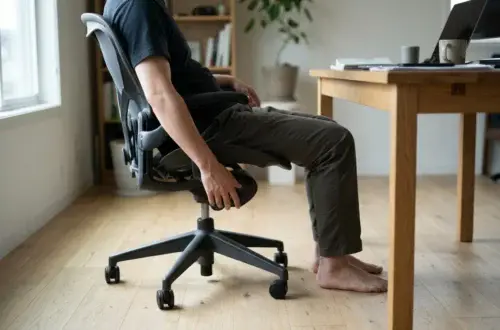

The short answer: which brand suits which kind of sitter
The two brands overlap more than their marketing suggests, so the useful question is which of their flagship chairs matches the way you sit. A rough sorting looks like this:
- Steelcase tends to suit people who change position often. If you lean back to think, perch forward to type, swivel to a second screen and work from a laptop or tablet as well as a monitor, the Leap and Gesture are built around that kind of movement.
- Herman Miller tends to suit people who sit in one working posture for long stretches. If you sit upright facing one or two monitors for hours, the Embody’s back support or the Aeron’s mesh and tilt are aimed at you.
- Heat matters too. If you run warm, mesh seating on the Aeron deserves a close look. If you prefer upholstered cushioning, the Leap, Gesture and Embody offer it.
Treat this as a starting point for a shortlist. Your height, weight, desk setup and the length of your workday decide the final pick, and the sections below explain what to check on each brand’s current spec pages before you spend serious money.
How each brand thinks about sitting
The design philosophies differ, and they explain why the chairs feel different even when the feature lists look similar.
Steelcase’s approach centers on movement. The idea is that people do not hold one ideal posture all day, so the chair should support many postures and follow you as you shift. The Leap’s back is designed to flex with your spine as you recline and lean, and the Gesture is designed around how people use laptops, phones and tablets as well as a fixed monitor, with arms that move with you instead of staying in one spot.
Herman Miller’s approach leans toward posture support. The Embody is built to hold the spine in a supported, aligned position during computer work, with a back that responds to small movements but is shaped to carry you in a specific arrangement. The Aeron has a long record as a task chair with a tilt mechanism and suspended mesh instead of foam, and it comes in more than one size.

In practice, a movement-led chair rewards people who fidget, recline and change tasks. A posture-led chair rewards people who sit still, upright and focused, and who want the chair to do more of the holding. If you are unsure which describes you, pay attention to your next two workdays. Note how often you lean back, cross your legs, pull a laptop onto your knees or perch on the front of the seat.
Flagship against flagship
Each brand has two chairs people usually compare. Pairing them by use makes the comparison more useful than going brand against brand.
Steelcase Leap and Gesture
The Leap is Steelcase’s best-known task chair. It is built for people who recline, lean and shift through the day, and its back is designed to adapt to the spine’s movement. It suits an all-purpose desk worker who spends time on calls, reading, typing and thinking, and who does each of these in a different posture.
The Gesture is the more flexible-armed option, designed with phones, tablets and laptops in mind. If your workday includes handheld devices, or you rotate between a desktop monitor and a laptop on your lap or in front of you, the Gesture’s arm and back design makes more sense than a chair built purely around a keyboard-and-monitor posture.
Herman Miller Aeron and Embody
The Aeron is a mesh chair with a long history, offered in multiple sizes. Its mesh seat and back suit people who want airflow and a firmer, less cushioned feel. It has a recognizable shape that some buyers love and others find too utilitarian for a home office. If heat is a concern in your room, our guide to mesh office chairs that keep you cool when the office runs hot covers what to look for in breathable seating.
The Embody is aimed at long hours of computer work. It is designed to support the back’s alignment while you type and use a mouse, and it generally suits sitters who stay in a forward-facing working position. It is a firmer, more structured sit, and some people take a few days to adjust to it.
A quick comparison
Sitter Likely better fit Changes position often, mixes devices Steelcase Gesture General all-day desk work with frequent reclining Steelcase Leap Runs warm, wants a mesh seat Herman Miller Aeron Sits upright for long computer sessions Herman Miller Embody
Treat the table as a hypothesis to test. A chair that is right on paper can still feel wrong at your desk, which is why the testing section below matters.
Adjustability and fit
Adjustability is where most of the real difference between a good purchase and a regretted one shows up, and it is also where you should rely on the manufacturer’s current specifications instead of memory or a forum post.
For each chair you are considering, open the brand’s own product page and check these points:
- Seat height range. Compare it with your own measurements: the distance from the floor to the back of your knee while you wear your usual work shoes, or none at all if you work barefoot.
- Seat depth adjustment. Taller users need enough seat length to support the thigh, and shorter users need the seat to be shortenable so the front edge does not press behind the knee.
- Back height and lumbar support. Check whether lumbar support is adjustable, fixed or built into the back’s shape, and whether it is height-adjustable.
- Arm adjustability. Look at height, width, depth and pivot. Arms matter most when the chair has to fit both keyboard work and mouse work.
- Recline and tilt controls. See whether you can adjust tension for your body weight and lock the chair at a position you like.
- Size options. Some models are offered in more than one size, and the brand’s sizing guidance will state which height and weight ranges each size covers. Do not guess.
Smaller frames

If you are shorter or lighter than average, the limiting factors are usually seat height at the low end, seat depth and arm position. Check the lowest seat height against your own measurement and make sure the arms can drop low and come in close enough that your shoulders stay relaxed. If a chair comes in a smaller size, read the sizing chart for that size specifically. For tight rooms, our roundup of top rated ergonomic chairs for small spaces covers compact options.
Taller and heavier users
Taller and heavier sitters should check the maximum seat height, seat depth, and the stated weight capacity and size recommendations on the spec page. Check whether there is a larger size or a heavier-duty version, and read what the warranty says about weight and use. Do not assume a flagship chair fits everyone just because it is the flagship. A mismatched size is one of the most common reasons a premium chair feels uncomfortable.
If you share the chair
If two people use the chair, favor one whose adjustments are quick and simple to reset. A chair with many fine settings can be a poor fit for shared use if nobody remembers where they were.
Durability and warranty
Premium chairs cost what they do partly because they are built to last for years, but “built to last” is a claim, and the warranty is where the brand puts that claim in writing. Read it before you buy, on the brand’s current warranty page for the exact model, and do not rely on a number you saw in a review or a reseller listing.
Verify each of these:
- Length of coverage, and whether it differs by part. Frames, mechanisms, gas cylinders, arms, fabric and casters are often covered differently.
- What counts as normal use. Some warranties are written around a stated number of hours of use per day. Check that your use, such as an eight-to-ten-hour workday, falls inside it.
- Who honors the warranty. Find out whether you claim from the manufacturer or the dealer who sold the chair.
- Whether the warranty transfers. This matters a great deal for refurbished and secondhand chairs, where coverage may be shorter or absent.
- What voids it. Look for clauses about unauthorized repairs, commercial use and purchases from sellers who are not authorized.
- What proof you need. Keep the invoice and any serial or model information.
Long-term wear depends on the materials you choose. Mesh can stretch or lose tension, foam can compress, and upholstery shows wear in different ways. The same chair can hold up differently depending on how heavy the user is, how many hours a day it is used and whether it sits in direct sun. Look at what the brand says about fabric and mesh options on the spec page, then read owner reviews that mention years of use instead of first impressions.
Check also whether replacement parts are available. A chair whose arm pads, casters or gas cylinder can be replaced will last longer than one that must be discarded when a single part fails.
Price and where to buy
Both brands sit at the top of the price range for office chairs, and the price you pay depends on the model, the options you select and where you buy. Because prices change and vary by country, check the brand’s own site and a few authorized dealers on the day you buy.
Your main options are:
- Directly from the brand, where one is offered in your country. This usually gives you the full range of configurations and a clear warranty path.
- Authorized dealers. Dealers often provide service, delivery and sometimes a showroom where you can sit in the chair. Confirm on the brand’s site that the dealer is authorized.
- Refurbished and remanufactured chairs. These can cost much less than new. Ask who refurbished the chair, what was replaced, how long the seller’s own warranty runs and whether the brand’s warranty still applies.
- Secondhand from office clearances and marketplaces. The savings can be significant, but you give up warranty coverage and may not know how many hours the chair has been used.
When you compare prices, compare identical configurations. The same chair can be offered with different arms, backs, bases, finishes and fabrics, and these options affect both price and comfort. A low listing may be for a stripped-down version without the adjustments you need.
Be careful with listings that are unusually cheap for the model named. Check that the seller identifies the exact model and options, and look for the manufacturer’s labels in the photos of a used chair. If a seller cannot say what the chair is, move on.
How to test a chair before committing
A showroom sit of five minutes tells you little about hour six of a workday. Try to get a longer trial, and check the return policy before you order.
Before you buy
- Find a place to sit in the chair. Look for a dealer showroom, a coworking space or an office that has one. Try both brands’ chairs on the same day, so you can compare them directly.
- Wear what you work in, and bring your usual device so you can type, read and take a call in the chair.
- Spend real time in it. Fifteen to twenty minutes shows you more than a quick sit, and an extended trial shows you more still.
- Read the return terms. Check the return window, who pays shipping, whether restocking fees apply and whether the chair must be in its original packaging. Chairs are heavy, so return shipping can be costly.
Which settings to dial in first
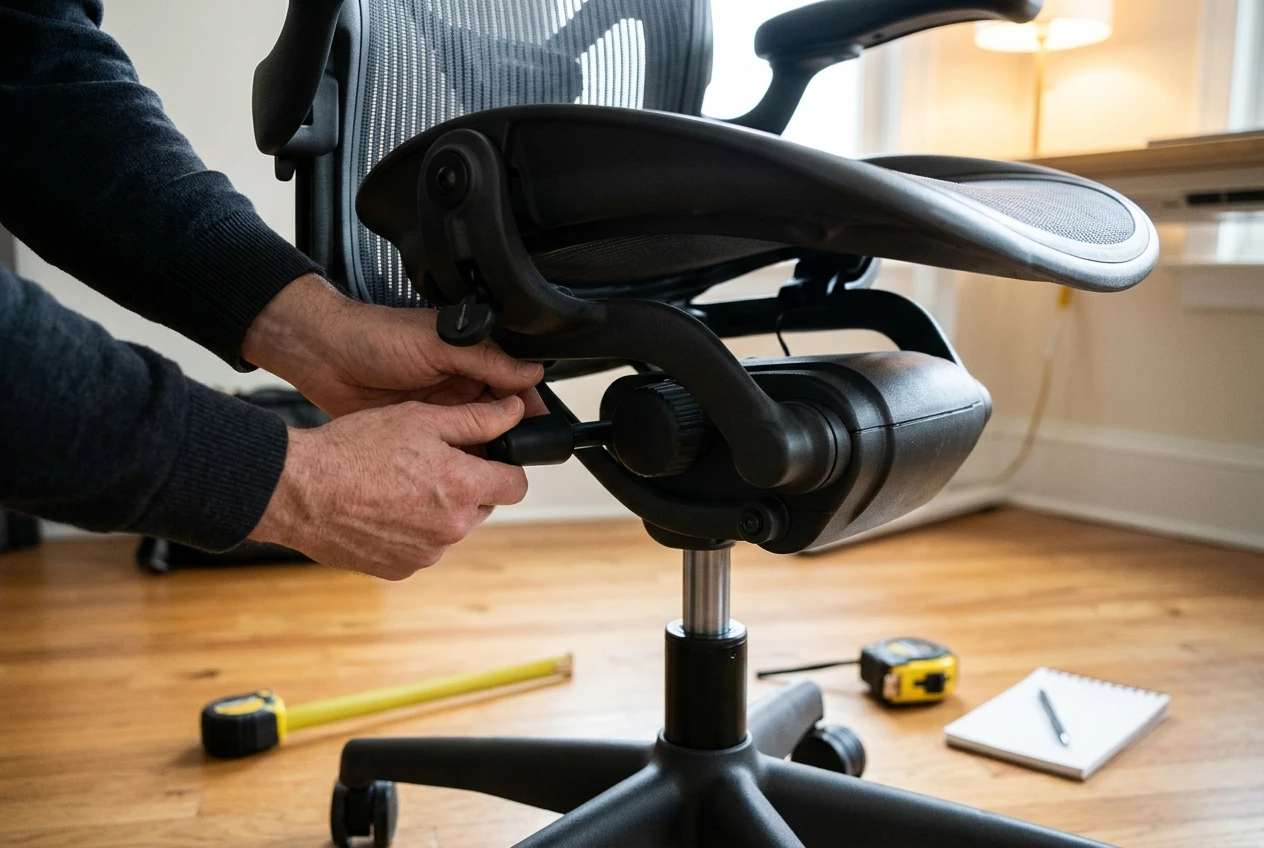
Once the chair is at your desk, change one setting at a time and give each a short period of work before moving to the next. A sensible order is:
- Seat height, so your feet rest flat and your thighs are roughly level.
- Seat depth, so there is a small gap between the seat edge and the back of your knees.
- Back support and lumbar position, so the support meets your lower back instead of pushing it forward.
- Recline tension, so the chair moves with you without tipping you back or fighting you.
- Arm height and width, so your shoulders stay relaxed while you type and use the mouse.
- Screen height and distance, since a well-set chair can still cause neck strain if the monitor is wrong.
Give the chair a few days of ordinary work before deciding it is wrong, since a new posture can feel odd at first. If something hurts after a few days, change a setting instead of enduring it. If the discomfort persists after you have worked through every adjustment, use the return window.
Whichever chair you choose, the setup decides how it performs. Our guide on how to adjust an ergonomic office chair, setting by setting walks through each control in order, so the chair is set up correctly from the first day you sit in it.