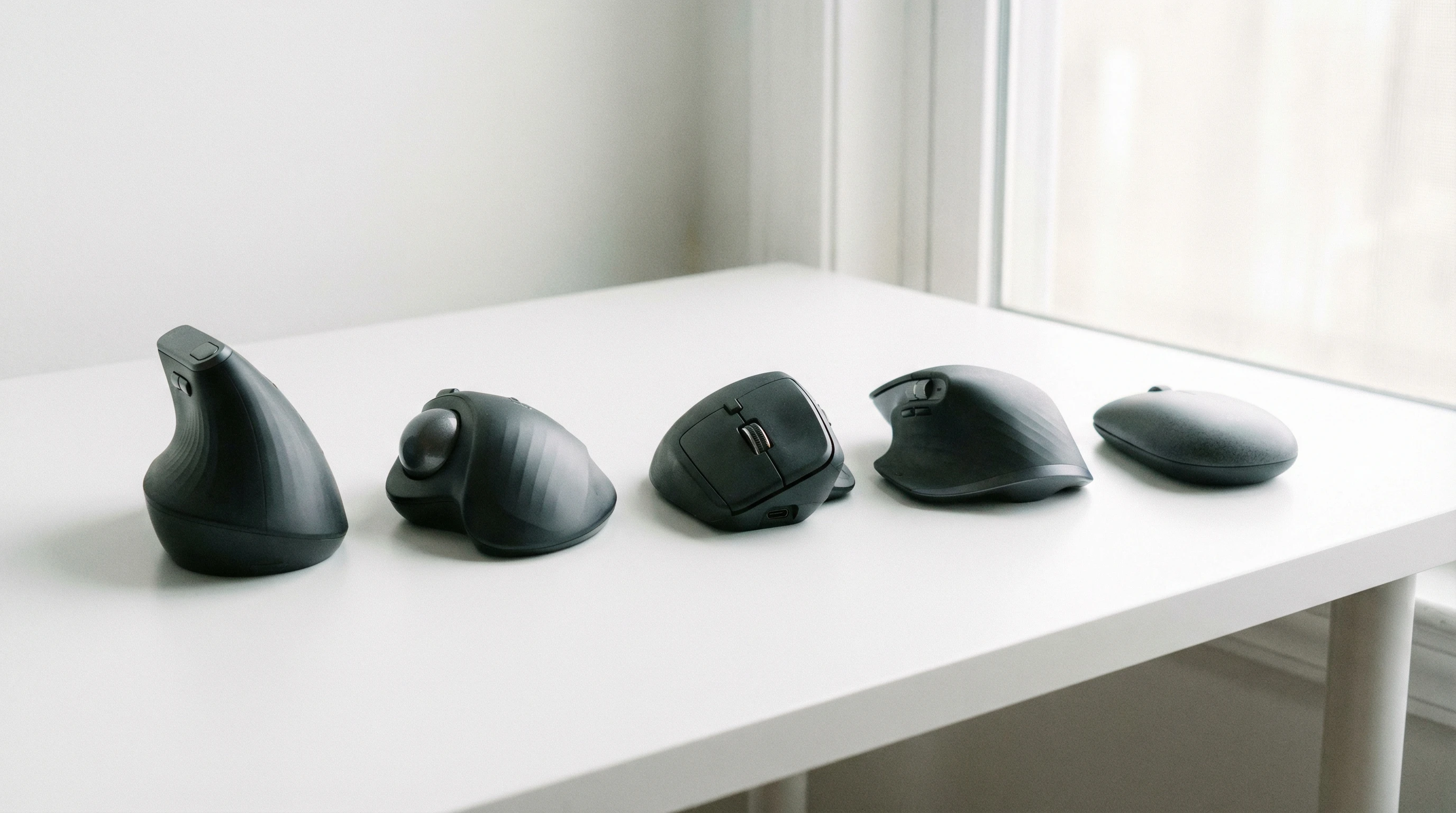
 Using a standard mouse for hours can really aggravate carpal tunnel syndrome, making it tough to get through a full workday comfortably. Wrist pain, tingling fingers, and general discomfort can show up pretty fast if your mouse isn’t designed with ergonomics in mind.
If you’re dealing with wrist discomfort or want to avoid it in the future, choosing the right mouse matters a lot. The right ergonomic mouse can help lessen strain, keep your wrist in a more natural position, and support better work habits overall.
I’ve pulled together what I think are the best mice for people managing carpal tunnel syndrome, with updated picks for 2026 and plenty of helpful details to make your selection easier.
Top 1: Logitech MX Vertical
The Logitech MX Vertical is my go-to recommendation for anyone serious about reducing wrist strain. Its unique “handshake” grip and tilted angle encourage your hand to rest in a natural position, which helps limit pressure on the median nerve. That’s an important factor for those dealing with carpal tunnel.
Star Rating: ★★★★☆
- Pros: Excellent comfort, wireless convenience, fast USB-C charging, customizable buttons
- Cons: Slightly bulky, not ideal for very small hands
The learning curve isn’t that steep. After a few hours, your wrist really does feel more relaxed than with a standard mouse. Worth checking out if you spend lots of time at the computer.
You can check out the full review!
Top 2: Kensington Expert Trackball Mouse
If you’re tired of moving your wrist altogether, a trackball mouse like the Kensington Expert Trackball is a solid option. You control the pointer with your fingers and barely need to engage your wrist at all, which can help some people avoid painful flare-ups.
Star Rating: ★★★★☆
- Pros: No wrist movement needed, ambidextrous design, large trackball for easy control
- Cons: Takes time to adjust, larger footprint, scroll ring can get dusty
Trackballs minimize wrist action entirely. For folks with pretty severe carpal tunnel or wrist pain, this approach makes a real difference and can give a boost to your daily comfort.
The full review can be viewed here!
Top 3: Logitech Ergo M575 Wireless Trackball
The Ergo M575 is another trackball style mouse, but it’s compact and wireless, so desk clutter stays in check. Just like other trackballs, this one lets your hand stay put. Only your thumb does the moving.
Star Rating: ★★★★☆
- Pros: Minimal wrist movement, quiet buttons, long battery life, affordable
- Cons: Right-handed only, not ideal for gaming
The thumb control is intuitive for many people, especially if you’re used to regular mice but want to make the switch with minimal fuss. Its smaller size also means it’s easier to bring along if you travel or switch between workspaces.
You can check out the full review here!
Top 4: Evoluent Vertical Mouse C Right Wireless
The Evoluent VerticalMouse C offers that upright grip some people really love. The angle guides your hand and wrist into a less twisted posture, which lots of users say helps take a load off their joints.
Evoluent’s reputation for wrist friendly gear makes this model pretty popular with folks dealing with pain.
Star Rating: ★★★★☆
- Pros: Sleek vertical shape, good button placement, easy DPI switch
- Cons: Pricey, takes up a bit more desk space, not travel friendly
The button layout feels close to what you find in a traditional mouse, making the transition a little easier if you’re new to vertical designs. It’s a long-term favourite with people who work at computers all day.
You can check out the full review here!
Top 5: Contour Unimouse
The Contour Unimouse stands out for its super adjustable design. You can tweak the angle and thumb rest in a way that really fits your own grip. This customization can help a lot if you have unusual wrist issues or want extra comfort that adapts to your changing needs over the day.
Star Rating: ★★★★☆
- Pros: Adjustable angle and thumb support, solid build, wireless option
- Cons: Bulkier than most mice, adjustment dials can feel stiff
If you can’t quite get comfy with fixed shape mice, the Unimouse gives you lots of options to experiment with. Some users find this flexibility is the key to getting a pain free setup.
What is the best mouse style for carpal tunnel?
For carpal tunnel syndrome, vertical mice and trackball mice both work really well. Vertical mice support a more natural handshake position, reducing the twisting of nerves in the wrist.
Trackball mice keep your hand still and use fingers or your thumb to move the pointer, which helps cut down on wrist stress. Either style is a big improvement over flat mice if wrist pain is an issue, and you might stumble upon one that feels just right for you after a bit of trial and error.
Are vertical or trackball mice better for carpal tunnel?
Both vertical and trackball mice are solid choices, but which is better depends on what feels best for you. Vertical mice are great if you want the feel of a regular mouse with less wrist twist.
Trackball mice need almost no wrist movement, so they’re perfect if you want your hand to stay in place the whole time. Everyone’s experience is a bit different, so testing out both styles helps you find what works with your work setup and pain levels.
Occasionally, mixing it up between styles can help find a solution tailored to your comfort.
What kind of mouse is good for wrist pain?
A mouse that’s ergonomic, keeps your wrist in a relaxed posture, and doesn’t require forced movements is the way to go for wrist pain. Look for vertical shapes or trackballs, generous palm support, and soft click buttons.
Models with adjustable angles, like the Contour Unimouse, add another layer of comfort.
Lower profile, flat mice tend to make wrist pain worse over time, so opting for an all in one ergonomic solution is better.
Is a lighter mouse better for carpal tunnel?
In general, a lighter mouse can be easier to move with less effort, but if you’re using a trackball or vertical mouse, weight matters less because you don’t move the mouse around as much.
For traditional mice, lighter designs help you avoid forcing the wrist or fingers, especially if you move your mouse a lot. However, the shape and grip style have a bigger impact than weight alone. Always pick what suits your day today work habits.
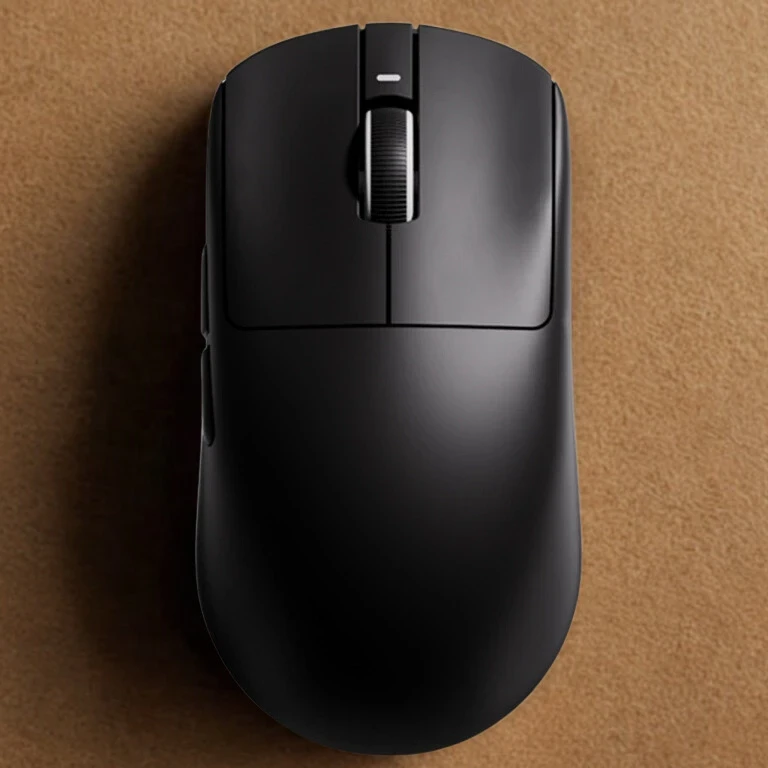
How to pick the right mouse for you
- Try before you buy: Everyone’s hands and pain patterns are different, so it’s a good idea to test out a few models if you can.
- Check the grip: Make sure the mouse fits your hand size and feels comfy during long use. Remember, a snug fit helps prevent new pressure points.
- Look for adjustability: Some ergonomic mice let you change the tilt or thumb rest to get the fit just right.
- Read reviews: Hearing how other people with wrist pain got on with a certain mouse can be super helpful. Reddit is a good place for firsthand accounts, and manufacturer forums are also worth a look when you want honest experiences.
Spending on an ergonomic mouse can feel pricey up front, but the comfort you get and the potential to prevent more pain makes it worth considering. Brands like Logitech, Evoluent, and Kensington have good reputations for quality ergonomic mice.
User feedback generally supports the idea that making this upgrade is well worth the investment, especially for anyone who types or clicks for hours at a time.
Final Thoughts
Switching to an ergonomic mouse isn’t a fix for carpal tunnel syndrome by itself, but it’s a really important step for staying comfortable through long hours at your desk.
A mix of vertical mice, trackballs, and extra adjustable models gives you plenty of options, and small changes in your setup can make a big difference for your wrists over time.
If you’re trying to manage pain or prevent issues from starting, the right mouse is one of the smarter upgrades you can make for your workspace. Don’t be afraid to try a few until you find what clicks with you.
Staying sharp about your ergonomics and keeping an eye out for changing needs will help your hands stay happy even as your work demands grow.
Want to know more about carpal tunnel syndrome, tap here!
Thanks for stopping by and have a great day!