
Choosing a good ergonomic chair can make a huge difference to your comfort and productivity at work. Sitting for long periods in a chair that doesn’t provide enough support can lead to back, leg, and hip pain, and might even cause long-term posture problems.
I’ve spent a lot of time testing and researching ergonomic chairs, so here are key features and tips you’ll want to keep in mind for a better seating experience.
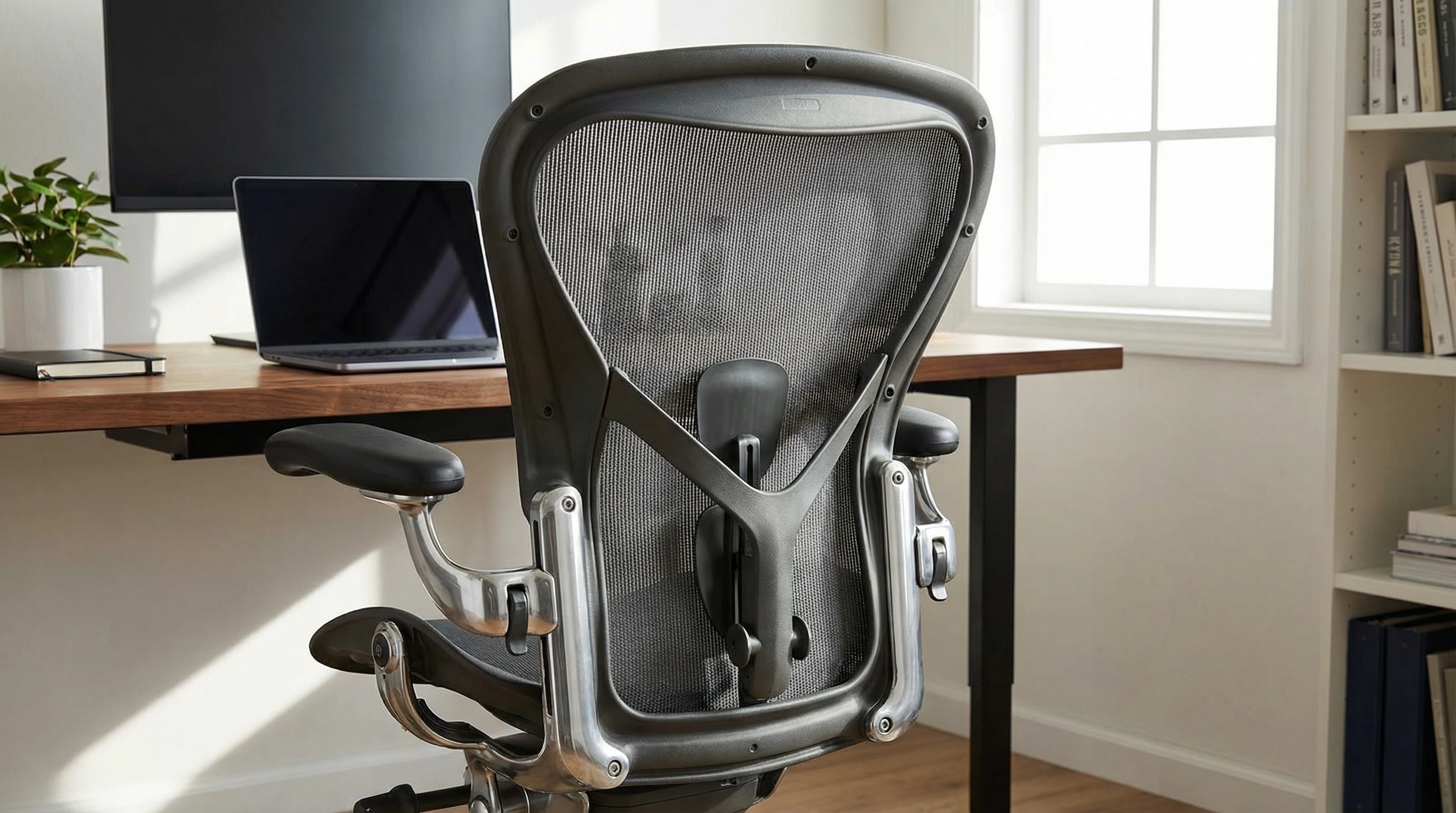
Key Features That Make a Chair Ergonomic
Knowing what features are considered ergonomic really helps narrow your choices, especially with so many options available.
When I look for an ergonomic chair, these are the features that stand out as super useful and worth checking out for a comfortable, supportive experience.
- Stable Fivestar Base: A chair with a sturdy fivepoint base is less likely to tip and offers dependable support as you move and shift positions.
- Adjustable Seat Height: This lets you set the right seat level for your desk and body. Correct seat height keeps your feet flat and your knees at about a 90degree angle.
- Adjustable Backrest: The ability to tilt and lock the backrest helps you find the most comfortable recline angle and posture support for your body.
- Lumbar Support: Support for your lower back is crucial for reducing strain. Good lumbar support feels like firm yet gentle pressure in the small of your back, reducing discomfort during long hours of work.
- Independent Seat and Back Mechanisms: Being able to change the seat angle separately from the backrest makes it easier to get a fit that works for your shape and sitting style.
- Seat Depth Adjustment: This feature allows you to slide the seat forward or backward, giving the right support for your thighs without causing pressure behind your knees.
- Movement and Active Sitting: Some ergonomic chairs are designed to encourage subtle movement, such as rocking or slight bouncing. These small movements help improve blood flow and prevent stiffness.
- Armrest Adjustability: Armrests you can raise, lower, widen, or angle let you fine-tune your position. Proper arm support takes stress off your neck and shoulders and is especially helpful if you spend hours typing.
What To Watch For When Buying an Ergonomic Chair
Shopping for an ergonomic chair can be overwhelming with the huge range of prices and features.
Here’s my approach to making a smart choice, based on both research and hands-on experience.
- Precise Adjustability: All the key areas—seat height, backrest angle, lumbar position, armrests, and seat depth—should adjust easily. Look for smooth levers or dials that are simple to reach and operate while seated.
- Fits Your Body: Chairs that truly support you offer enough adjustment range to match your height, leg length, and body shape. If you’re unusually tall, short, or have broader shoulders, make sure the chair will fit you before you commit.
- Quality Materials: Chairs made with good fabric, mesh, or leather, dense foam, and tough plastics or metals last longer and stay comfortable over time. A wellmade chair pays off in the long run.
- Stable and Sturdy Construction: A fivestar base and good rolling casters matter a lot. I always check a chair for wobble before making a decision, especially since any dailyuse chair needs to stand up to years of use.
- Warranty and Support: Ergonomic chairs are an investment. Top brands typically stand behind their products with warranties of five to ten years or more, and getting spare parts or repairs can be important down the line.
- Style and Design: If you work from home or want your workspace to look sharp, there are lots of ergonomic chairs available in eye-catching colors, trendy finishes, and sleek modern looks.
- Safety Standards: For home offices, check that the chair meets local safety standards, such as fire safety and stability. This is especially important if pets or children are around the workspace.
Try out a few chairs in person if you can; everyone’s comfort preferences are different, and even highend models may not suit every body or workspace.
How To Tell if an Ergonomic Chair is Actually Good
Judging a chair’s comfort and ergonomics goes way beyond just looking at descriptions or brand names. Here are some ways I spot whether a chair is set up for healthy, painfree sitting.
- Immediate Comfort: When you sit, you shouldn’t need to shift around to find a good spot. Your feet should rest flat, knees naturally open, and your back should feel the support, especially in the lower area.
- Effective Adjustments: Make small tweaks to height, backrest, or armrest settings. The best chairs move with you and let you settle into a relaxed yet wellsupported position—never forced upright or slumping forward.
- No Pinch Points or Pressure: There shouldn’t be gaps at your lower back and the seat front edge shouldn’t dig into your legs. The seat should feel cushioned but not soft, spreading your body weight evenly.
- Easy to Move: If you like to lean back or shift sideways, a good ergonomic chair will permit gentle, easy movement without feeling floppy or too rigid.
- True Durability: Try the levers and knobs—if they feel solid, it’s a good sign. The wheels should roll smoothly and quietly. Look over seams, fabric, and foam to check for high-quality assembly and materials.
Five Ergonomic Chair Features You Shouldn’t Miss
If you’re tight on time or looking for a checklist, here are the five features I suggest you make sure your chair has:
- Adjustable Seat Height: This is vital for matching your desk and getting your knees to the right angle, helping avoid soreness.
- Lumbar Support: Consistent and gentle support for the lower spine keeps you sitting upright and more comfortable all day.
- Adjustable Backrest Tilt: This allows you to relax and lessen stress from staying in one position for hours.
- Seat Depth Adjustment: Good for people who are taller or shorter than average, so thighs get proper support every time you sit.
- Stable Fivestar Base: Wide bases with smooth-moving casters make it easy to get around the workspace and keep you steady as you move.
Troubleshooting Common Chair Shopping Questions
- Do I need every advanced feature?
Comfort is increased by features like independent seat/back mechanisms and seat depth adjustments, but lumbar support, seat height, and an adjustable back are the necessities. Choose as many as you can afford, but for most people, even more basic, adjustable chairs work well. - What if I’m purchasing for a home office?
Homeworking chairs typically use the same basics as office designs. Just make sure the model meets safety standards for home furniture, especially if kids or pets will be around the chair. - What’s a fair price for an ergonomic chair?
Typically, a sturdy, completely ergonomic chair costs about £280. There are also respectable, more affordable options available. - Although they are more expensive, high-end chairs typically last longer, are repairable, and provide next-level cool comfort that you will value for many years.
- Should I go to a specialty retailer?
Visiting a specialist is a smart idea for premium models or if you have back or posture concerns. These retailers give tailored advice, provide aftercare, sometimes offer home trials, and can handle tricky assembly for you.
Upgrading Your Workspace: Tips from Real Experience
Over the years, I’ve noticed just how much of a difference a supportive chair makes, especially if you’re at your desk eight hours a day or more.
Here are a few practical tips that have helped me and others work in more comfort and with fewer aches:
- Take Time to Adjust Your Chair: Check your settings regularly. Shoes or tangled cords can shift the height or tilt, causing pain that creeps up slowly over days or weeks.
- Mix Up How You Sit: Vary your position, lean back now and then, and don’t be afraid to shift your hips or stretch at your desk. This helps keep muscles active and benefits both focus and health.
- Pair With a Good Desk Setup: The best chair supports you, but only if your monitor is at eye level, your desk is the right height, and, if needed, you use a footrest. Heaps of small desk tweaks add up to a much more supportive workspace overall.
- Keep an Eye Out for Wear: Regularly check for worn-out spots on the seat, loose wheels, or fading lumbar support. Replacing or maintaining these small parts on time keeps your chair working for you and extends its life.
Frequently Asked Questions
What are the key features of an ergonomic chair?
The top features include adjustable seat height, lumbar support, a tiltback backrest, sturdy fivestar base, with perks like seat depth adjustment and armrest movement for active and comfy sitting.
What should I watch for when buying an ergonomic chair?
Look for easy, precise adjustability in all areas, especially seat height and lumbar. The chair should fit your size and let you change positions. Good materials, long warranties, and the ability to get spare parts all matter for long-term value.
How do I know a chair is a good ergonomic pick?
Sit in it: if you can easily dial in the settings to fit your body, and feel solid support in the lower back, flat feet, and reliable stability, you’re on the right track. Bonus points for no pinching, wobbling, or forced postures.
What are five important ergonomic features?
Look for an adjustable seat height, lumbar support, a tiltback backrest, seat depth controls, and a fivestar base. Together, these bring comfort and support for most body types and work styles.
You’ll have a strong basis for a productive and healthy work environment if you keep these factors in mind and try out a few chairs to see what feels the best. A better, more comfortable workday can be achieved with a few clever changes and a well-chosen chair.
Thats it for now peeps, have a great day!