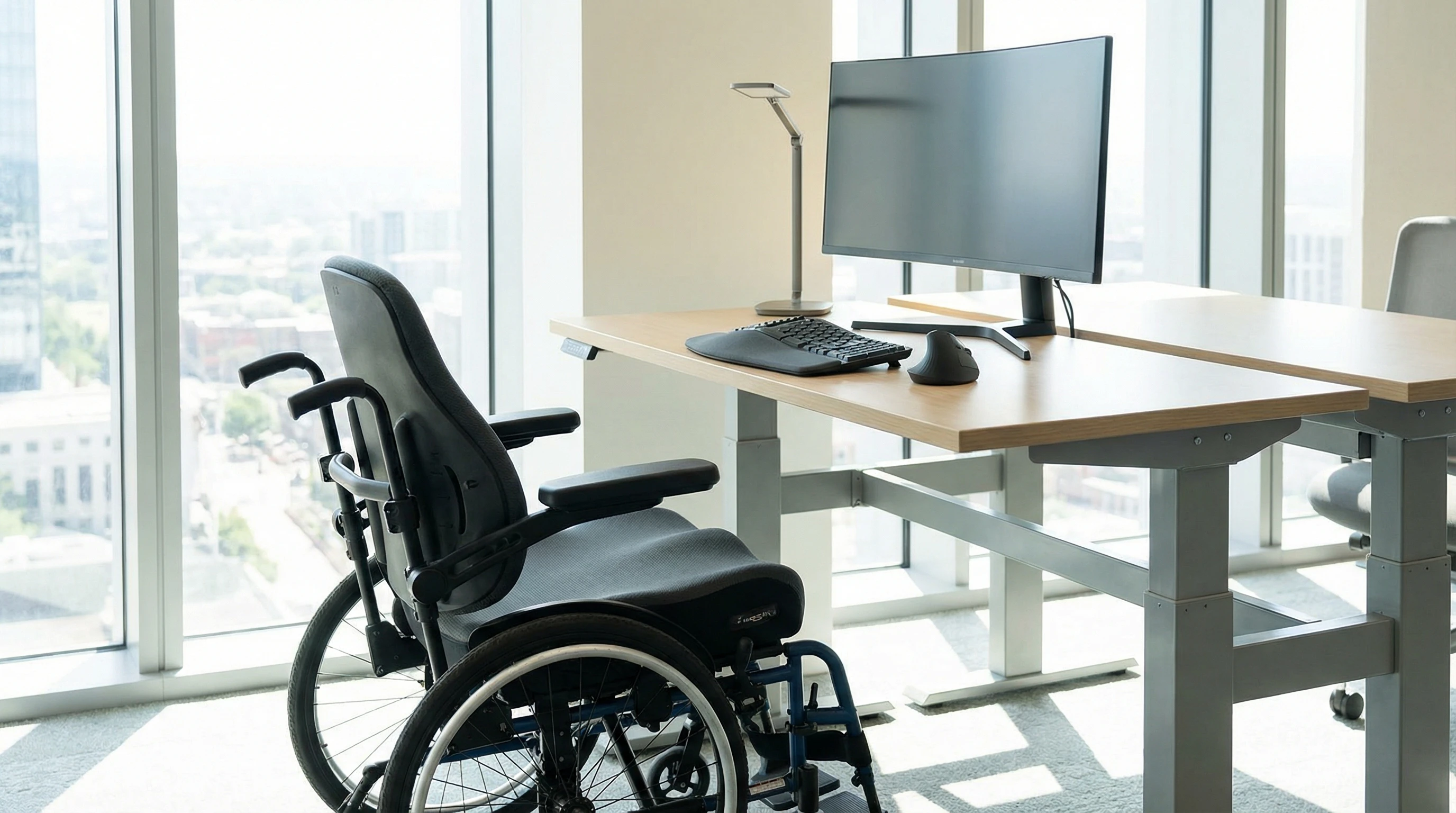
Finding the right seating can change everything when you use a wheelchair each day, especially if much of your time is spent at a desk. When experts talk about ergonomic seating for wheelchair users, they’re focusing on ways to arrange your chair and workspace so that you feel good and avoid aches and pains—even after a full day at work.
Why Ergonomics Matter for Wheelchair Users
Spending hours in the same seated position can leave anyone feeling sore or restless. For wheelchair users, it might also cause complications like back pain, stiff joints, or even pressure injuries.
Ergonomics is all about comfort and efficiency, so choosing the right workstation and wheelchair setup can genuinely make a difference in your health. A setup tailored for your body helps you stay focused and minimizes distractions from discomfort or strain.
The aim with ergonomic seating is to support your body, encourage good posture, and keep you protected from long-term issues like repetitive strain injuries (RSI).
You’ll probably feel more at ease and accomplish more during the day if you combine a well-designed wheelchair with modifications to your workspace.
What Makes a Wheelchair Ergonomic?
An ergonomic wheelchair is built for adjustability, support, and ongoing comfort. It isn’t about fancy add-ons; instead, it gives you real tools for tailoring your sitting position to your routine and reducing discomfort as days go by.
Here’s a practical look at key features that define an ergonomic wheelchair:
- Adjustable armrests: These help match your arm position to desk height, reducing shoulder and wrist strain.
- Desk friendly armrests: These allow you to sit closer to your desk without the armrests getting in the way.
- Adjustable seat height: Being able to move the seat up or down lets you set the perfect legroom and desk alignment.
- Reclining backrest: This feature allows you to lean back and relieve spinal stress, changing your posture during the day.
- Lightweight compact frame: This design makes it easier to move smoothly from your workstation to meetings or break spaces.
- Adjustable footrests: Getting your feet in the right position is important for both comfort and healthy posture.
- Ergonomic cushions: Seat cushions or backs with carefully shaped designs reduce pressure hotspots, so you’re likely to stay comfortable for hours.
- Optional headrests: These offer neck and upper back support if you’re sitting for extended periods.
Improving Comfort: Wheelchair Seating Hacks
Small adjustments have a huge impact when it comes to comfort. If you’ve found yourself asking, “How can I make the wheelchair seat more comfortable?” you’re definitely not alone. These tips work wonders for individuals in the wheelchair community have shared even more:
- Upgraded Cushions: Swap out a standard cushion for a pressure-relief or memory foam cushion. It can really help distribute weight and reduce soreness.
- Backrest Adjustment: Adjust the backrest angle or height whenever possible to match your spine’s natural curve.
- Proper Foot Support: Placing your feet flat and supported on the footplate lessens tension in your legs and lower back. Adjust footrests as needed.
- Use Posture Belts or Straps: These are great if you find yourself sliding or slouching, providing upright support without restraint.
- Regular Position Changes: Even the most comfortable seat gets tough if you sit the same way too long. Try shifting your weight or stretching regularly.
Try out different concepts until you discover the one that works best for you. Contact an occupational therapist or seating clinic for personalised advice and solutions if off-the-shelf options don’t work for you.
Best Wheelchairs for Office Desk Work
When searching for a wheelchair suited for office tasks, there are top features to look for. From conversations with others using wheelchairs for work, here are frequently recommended options:
- Tiltinspace manual chairs: Being able to tilt your seating position helps relieve pressure points and can give your posture a much-needed reset during the work day. Look at brands like Quickie and Ki Mobility.
- Ultralight manual wheelchairs: These are easier to move around in tight office areas, especially with desk-length arms. TiLite, Kuschall, and Invacare are some leading names.
- Power chairs with seat elevators: These chairs raise or lower you quickly so you can meet the desk at just the right height. Check out models from Permobil, Quantum, and Sunrise Medical for smooth elevation.
- Custom seating systems: If you require specialized support, there are companies that can design custom setups still compatible with standard desks.
A good wheelchair, when paired with an ergonomic workspace, will boost your comfort and efficiency. This pairing makes daily work more productive and a lot less tiring.
Top Ergonomic Chairs for Wheelchair Users
If you want to switch from your regular wheelchair to a dedicated office chair while working, there are some ergonomic office chairs made for users with mobility needs.
Alternatively, you can customize popular ergonomic chair models to suit your body if you transfer often.
Some people find it easier to use a separate chair for certain tasks, especially when working from home. These are commonly used choices:
- Herman Miller Aeron (with modification): The adjustable mesh seating can be a great fit, especially if transferring is easy for you.
- Steelcase Leap: Known for lots of adjustable features, including arms and lumbar support.
- ErgoAdapt chairs: These chairs are specially built for people with disabilities and can be tuned with lateral supports, harnesses, or alternative controls.
However, for most wheelchair users, adapting your main wheelchair to accommodate ergonomic needs with accessories like posture cushions or supportive backs is usually best.
Keeping a spare ergonomic chair for specific situations at home could be handy if you use different setups for different types of work.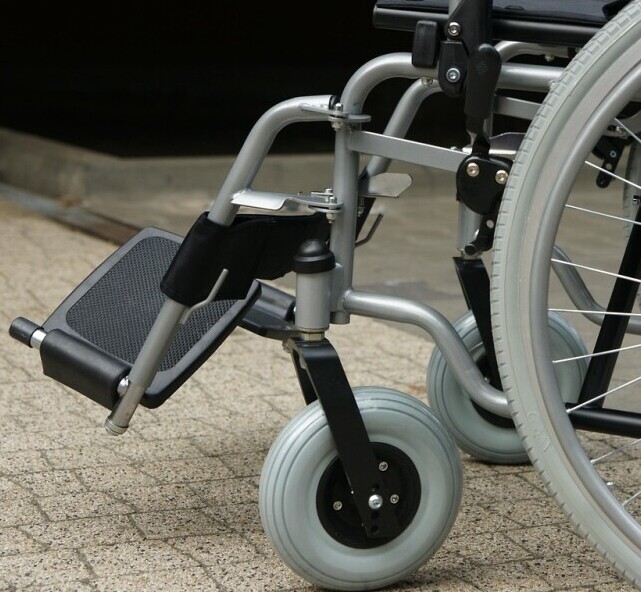
Desk Setup and Workspace Ergonomics for Wheelchair Users
Proper workspace ergonomics mean less strain and more productivity in any chair. Here’s what truly makes a positive difference in a wheelchair-accessible workstation:
- Heightadjustable desks: Allows you to align your body with the work surface for comfort and less strain.
- Monitor setup: Place your monitor so the top third is at or just below eye level, using a movable monitor arm if needed.
- Keyboard and mouse placement: Keep these tools within easy reach and invest in ergonomic keyboards or mice if possible.
- Clear underdesk space: Ensure there’s no clutter, tangled wires, or low drawers to block your wheelchair or feet.
- Bright adjustable lighting: Use a focused desk lamp to minimize eye strain and avoid shadows on your workspace.
- Helpful accessories: Consider ergonomic wheelchair cushions, auxiliary footrests (for people who transfer), and specialized input devices if needed.
How To Sit Ergonomically in a Wheelchair
Proper sitting posture saves you from many common complaints like sore backs, shoulders, and wrists. Here’s a handy reference for staying comfortable and healthy:
- Keep hips and knees at 90 degrees—or a little higher at the hips if possible.
- Let feet rest flat on footplates, avoiding dangling or stretching them too far forward.
- Maintain natural spine alignment, avoiding slouching or over-arching your back.
- Let shoulders relax and keep your elbows at about a right angle when typing or clicking a mouse.
- Change your position at least once an hour, even small shifts make a difference.
If getting your posture just right is a challenge, consider reaching out to a seating expert or occupational therapist for help with adjustments.
Frequently Asked Questions About Ergonomic Wheelchair Seating
How can I make my wheelchair seat more comfortable?
You can step up comfort by swapping your standard cushion for an ergonomic model, adjusting footrests to keep your feet from dangling, and shifting your weight from time to time.
To prevent sliding or discomfort, many people use posture belts, lumbar rolls, or back supports. Try a few different options or consult a seating expert for tailored advice.
What is an ergonomic wheelchair?
An ergonomic wheelchair is one that can be changed and tweaked for your body type and daily needs.
Adjustable armrests, a reclining back, modifiable seat height, supportive cushions, and adjustable footrests work in tandem to help you stay comfortable for long stretches and cut down the risk of pain or repetitive strain injuries.
What is the posture for sitting in a wheelchair?
Good posture in a wheelchair means your back is supported, your hips are level or slightly above your knees, and your feet are resting securely on the footplates. Relax your shoulders and keep your hands low to reduce tension.
Don’t forget to switch positions, lean back occasionally, and stay aware of pressure points. If you have doubts, ask a therapist to check your setup and provide customized guidance.
Optimizing Comfort, Mobility, and Productivity
Combining a wheelchair set up for desk work with a thoughtfully designed office space supports not only your comfort, but also your ability to move freely and concentrate. When your workspace fits right, getting work done feels more motivating and less of a chore.
By adjusting your seating, adding ergonomic accessories, and tweaking your posture and workstation, you can look forward to a more comfortable and productive workday.
Don’t be afraid to reach out for professional help if you need to tailor your setup further—sometimes, expert guidance is exactly what’s needed to take things up a notch.
That’s it for now peeps, have a great day!