
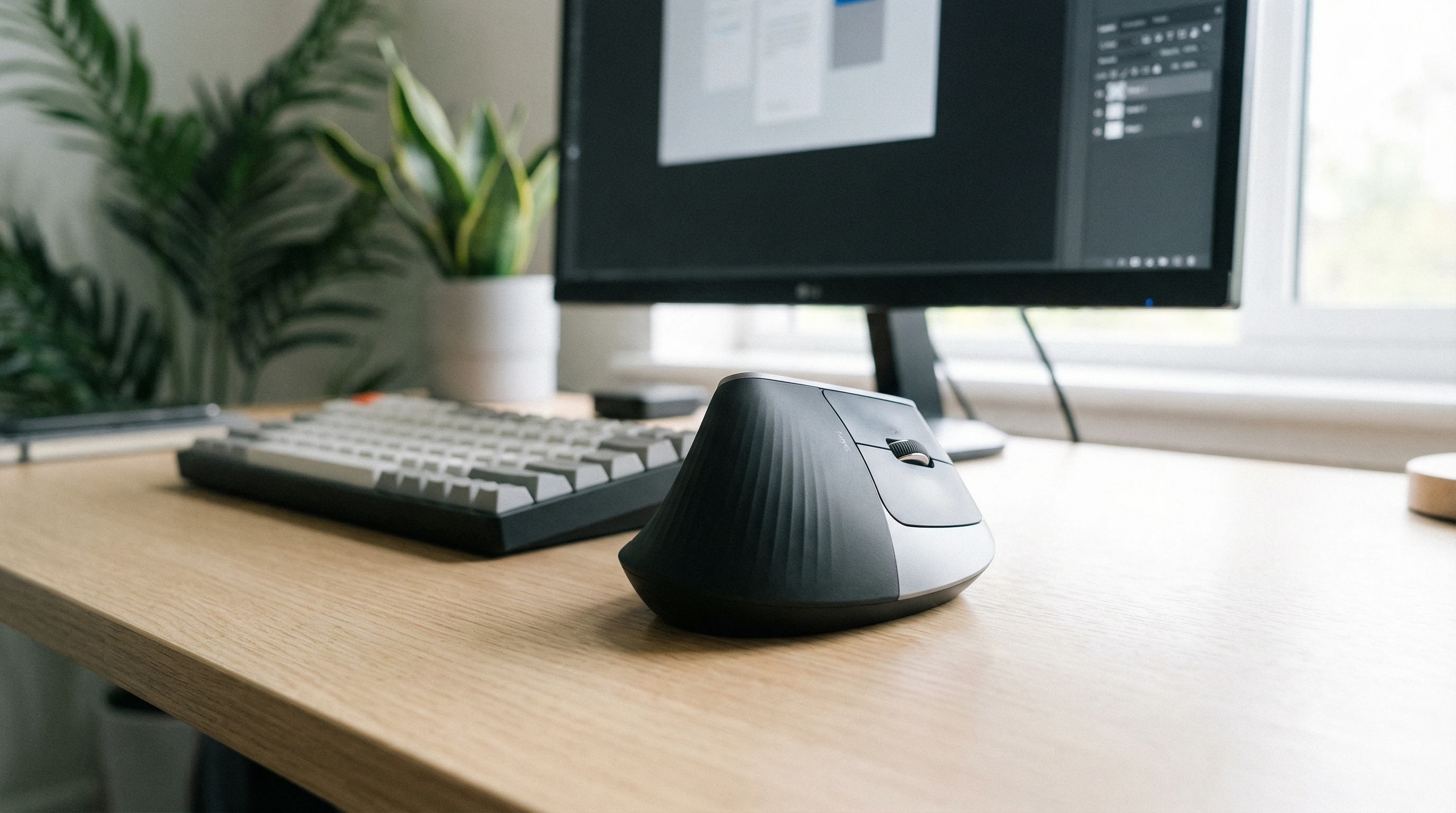
 If you’ve battled wrist pain, numb hands, or just cranky wrists from endless hours at the computer, you’re in good company. For years, I struggled with discomfort using regular mice, not really knowing there were better options. The Logitech MX Vertical review is here since it turned out to be a game changer for me.
Now that I’ve put in plenty of hours with this mouse, I want to walk you through what it actually feels like, areas where it shines, some drawbacks, and details that might help you decide if it’s the right pick for you.
Why the Logitech MX Vertical is Worth Considering
Most standard mice force your wrist into a flat, unnatural position. This can add up to a lot of strain over the long haul. What attracted me to the MX Vertical was that it’s built to keep your hand in a handshake position. This puts your wrist at a more natural angle and helps cut down on muscle fatigue and pain. That’s a big deal if you log lots of screen hours every week.
- You could benefit if you’ve noticed pain or stiffness in your hand during computer work.
- It’s a good fit if you find conventional mice just feel uncomfortable after a while.
- Fans of productivity setups who care about ergonomics and design usually like this mouse right away.
Switching to an ergonomic shape like this takes a bit of adjusting. But after a week or so, I was way more comfortable, and my wrist aches mostly faded away. Definitely a nice change compared to before.
What is the Logitech MX Vertical?
The Logitech MX Vertical is a wireless ergonomic mouse designed for people who spend a lot of time at their desk and want to reduce wrist strain.
It’s made for right-handed users, sporting a unique sloped shape that feels like a handshake when you grip it. This angle is more natural for your arm and avoids excess twisting of your forearm muscles.
Here’s what stands out about the MX Vertical right away:
- Vertical design: This is what makes the mouse so different from traditional ones. It’s basically tilted at 57 degrees, which is pretty comfortable once you get used to it.
- Premium feel: It’s solid, sturdy, and covered in a soft matte finish that feels nice in the hand. The build quality feels like what I expect from Logitech’s high-end lineup.
- Simple wireless setup: You can connect it with Bluetooth, use the USB wireless dongle (Logitech’s Unifying Receiver), or just plug it in for wired use.
Compared to a regular mouse, the MX Vertical feels fresh right out of the box. The unique grip takes a little getting used to, but the feeling is genuinely supportive and much less straining, especially after extended use.
Logitech designed this to help people who spend long stretches at their computer, and you can really tell when you use it for a few days.
Features of the Logitech MX Vertical
- Ergonomic Shape: The handshake position reduces wrist pressure and can help prevent repetitive strain issues.
- Customizable Buttons: You get standard left/right click, a clickable scrollwheel, two thumb buttons, and a button on top to switch DPI sensitivity. All of these can be customized using Logitech Options software.
- DPI Switch: The dedicated DPI button lets you quickly jump between sensitivity levels. This is especially handy if you swap between precise design work and general web browsing.
- MultiDevice Support: Thanks to Logitech Flow, you can control up to three devices with a single mouse, copying text and files between systems. I’ve used this with a laptop and desktop at the same time; it’s really handy if you multitask across screens.
- Rechargeable Battery: The built-in battery recharges through USB-C. In my experience, it easily lasts several weeks on a charge, even with heavy use.
- Wireless & Wired: You’ve got options to connect over Bluetooth, USB dongle, or charge and use it as a corded mouse when needed.
This mouse doesn’t just look cool; the combination of comfort and productivity features really adds up once you put it to daily use.
It’s not just about that handshake grip—being able to bounce between devices and tweak your settings for different projects genuinely gives your workflow a boost.
How Using the MX Vertical Felt For Me
- After a couple days, my wrist stopped aching as much, and I noticed less tingling in my fingers during long sessions.
- The learning curve is real. It took about a week before movements felt second nature, especially for tasks like Photoshop or gaming.
- The softtouch surface and thumb rest make it cozy. My hand didn’t sweat or slip off, even during summer heat.
- The mouse isn’t super heavy, but it’s not featherlight either. I got used to the weight quickly, and it felt planted, not clunky.
If you’re coming from a slim, ambidextrous mouse, the vertical shape will feel very different at first. Personally, my hand adjusted in under a week, but others may need more or less time. If you share your mouse with others, keep in mind it’s only really comfortable for right-handed users.
Pros and Cons of the Logitech MX Vertical
- Pros:
-
- Really comfortable ergonomic grip helps with wrist and forearm pain.
- High build quality and premium materials.
- Decent battery life and quick USB-C charging.
- Customizable buttons and easy DPI switching are pretty handy for different types of work.
- Supports both Bluetooth and USB dongle options. Great if you switch between machines.
- MultiDevice support (works great if you use more than one computer).
- Cons:
-
- Will feel bulky if you’re used to a small or ultralight mouse.
- The design only works for right-handed folks.
- Not the best for fast-paced gaming; vertical shape isn’t meant for rapid movements.
- More expensive compared to regular mice. Not cheap, but the comfort might be worth it if you’re struggling with wrist pain.
Who Should Get the MX Vertical?
If you deal with wrist, hand, or arm fatigue, or if you want to avoid those issues as you spend long days at your desk, I think the Logitech MX Vertical is worth checking out. The relief from switching to an ergonomic mouse was noticeable pretty quickly for me.
It’s especially suited for people who work in design, writing, coding, or spend lots of time on a computer for work and want to make their setup more comfortable.
- If you’re a left-handed user, you might want to look at other options, as this model is designed strictly for righties.
- Not the best pick for serious gamers who need ultra-fast reflexes, but totally fine for most productivity uses.
For office workers, writers, or designers who care about comfort and efficiency, this mouse is a smart pick. If you’re thinking about switching things up to tackle those nagging wrist issues, it’s a solid investment in your long-term health and productivity. While it’s not a magic cure, it can certainly ease the burden on your hands and arms.
Where to Buy & My Takeaway
The Logitech MX Vertical is available through most major retailers, as well as directly from Logitech’s website. Prices are typically in the premium range, reflecting the build and ergonomic design.
I recommend picking it up from places that have easy return policies just in case you decide it’s not a good fit. Careful research into the shape, fit, and compatibility with your devices can help buyers get the most out of their purchase.
After long-term use, I can honestly say the price was justified for the boost it gave my comfort and daily productivity. Not everyone will love the shape or make the switch, but if wrist pain or hand fatigue is getting in the way of your workflow, this mouse is definitely worth a try.
Wrapping up, the Logitech MX Vertical is a top pick if you want a more natural feeling mouse that works with your body instead of against it. If comfort is a priority, and you spend hours each day on your computer, this is a smart upgrade that could make a big difference in your work (and life).
Thats it for now peeps, have a great day!