
 Back pain can turn a typical workday into a real struggle, especially if your chair isn’t up to the task. I’ve spent more time than I’d care to admit sitting at a desk, and a comfortable, supportive chair has made a huge difference for me and plenty of others.
Whether you’re working from home, gaming, or just need a more comfortable seat for long stretches, picking the right ergonomic chair brings big relief, and helps prevent further pain down the road.
The right ergonomic chair supports your spine, encourages good posture, and lets you adjust things to fit your body—not the other way around. I’ll walk you through how to pick one that actually works for your needs, suggest a few options to check out, and tackle some of the most common questions about back-friendly seating.
The Benefits of Ergonomic Chairs for Back Pain
Sitting in a standard office chair all day often means lower back pain, stiff muscles, or even more serious posture problems. Ergonomic chairs are specifically designed to tackle these issues. Here’s how I see them making a real difference:
- Better spinal alignment: Adjustable lumbar support and customizable features help keep your spine in its natural curve, taking a lot of pressure off your lower back.
- Reduced muscle fatigue: A wellmade chair spreads your weight evenly, so your core and back muscles don’t get as tired.
- Fewer aches after long hours: Good seat padding, reclining options, and adjustable armrests mean you’re less likely to feel sore after a long day.
- Helps with injury prevention: By encouraging you to sit upright and avoid slouching, ergonomic chairs lower your chances of developing chronic pain or making existing pain worse.
Many people found that their daily back pain eased up after switching to an ergonomic chair. It’s not a miracle fix for every issue, but it’s easily one of the most effective changes you can make to your work setup.
Combined with regular breaks to stretch and move, an ergonomic chair is a proven way to give your body a boost and protect your posture longterm.
What Features Should I Look For in an Ergonomic Chair?
There are plenty of chairs out there, but when back pain is a concern, certain features matter much more. Here are the features I’ve found most helpful and that experts suggest you check out:
Adjustable lumbar support: You want support that can move up or down, in or out, to match the curve of your lower back. Some chairs let you fine-tune this with a dial or lever.
Seat height adjustment: Raising or lowering the seat ensures your feet stay flat on the floor and your knees are at about a 90-degree angle, which reduces pressure on your back.
Seat depth: Enough depth lets you sit with your back against the backrest while still having 2–4 inches between the edge of the seat and the back of your knees. Some chairs allow you to slide the seat forward or back for a more custom fit.
Adjustable backrest recline: A chair that lets you tilt or lock the angle of the backrest helps you switch up positions and reduce spinal strain, especially during long tasks.
Supportive padding: The seat and back should be firm but comfortable. Thin, hard, or overly soft pads can make pain worse.
Adjustable armrests: Armrests that you can move up, down, or sideways support your elbows and shoulders and help stop you from hunching.
High back and headrest: For some people—especially if neck pain ties in with back pain—a taller backrest and a headrest can be super helpful.
Stable swivel base and wheels: Being able to move your chair smoothly means less twisting or straining your lower back while reaching for things.
Trying out a chair in person before buying can help you get a good sense for these adjustments. If you’re shopping online, checking detailed specs and user reviews really smooths the way for solid decision-making.
And don’t forget to ask about return policies, just in case the fit isn’t perfect.
Top Ergonomic Chairs Worth Checking Out
There are loads of ergonomic chairs on the market, but some brands and models come up again and again for back pain relief. Here are a few to consider, based on my research, user feedback, and personal experience:
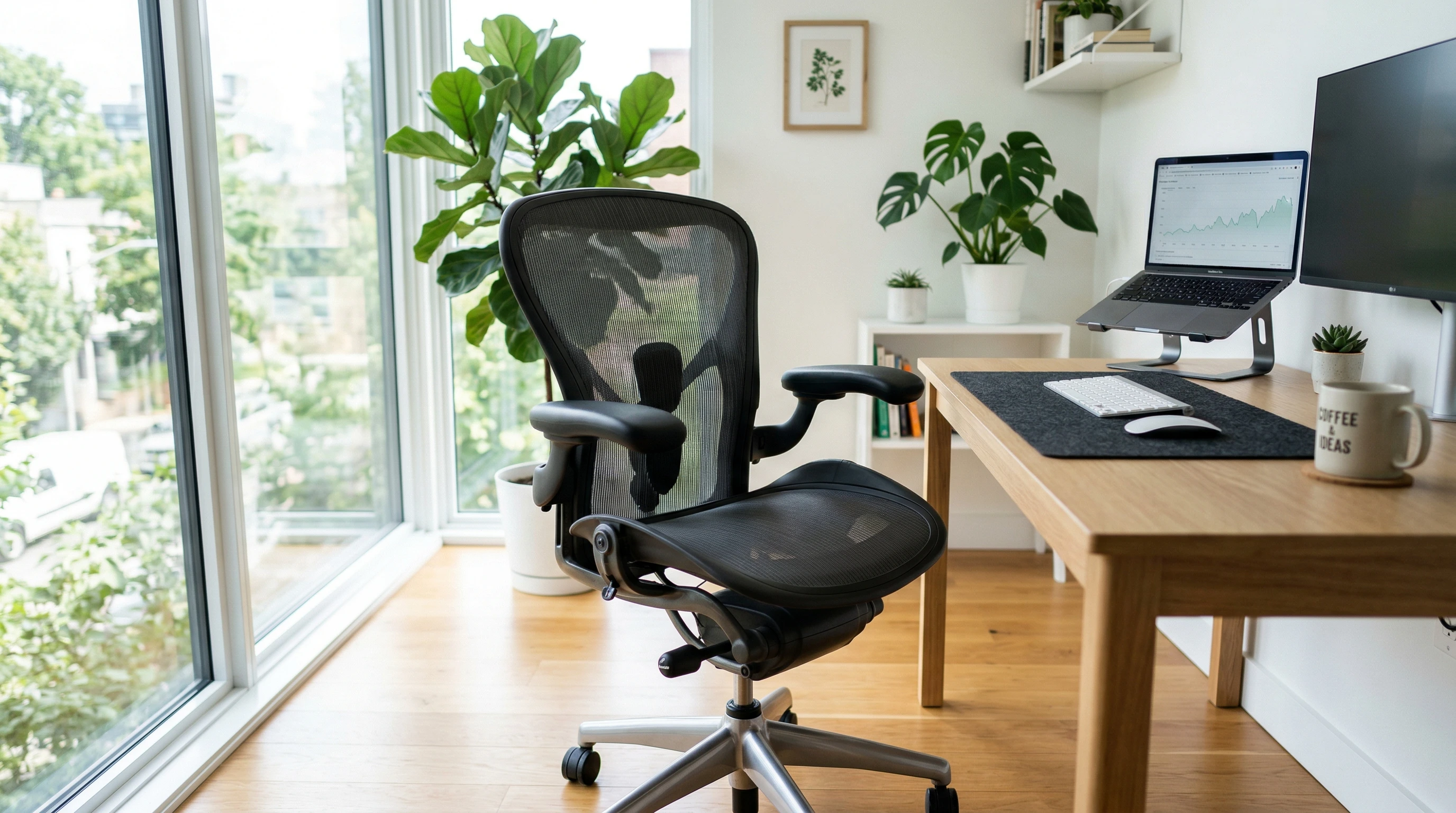
Herman Miller Aeron Chair: Known for its mesh back and cool support features, this chair offers adjustable lumbar support and a comfortable seat. The controls are easy to use, and the build quality is excellent. It’s definitely a bigger investment, but many people swear by it for reducing daily back pain. The mesh material also keeps you cool, which is a big bonus if you sit for hours on end.
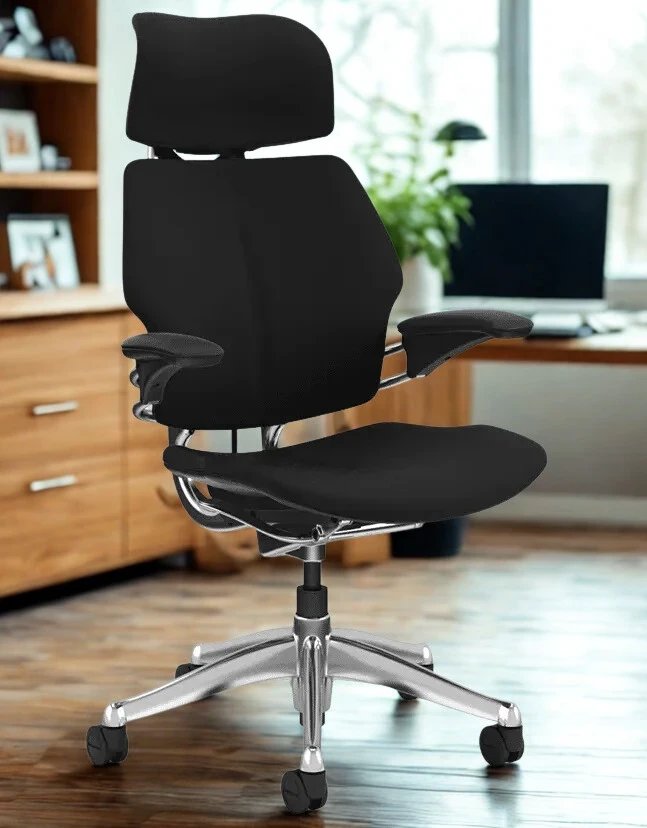
Steelcase Leap Chair: I hear from a lot of folks who appreciate its LiveBack technology, which moves with your spine and keeps your lower back supported. It has a range of seat depth and armrest adjustments, so you can fine-tune the fit to your liking. The Leap is renowned for its durability and reliable back support, making it a popular choice in both offices and home offices worldwide.
ErgoChair Pro by Autonomous: This is a more budgetfriendly option that still includes adjustable lumbar support, headrest, armrests, and seat tilt. It’s easy to set up and fits a range of body types. Many people who want ergonomic support without breaking the bank find the ErgoChair Pro a great place to start.
Secretlab Titan Evo: Originally made for gamers, but the lumbar adjustments and supportive padding make it a solid choice for back pain sufferers, especially if you enjoy plush seats. The Titan Evo looks eye-catching and brings next-level cool to your setup, all while caring for your back on those long gaming or work sessions.
HON Ignition 2.0: If you’re after something functional but not too pricey, this one gives you adjustable lumbar, seat glide, and different sizes, which makes it a good match for a lot of people. The HON Ignition 2.0 is widely praised for its comfort and value, especially for home office workers looking for something sturdy and reliable for daily use.
When checking out these options, sizing, adjustability, and how well the chair matches your body shape is super important.
One person’s dream chair might not work for someone else, so checking return policies or trying them in a store (if possible) can take the stress out of buying online.
Setting Up Your Ergonomic Chair for the Best Results
Even the best ergonomic chair doesn’t help much without a proper setup. Here’s the simple routine I follow whenever I get a new chair, and what most ergonomic experts recommend:
- Adjust seat height so your feet are flat on the floor, and your knees are level with—or just below—your hips.
- Sit all the way back so your shoulders and lower back rest snugly against the backrest.
- Check lumbar support. Adjust it (if available) to fit the curve of your lower back and give the right amount of support.
- Set seat depth so there’s a small gap between the seat’s front edge and the back of your knees (about 2–4 fingers’ width is a good guide).
- Adjust armrests so your arms can rest lightly with your shoulders relaxed and elbows at around a 90-degree angle. This reduces strain on both your back and neck.
- Use the recline and tilt to move a bit throughout the day, rather than staying in one position for hours. Mixing up your sitting position helps your muscles and joints stay loose.
It’s normal to need a few days to get used to the new setup and make slight tweaks so everything feels just right. Take time setting up, and don’t hesitate to adjust things if you feel discomfort after a long session.
FAQ: Common Questions About Ergonomic Chairs for Back Pain
Are ergonomic chairs really better for my back?
From my experience and after talking to others, a true ergonomic chair really does make a difference for back comfort and posture. They won’t fix all problems instantly, but they give way better support than basic office chairs and help minimize strain on your back. Back pain is often caused by poor posture from unsupportive chairs, so upgrading is a smart move.
Can I use an ergonomic chair if I already have a back injury?
It’s usually a good idea, but if your back pain comes from an injury, checking with your doctor or physical therapist before making any big changes is always smart. Some injuries require specific seating or activity adjustments, so a quick check-in with a specialist will make sure you’re on the right track.
How long does it take to notice a difference?
For most people, the first week is when you’ll feel some relief, but building healthy sitting habits and posture takes a little longer. Your muscles may need a few days to get used to changes in support, but steady improvements tend to happen quickly with the right chair setup and regular movement breaks.
What about adding a separate lumbar cushion?
Lumbar cushions or roll pillows can add to support on less adjustable chairs or when you’re traveling, but a real ergonomic chair with built-in lumbar adjustments usually works better for daily use. If a cushion feels good or fills a gap in your current chair, it can be an easy upgrade until you get a full ergonomic setup.
Final Tips for Choosing Your Ergonomic Chair
Choosing the best ergonomic chair for back pain means looking for the right features, making sure it adjusts to fit your body, and setting it up properly.
Try out models in a store if you get the chance, read through user reviews, and consider how much you’ll use the chair each day. Here are a few extra tips for finding your match:
- Double-check lumbar support to see if it really adjusts or just claims to. Some cheaper chairs only have minimal lumbar contouring that may not help as much as advertised.
- Look at sizing charts. Some chairs come in multiple sizes to match your height and build—don’t overlook this if you’re particularly tall or short.
- Set your budget, but remember that even midpriced ergonomic chairs are usually better for back pain than basic office seats. Finding a good deal on a reputable brand can give you excellent support without breaking the bank.
An ergonomic chair won’t fix everything, but it’s a great way to start when dealing with back discomfort at your desk.
Take your time searching, check the specs, and don’t be afraid to reach out to other users for feedback. If you have any favorite brands or models that helped your back pain, I’d love to hear about what you stumbled upon! Drop your thoughts and discoveries below.
Right thats it for now peeps and have a great day!