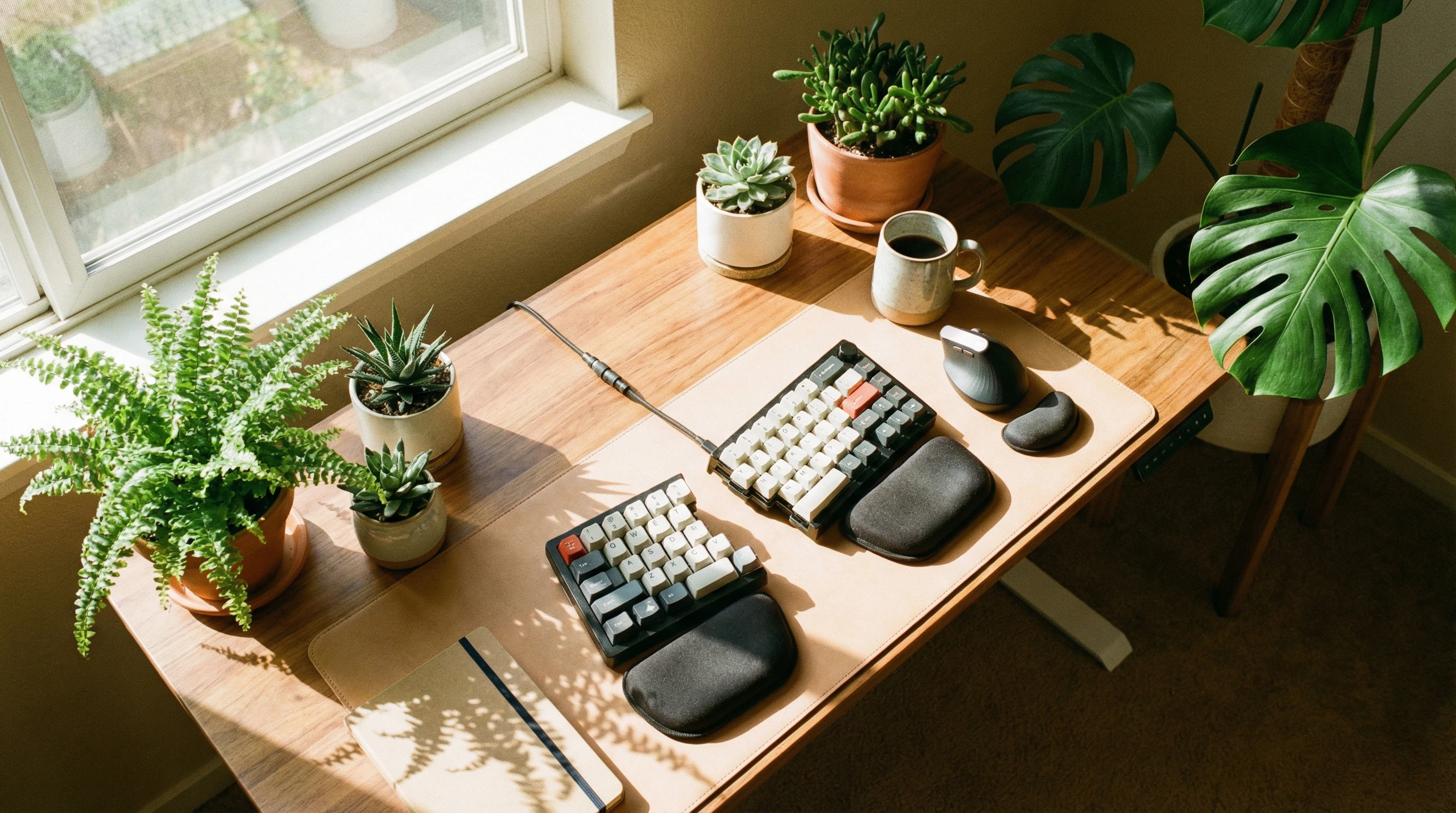
 Keyboard heavy jobs, school projects, and even casual web surfing can sometimes leave my wrists feeling sore and stiff. Wrist pain is more common than most people realize, especially for people who spend hours at a computer every day. The good news?
With just a few tweaks to your desk setup and some mindful habits, you can reduce wrist strain and feel way more comfortable while typing.
Getting ahead of wrist pain isn’t only about fancy equipment or expensive treatments.
It’s about knowing why wrists hurt in the first place and what you can do (right now!) to protect your hands from issues down the road. Here’s my guide to safer, happier typing. This advice works for everyone, from office workers to gamers and students.
What Causes Wrist Pain While Typing?
When you feel achy or tingling wrists after a typing session, a few main factors are usually at play. Knowing these can help you make changes that really make a difference.
Poor Ergonomics: Bad desk setups, like keyboards that are too high or chairs that aren’t supportive, force my wrists into awkward angles.
Repetitive Motions: Doing the same hand and finger movements over and over again (basically, typing!) can irritate tendons and nerves.
Improper Wrist Position: Dropping or bending wrists while typing increases stress on the tendons and nerves passing through the carpal tunnel.
Lack of Breaks: Not giving your hands and wrists a rest keeps them tense and tired, which can lead to pain or even injury.
Tech Wrist (“Gamer’s Wrist,” “Texter’s Thumb”): Extra strain from using devices like phones, tablets, or gaming controllers adds to the problem.
For more on wrist pain, check out Healthline’s guide on wrist pain causes.
How to Avoid Wrist Strain When Typing
Simple changes in how I sit and type have gone a long way. Here’s what works best for me—and could for you, too:
1. Check Your Desk Setup
- Keep Wrists Neutral: I try to keep my wrists flat (not bent up, down, or to the side) when using my keyboard or mouse.
- Keyboard Height: Ideally, my keyboard sits at elbow height. My elbows form a ninety-degree angle when my hands rest on the keys.
- Chair and Armrests: An adjustable chair and armrests support my arms better, so my shoulders and wrists don’t have to work as hard.
- Monitor Placement: My screen is at eye level so I don’t hunch or stretch, which helps keep my wrist position healthy.
2. Use the Right Accessories
Ergonomic Keyboards: Split or tented keyboards keep wrists in a more relaxed position. Some people really like mechanical keyboards for their lighter touch, too.
Wrist Rests: These let my palms take a breather when I’m not typing; just don’t use them while actively typing, since that can create extra pressure.
Mouse Choices: Vertical mice or trackballs help align my wrist naturally for less strain, and using a mouse pad with a gentle slope can feel more comfortable as well.
3. Develop Better Habits
- Type with Light Touch: Banging keys is tough on my joints. I aim for gentle, quick taps on each key.
- Take Frequent Breaks: Every thirty to fortyfive minutes, I pause, stretch, or shake out my hands to keep the blood flowing and reduce stiffness.
- Alternate Hands: For things like mouse use, switching sides gives one wrist a break and helps balance muscle use.
- Use Proper Posture: I remind myself to sit up straight and avoid slouching, as poor posture can increase wrist strain over time.
The American Academy of Orthopaedic Surgeons has solid ergonomic tips worth checking out, too.
How to Strengthen Wrists for Typing
Stronger wrists are way less likely to get tired out or injured. I keep it simple with a few exercises between typing sessions, and they make a real difference:
- Wrist Circles: Stretch one arm straight, make a gentle fist, and slowly rotate my wrist in circles—ten times in each direction on both hands.
- Finger Stretches: Open and close my hands wide, stretch each finger individually, or gently pull back on each finger for a mild stretch.
- Wrist Flexor Stretch: Extend my arm, palm up, then use the other hand to gently pull the fingers back toward my body. Hold for fifteen to twenty seconds, then switch sides.
- Squeeze a Stress Ball: I keep a soft ball on my desk and give it several squeezes during breaks. It’s great for boosting grip strength and relaxing muscles.
- Reverse Wrist Curl: With a light dumbbell or water bottle, I rest my forearm on a table, palm down, and lift my hand up and down to work the forearm muscles.
Doing these once or twice a day keeps my hands and wrists ready for action. Over time, you’ll likely notice less fatigue and stronger grip.
How to Heal Wrist Strain Faster
If my wrists already feel sore, I don’t just push through. Instead, I try various tips that help speed things along for me:
- Rest and Ice: Taking regular breaks gives my tendons and muscles a chance to relax. If pain flares up, I use an ice pack (wrapped in a towel) for fifteen minutes at a time, a couple times per day.
- Anti-inflammatory Creams: Over-the-counter gels like Voltaren or Tiger Balm can ease minor aches and soothe sore spots.
- Gentle Stretching: Once the worst of the pain passes, I start gentle stretching and mobility work again.
- Splints or Braces: When pain hangs around or is severe, wearing a soft brace during computer work prevents my wrists from moving into awkward positions.
- Warm Compresses: After a few days, alternating ice and gentle warmth can relax tight muscles and promote healing.
If you deal with persistent or worsening pain, do please check in with a doctor or physical therapist to make sure there’s nothing more serious, like carpal tunnel syndrome or tendinitis, going on beneath the surface.
How to Fix Tech Wrist (a.k.a. “Gamer’s Wrist” or “Texting Thumb”)
Tech wrist pops up when hours of scrolling, gaming, or texting leave your hand feeling sore, stiff, or numb. These tips help you shake the cycle and keep your hands happier:
- Change How you Hold Devices: You can avoid curling wrists or gripping your phone or tablet for long periods. Propping devices on a stand or desk lets your hands stay relaxed.
- Limit Long Sessions: Set reminders to take breaks when texting, using apps, or gaming. Even a couple minutes away can refresh your wrists and fingers.
- Stretch and Massage: Regularly stretching your thumbs and wrists, or gently massaging the area, helps relieve stiffness and keeps things flexible.
- Mix Up your Movements: Typing, swiping, and gaming all use different muscles. You should try to switch between them or rely on voice commands to add some variety to my routine.
If you spot hand or wrist pain getting worse with tech use, you need to watch out for numbness, tingling, or ongoing weakness. If those happen, like mentioned earlier, ask a doctor about it promptly.
Common Questions & Troubleshooting
What should I do if pain doesn’t go away?
If wrist or hand pain sticks around for more than two weeks, gets worse, or includes sharp shooting pain and numbness, it’s time for medical advice. Early treatment can keep bigger issues from cropping up.
Are wrist braces safe for everyday typing?
Wrist braces can help rest sore wrists, but use them only as needed. Wearing them too long or too often might actually weaken your muscles over time, so moderation is key.
What if my workspace is shared or limited?
If you can’t set up a proper ergonomic desk, portable options like a separate mouse, a laptop stand, or a foldable wrist rest come in handy. Bringing ergonomic choices with you is possible almost anywhere now, and small changes still make a big difference.
Daily Habits for Healthier Wrists
- Set a timer to encourage movement every hour. Even a quick stand-up stretch session helps blood flow and eases stiffness.
- Practice a few simple hand or wrist stretches throughout the day. If you’re working long hours, just a minute or two of movement goes a long way.
- Invest in an ergonomic keyboard or mouse if wrist pain keeps popping up for you. Sometimes one new device can give your whole setup a boost. You can check out ergonomic keyboards here!
- Check and adjust your workspace regularly for comfort. If you feel any new ache, see if a small change can give relief.
Happy hands make for happier, more productive typing. Small changes now can save you from nagging wrist pain later on.
If you have tricks or favourite stretches for pain free typing, feel free to share with others who might find them super useful, too. With the right habits and a touch of consistency, wrist pain doesn’t have to slow you down!
Thanks for stopping by and have a great day!