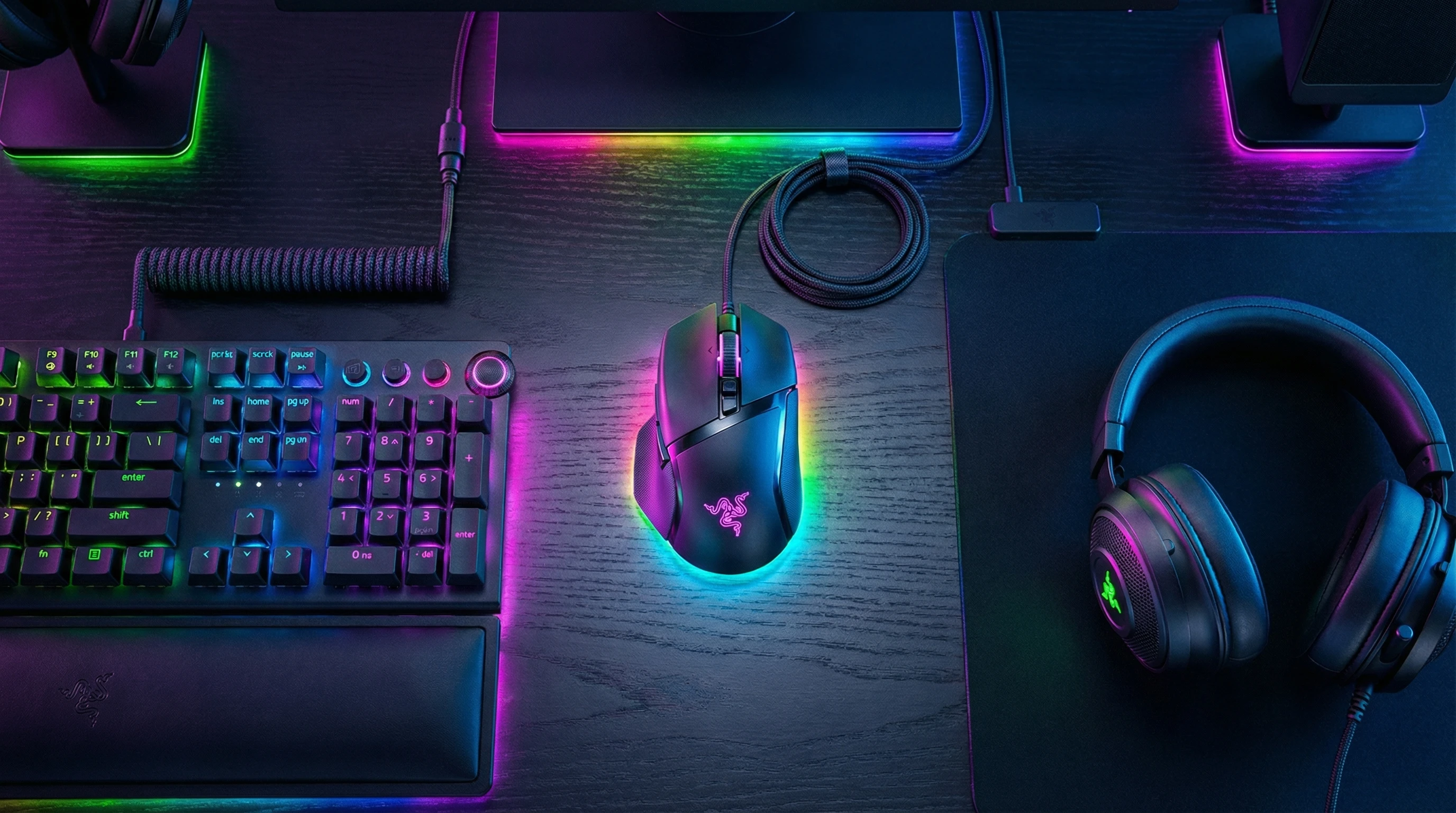
 If you’ve ever felt like your gaming mouse was holding you back, you’re definitely not alone. I’ve wasted plenty of hours tweaking settings and battling with finicky scroll wheels or laggy wireless connections. Finding a mouse that just works, and keeps up no matter how intense things get, can feel like a tall order.
After spending several weeks with the Razer Basilisk V3 Pro, I finally feel like I’ve found a mouse that’s got almost everything a gamer could ask for. Here’s my full, first-hand review—straight from my desk.
Where Most Gaming Mice Miss the Mark (and Why the Basilisk V3 Pro Stands Out)
So many gaming mice look flashy on the outside but come up short when it’s time to actually perform. I’ve run into problems like:
- The shape just doesn’t work with my grip style.
- RGB lights drain the battery in no time.
- Wireless lag that totally blows crucial moments.
- Too many gimmicks, not enough practical customization.
The Basilisk V3 Pro really surprised me. It feels like Razer just asked, “What do real gamers actually want?” and then put it out there.
The mouse gets straight to the needs of enthusiasts, showing how thoughtful engineering and real feedback can make a big difference.
What Is the Razer Basilisk V3 Pro?
The Basilisk V3 Pro is a wireless gaming mouse aimed at both competitive gamers and folks who just want a reliable, customizable mouse for everyday use. It’s loaded with features like a super precise sensor, customizable RGB lighting, and textured grips.
Plus, it doesn’t force you into a complicated setup—unless you actually want to tweak all the details.
Here’s a quick overview of what you get with this mouse:
- Focus Pro 30K Optical Sensor: Super accurate, ready for quick flicks and steady movements alike.
- 13 programmable buttons: Macros, keybinds, shortcuts, the works.
- Wireless charging (compatible with Razer’s dock): Ditch the cables, and keep your desk clear.
- HyperScroll Tilt Wheel: Scroll smoothly, or switch to tactile mode when you need precision.
- Chroma RGB: Sync the lighting with your setup or keep it low key.
What also makes this mouse stand out is its blend of gaming prowess with daily usability. The thoughtful placement of buttons, the comfortable grip, and the smooth gliding action make it just as effective for office tasks as it is in gaming scenarios.
For users who want one mouse to rule their whole desktop, it checks nearly every box.
My Experience: How the Basilisk V3 Pro Performed
From the moment I unboxed it, the Basilisk V3 Pro immediately felt premium. The shape fits my hand perfectly (for reference, I have medium to large hands and usually prefer a palm grip). The textured side grips make long gaming sessions more comfortable, and I never worry about slipping, even after hours of play.
- Tracking is fast and accurate at every DPI setting I tried.
- The battery lasts several days with RGB lighting on, which is pretty wild for a wireless mouse.
- The wireless connection (using Razer’s HyperSpeed dongle) is solid. I never noticed any lag, even in fast-paced shooters.
- The scroll wheel’s switch between free spin and tactile lets me breeze through pages for work, then change to step-by-step when gaming.
Customization through Razer Synapse is where things get really fun. I set up macros for quick weapon swaps and even mapped some media controls for downtime.
The interface is userfriendly enough for quick changes, but deep settings are available when you want to really fine tune how every button acts.
I also noticed that the mouse glides very smoothly on a range of mousepads. Whether I used a hard surface or a soft mat, consistent tracking and comfort remained, which added confidence during longer play sessions.
The build quality is robust—it feels solid, with no rattles or flimsy parts.
Who Is the Razer Basilisk V3 Pro Best For?
If you like a mouse that really molds to your preferences, you’ll feel right at home here. In my opinion, the Basilisk V3 Pro is especially ideal for:
- FPS/competitive gamers who care about both accuracy and speed.
- Streamers who want quick access to shortcuts and macros.
- Anyone who spends hours at their desk and values comfort just as much as performance.
- RGB fans who want a mouse that syncs with their other gear for a unified look.
If you’re more into ultralight mice or your hand size is on the smaller side, you might find the Basilisk V3 Pro a bit chunky.
But for most medium to large hands, it feels like an extension of your grip. It’s a truly allinone mouse for people who prioritize features and comfort in equal measure.
It’s also worth noting that left-handed users may find the right-handed ergonomic design less suitable, but if you’re a righty, this shape was clearly made with you in mind. For mixed work and gaming environments, few mice compare to this level of flexibility.
Razer Basilisk V3 Pro Setup Guide
- Plug in the wireless dongle: You can use either the included USBA dongle or connect via Bluetooth. For the best experience, go with the dongle.
- Download Razer Synapse: Head over to Razer’s website and grab their Synapse software. It’s free and takes just a couple of minutes to install.
- Follow the prompts: The software will walk you through pairing the mouse, updating any firmware, and setting up your basic preferences.
- Customize your buttons and RGB: Open Synapse and mess around with keybinds, macros, and lighting effects. You can sync the mouse with other Razer gear if you have it.
- Charge it up: Plug in the included USBC cable or, if you’ve got Razer’s dock (sold separately), just plop the mouse on and let it juice up. Charging is pretty quick.
I was up and running in under ten minutes, including installing updates. It’s straightforward, even for folks who don’t want to tinker much with software.
Features That Make the Basilisk V3 Pro Worth Checking Out
- 30K Optical Sensor: This thing tracks every movement, from the tiniest adjustment to the fastest swipe. It’s awesome for finetuned aim or creative work as well.
- Wireless Freedom and Quick Charging: No input lag and no annoying cords. Battery life is strong and charging doesn’t take long, even using regular USBC.
- 13 Programmable Buttons: Super handy for gaming and productivity. I use some for Discord mute, some for spell casting. Customization is quick with the software.
- HyperScroll Wheel: Switch between smooth and notched scrolling in a flash. It’s equally useful for spreadsheets, weapon selection, or scrolling social feeds.
- Chroma RGB Lighting: Looks great, matches my setup, and is easy to tone down if you prefer a more basic look.
If you love personalizing your peripherals, you’ll appreciate how the Basilisk V3 Pro gives you loads of control without making things confusing. The balance of performance and presentation here is just exceptional, and it’s great for showing off or keeping things subtle as needed.
Pros & Cons
- Pros:
-
- Extremely accurate sensor & strong wireless performance
- Comfortable, ergonomic shape with textured grips
- Customizable scroll wheel and tons of buttons
- Long battery life, rare for a mouse with RGB
- Easy setup and reliable software
- Cons:
-
- Price is pretty steep if you’re not looking for tons of features
- A bit bulky for folks with very small hands or who want ultralight mice
- Wireless charging dock costs extra
- Full features require installing Synapse software
This honest breakdown should help you spot whether any tradeoffs outweigh the benefits for your specific needs.
Star Rating
I’d give the Razer Basilisk V3 Pro a strong 4.5 out of 5 stars. The comfort, customization, and performance are tough to beat, and battery life makes it a solid pick for anyone who doesn’t want to charge their mouse every night. If the dock came standard or the price was a touch lower, this would easily be a perfect score.
Worth It? My Take
For gamers and power users who want a doitall mouse that feels great day in, day out, the Basilisk V3 Pro is absolutely worth the splurge.
True, you’re paying a premium, but you get rock solid performance, real comfort, and a ton of flexibility in one package. I’ve recommended it to friends because it’s rare to find a mouse that keeps up so well with both intense games and general tasks.
If you’re in the market for a oneanddone desktop mouse that nails reliability and offers that extra layer of personalization, check out the Basilisk V3 Pro—you might just be as impressed as I am.
Hope you enjoyed the Razer Basilisk V3 Pro Review! If you would like to check out more ergonomic mouse made for gaming than tap here!