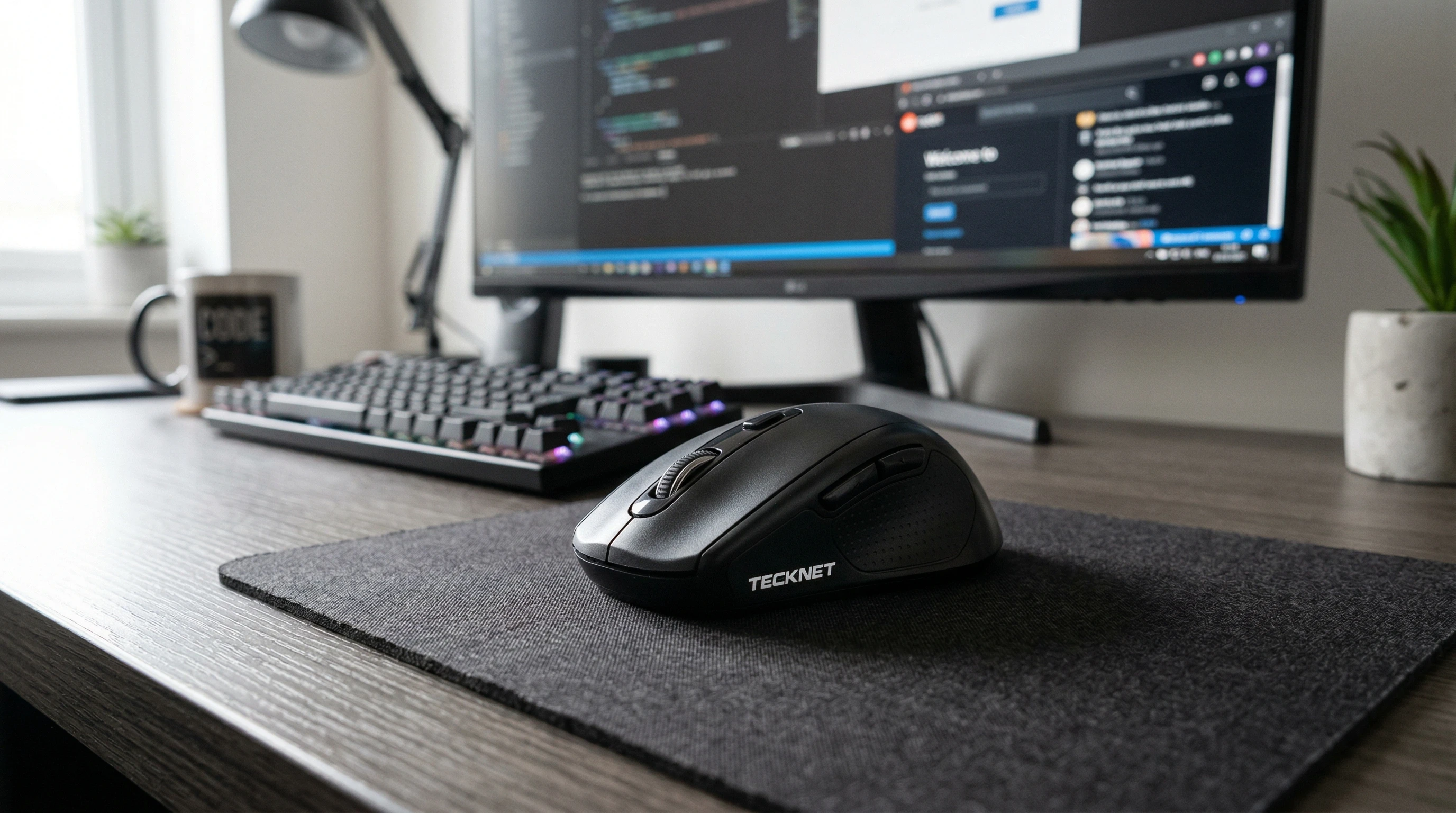
 If you’re looking for a reliable, affordable wireless mouse, I’ve spent a good amount of time with the Tecknet mouse and have some thoughts. Wireless mice have come a long way, and Tecknet has carved out a spot for themselves by making mice that actually do the job without emptying your wallet.
Picking the right mouse matters more than most people think. I use my mouse for hours each day, so comfort, performance, and battery life really add up.
There’s nothing worse than getting slowed down by lag or a shape that leaves your hand sore. The Tecknet wireless mouse is worth checking out if you want something that’s dependable and simple to use.
Disclosure: This post may contain affiliate links which means that I may earn commission if click and make a purchase but no additional cost to you.
What Makes a Good Everyday Mouse?
A solid wireless mouse keeps your work smooth and your hand happy. For a lot of people, complicated extras aren’t needed. You want a mouse that connects fast, glides easily, and doesn’t burn through the battery after just a week or two.
That’s what drew me to look into the Tecknet mouse in the first place. It’s kind of no-nonsense, but gets the basics right.
Some common annoyances with wireless mice include batteries dying too fast, random connection drops, or just not feeling comfortable after a few hours.
The Tecknet mouse handles these annoyances without any flashy hype, and that’s honestly pretty refreshing. I can say from experience that the shape is made for comfort during work marathons and helps avoid fatigue even on busy days.
What is the Tecknet Wireless Mouse?
Tecknet makes several types of wireless mice, but the model I tried falls right into the everyday use category. It connects via a tiny USB dongle (often called a nano receiver), works with Windows and Mac laptops, and is plug and play. You just plug it in and it starts working.
Here’s what showed up in my box:
- Wireless Mouse: Compact, lightweight, and pretty comfortable.
- Nano Receiver: This little USB piece tucks into the bottom of the mouse when you’re not using it.
- User Manual: Simple and easy to follow.
Features of the Tecknet Wireless Mouse
- Ergonomic Shape: Fits comfortably in my hand (medium size, so folks with larger hands may prefer a bigger model).
- Adjustable DPI Button: You can switch between several sensitivity levels (800/1200/1600/2000/2400 DPI), which is useful for everything from spreadsheets to light gaming.
- Long Battery Life: I’ve been going for months without replacing the battery. It just takes one AA battery (not always included, so double-check).
- Six Buttons: Left/right click, scroll wheel, DPI button, and forward/back buttons for quick web browsing.
- Power Saving Mode: It goes to sleep automatically if you’re not using it, which helps keep the battery going longer if you forget.
- Plug and Play: No extra drivers or software needed, which is great if you just want things to work right away.
Added bonus: the nano receiver stores inside the mouse itself, so it’s easy to carry when you’re traveling or heading to school or work with your laptop.
How to Connect the Tecknet Wireless Mouse to Your Laptop
Getting your Tecknet mouse running takes less than a minute. Here’s what I do every time:
- Pop off the battery cover underneath the mouse and insert the AA battery. Check the diagram to see which way it goes.
- Plug the included USB nano receiver into any available USB port on your laptop.
- Turn the mouse on using the small power switch on the bottom.
- Wait a second, and your laptop should recognize it right away. Sometimes you’ll see a notification, but most often it just works.
If your mouse ever stops working, try checking the battery first. If that doesn’t help, unplug and replug the receiver to reset the connection.
My Experience Using the Tecknet Mouse
- I use this mouse mostly for work, browsing, and some light photo editing.
- The clicks feel crisp, and the scroll wheel spins smoothly; it’s not too loose and not too stiff.
- No lag or stutter on a Windows laptop, even from a few feet away.
- The back and forward buttons are handy for moving through webpages quickly.
- I haven’t run into connection drops, and it feels accurate with no jumping around on screen.
- Even after long work sessions, my hand doesn’t feel cramped (as a right-handed user with medium glove size).
Even after regular use, the body has held up well. The finish is basic but doesn’t show fingerprints easily. If you’re constantly moving from meeting to home office or school, you’ll appreciate how light the mouse is in a backpack.
Pros and Cons
- Pros:
-
- Budgetfriendly price
- Reliable wireless connection
- Battery lasts a long time
- Comfortable for daily use
- Adjustable sensitivity (DPI)
- Stores its receiver right inside the mouse
- Straightforward setup process
- Cons:
-
- Not the best pick for left-handed users
- Basic—no Bluetooth, so you need a USB port
- Plastic feels light, which may not suit those who prefer a heavier mouse
Star Rating
★★★★☆ (4 out of 5 stars)
I feel confident recommending this mouse for anyone who wants a device that works without drama. If you need a mouse with loads of custom buttons or a luxurious feel, this might not be your perfect match, but the Tecknet covers the essentials well.
FAQ About Tecknet Wireless Mouse
Does the Tecknet mouse work with Mac?
Yes, the USB receiver works on most Mac laptops and desktops with recent MacOS builds.
What if my computer doesn’t have a USB-A port?
If you have a newer laptop with only USB-C ports, you’ll need a USB-A to USB-C adapted connector.
Does it support Bluetooth?
No, this mouse uses a 2.4GHz wireless connection via a nano receiver, so Bluetooth isn’t supported.
How long does the battery last?
With regular use, a single AA battery has lasted me about six months on average.
Is it quiet?
The click sound is average; it’s not silent, but also not particularly loud.
Can it handle gaming?
It does well for casual or light gaming, but heavy gamers might want something with higher polling rates or advanced features.
Should You Buy the Tecknet Mouse?
You want a basic, reliable wireless mouse for a budget price.
You don’t need a bunch of fancy customization or Bluetooth options.
You prefer something that plugs in and just works every day with no hassle.
If you’re looking for a reasonably priced, comfortable wireless mouse for daily use, the Tecknet mouse covers most of what you need. It’s a good match for students, office folks, and anyone who wants to skip the hassle of tangled cords. I’d say it’s worth checking out if you’re looking to keep things simple and effective.
You can tap here to have a look for yourself!
Right thats it for now peeps, have a great day!