
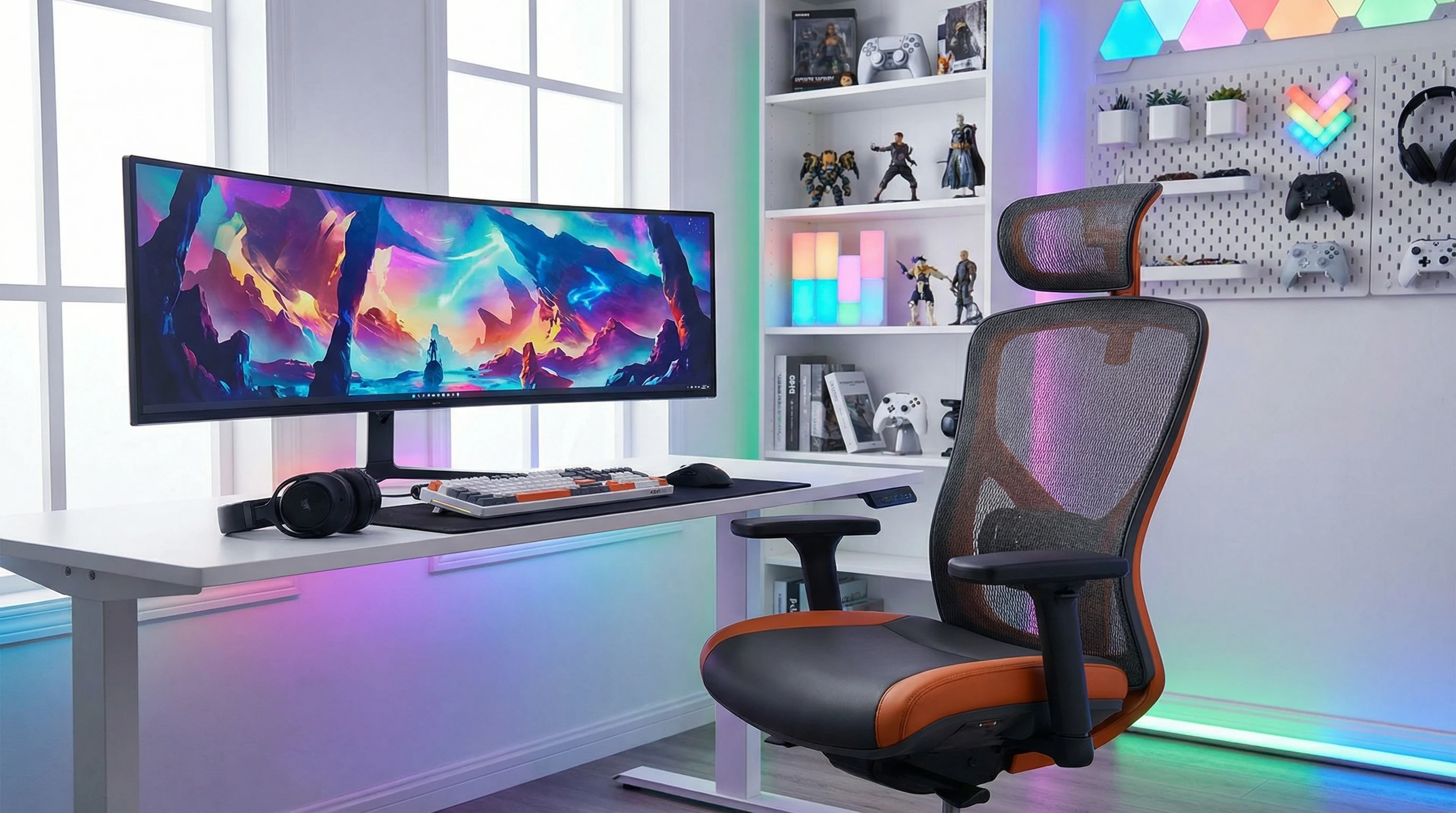
 Pulling an all-nighter to finish a new release or grinding ranked matches for hours gets a lot tougher if your chair is a pain in the back, literally. I’ve been there, plopping down in whatever old chair is around, only to end up fidgety or stiff halfway through. A solid gaming chair can totally change your setup. It’s not just about comfort; it can give a boost to your energy, focus, and, honestly, switch up your entire mood.
Picking the right gaming chair isn’t just about eye-catching looks or flashy brands. With so many options out there, it helps to break down what you really need. I’ll walk through how to choose the right gaming chair for your setup, what to look out for, and even some top recommendations worth checking out. So, let’s get right into what matters most when you’re shopping for your perfect seat.
Decide What You Want From Your Gaming Chair
First up: figure out how you’re actually going to use this chair. A gaming chair isn’t just an accessory; it’s where you’ll be sitting for hours. Before getting into the specs, it helps to think about your own needs. Don’t forget that the best pick is the one that supports your unique habits and gaming style.
Ask Yourself:
- How many hours do I spend gaming or at my desk?
- Do I need a chair that doubles for work or school, too?
- What’s my budget?
- Am I limited in space, or do I need something that fits a smaller desk?
- Do I run hot and need breathable materials?
Think About Your Style and Space
- If your setup is in a living room or multipurpose space, maybe you want something low-key over neon lights.
- If you’re into streaming or content creation, a chair that looks great on camera might matter more to you.
Knowing what matters to you before shopping helps you avoid wasting money on stuff you won’t use and keeps you from missing out on features you actually care about. Take some time to picture your regular gaming sessions and jot down a couple of must-haves before hitting up the stores or browsing online.
Look For Comfort and Ergonomics
Comfort is king. A chair might look next-level cool, but if it makes your back sore after one round, forget it. Ergonomics basically means the chair supports your body naturally, so you don’t get stiff shoulders or an achy neck from slouching.
Features That Really Matter:
- Adjustable lumbar support. Supports your lower back, which is key for long sessions.
- Adjustable armrests. Height, width, and angle tweaks help keep your wrists, shoulders, and elbows comfortable.
- Reclining back. Lets you change the angle so it supports your posture whether you’re relaxing or leaning in for a close match.
- Headrest pillows. These can fight off neck tension, especially if you often find yourself leaning forward.
When I first switched to a chair with real lumbar and head support, I noticed way less fatigue after a few hours. This made a difference not just for gaming, but working from home, too. Sometimes, comfort features can be the difference between crushing your high score or having to call it quits early due to aches.
Don’t underestimate the effect of good ergonomics on your overall focus and stamina. The right chair can genuinely make your gaming adventure way more enjoyable and keep your posture in check over long sessions.
Durability and Materials: What’s It Made Of?
Even if you’re on a budget, it’s super important to consider durability. You want a gaming chair that isn’t going to fall apart after six months. Paying attention to the materials can make all the difference. Certain build materials add years to your chair’s life and help preserve that “new chair” feeling longer, even after long hours of use.
Common Materials You’ll See:
- PU leather. Affordable and sleek, but can get sweaty on hot days and wear out faster than pricier options.
- Real leather. More expensive, long-lasting, and super comfortable, but needs more care.
- Mesh. Breathable—awesome for staying cool. Cleaning can be tricky if you spill snacks or drinks frequently.
- Highdensity foam. Holds its shape over time, much better than thin padding. The firmer the foam, the longer it’ll feel just right.
The frame is just as important. Steel frames are generally the sturdiest, and having a solid warranty will give you some extra peace of mind if you plan on lots of use. Don’t skip over checking how the wheels and base are built either—a strong base is a must for active gamers.
Does Height Matter? Setting Up The Perfect Seat
A lot of people wonder if their gaming chair should sit high or low. The answer is pretty straightforward: your feet should land flat on the floor, and your knees should be at roughly a 90-degree angle. If you’re too high, your legs will dangle, putting pressure on your thighs. Too low, and you’ll end up slouching, which will mess up your back and neck over time.
Most gaming chairs offer a wide range of height adjustments, so you can usually find the sweet spot. If you’re on the shorter or taller side, it’s smart to check the recommended height and weight range before you decide. You want a seat that matches your body, keeping you properly supported and ready for those marathon sessions.
#1 Gaming Chair Picks
There are tons of choices in the gaming chair world, but a few brands and models pop up again and again for their comfort, quality, and price. Still, there isn’t one “perfect” chair for everyone. Your body, available space, and budget all play a part. It’s worthwhile to try out a couple yourself if you can. A highly rated chair online might not fit your body perfectly, so getting a feel for it first is helpful.
Popular Chair Models (Highly Rated):
- Secretlab Titan Evo. Known for high adjustability, solid build, and a mix of ergonomic features. I’ve personally tried this one, and it’s comfortable even for marathon gaming. It also comes in lots of fun styles.
- Herman Miller x Logitech G Embody. On the pricey side, but probably the most adjustable chair I’ve tried. Great if you use your chair for both gaming and work setups.
- DXRacer Formula Series. More affordable but still plenty supportive, especially if you like classic racingstyle looks.
Worth noting—reviews can help a lot, but trying a chair in person (if possible) is the best way to make a pick that feels just right for you.
Factor in Extra Features
If you’re stuck between two models, extras could make the difference. Here are a few features I like to check for:
- Builtin footrests (perfect for leaning back during story cutscenes)
- Cupholders or small pockets
- Adjustable pillows or memory foam upgrades
- Swappable armrest pads for extra support or softness
Some gaming chairs even come with vibration or built-in speakers. Not everyone likes those, but if you’re into feeling totally immersed, it can be a fun bonus. On the flip side, if you want a simpler vibe, you can skip the bells and whistles and focus on strong construction and clean design.
Price and Warranty
Gaming chairs come in every price range, from super affordable to “is that a chair or a car down payment?” Set a budget to start, then see which features and durability you can snag at that price point. Try to balance cost with quality—you want something comfy and reliable that also makes sense for your wallet.
- $100–$250: Basic models, usually with PU leather and solid enough padding. These are best if you’re just starting out or have a tighter budget.
- $250–$500: More ergonomic design, better build, longer-lasting foam, and more customization. Excellent for folks who game every day or use their setup for work.
- $500+: Premium materials, top level adjustability, usually a well-known brand with robust warranty and support. If you spend big chunks of your day seated, it’s worth investing more here.
Many top brands offer multiyear warranties. That backup is especially good for pricier chairs, giving a little extra peace of mind over time. Always check that support is easy to access if something goes wrong, too.
Common Questions & Quick Answers
How to choose the right gaming chair for your needs?
Focus on comfort (lumbar, seat cushioning), adjustability (height, armrests, tilt), durability (good materials, strong frame), and a style that fits your space. Consider your height, weight, and what feels best for long gaming stretches. Testing in store can be great, or buy from places that offer an easy return policy.
What is the #1 gaming chair?
Lots of folks point to the Secretlab Titan Evo because it strikes a balance of comfort, quality, and style choices. But the real “#1” depends on what fits you physically and your own tastes. What works for one person might not do it for another, so be sure to try before you buy when you can.
Is it better to have your gaming chair high or low?
Set your chair so your feet are flat on the floor, with knees at roughly a right angle. Sitting too high or too low leads to discomfort or even pain as time goes on.
What other factors should I consider?
- Size and weight capacity—check the specs for a match to your build
- Assembly. Some chairs come together quickly, others are a project
- Return policy and warranty for a safety net
- Style: match your decor, or let your personality shine with a bold color/theme
Your Checklist for Picking the Best Chair
- Decide what kind of gaming (or work) sessions you’ll use it for.
- Pick out the ergonomic features you care about most.
- Choose materials that match how much use and wear you expect.
- Set your budget and compare options within that range.
- Check measurements—make sure it fits your body and space!
- Look at warranty and reviews for long-term peace of mind.
I always say, your chair is more than just a seat. It’s a big part of how you experience your favorite games. Take your time, try out a few if you can, and you’ll find something that keeps your back and your game both feeling great. An awesome gaming chair can make hours fly by and help you stay ready for whatever adventure comes next in your gaming world.
Thanks for stopping by!