 Working from home has a bunch of perks, but it also comes with some hidden challenges. Staying focused, avoiding distractions, and creating a work zone that supports real productivity can feel tough if your workspace isn’t set up right.
I’ve tested all kinds of home office setups, and I’ve found that some simple changes and smart choices make a huge difference for getting real results.
Whether you’re remote full time, hybrid, or growing your own side hustle from home, making your home office a productive hub smooths out your workday and helps set clear boundaries between work and personal time.
Here’s how I turned my own home office into a space that actually helps me get stuff done. Let’s jump right in to see how you can do the same.
Define Your Home Office Goals
Before getting into equipment and layout, I like to figure out exactly what I need from my home office. Everyone’s work and routines are different, so it really pays to get specific.
Questions to Ask:
- What type of work will I do most (video calls, focus work, creative projects)?
- How many hours each day will I be in this space?
- Do I need storage for files, books, or supplies?
- How much privacy do I need during meetings or calls?
Getting clear on this shapes everything else and stops me from buying a pile of gear I don’t really use. It’s also smart to check in with yourself periodically—your needs can change, and it’s easy to tweak your space as you figure out what helps you get the most done.
Choose the Best Location
It’s really important to pick the right spot in your home. If you can dedicate a room, that’s great; but a corner, alcove, or even just a specific side of your dining table works as long as you’re consistent.
Location Tips:
- Pick a spot with natural light if possible. Sunlight can give a boost to mood and focus.
- Try to put some distance between your work zone and your relaxation areas. Sitting on your bed to work can mess with your focus and comfort quickly.
- If you share a home, pick a spot you can call your own. Get creative with open-backed bookcases, screens, or curtains for a bit of privacy.
Bonus tip: If distractions are unavoidable, a pair of noise cancelling headphones has been a game saver for me. A simple sign or a closed door signals to others in your household that it’s focus time, too.
Essential Items for a Productive Home Office
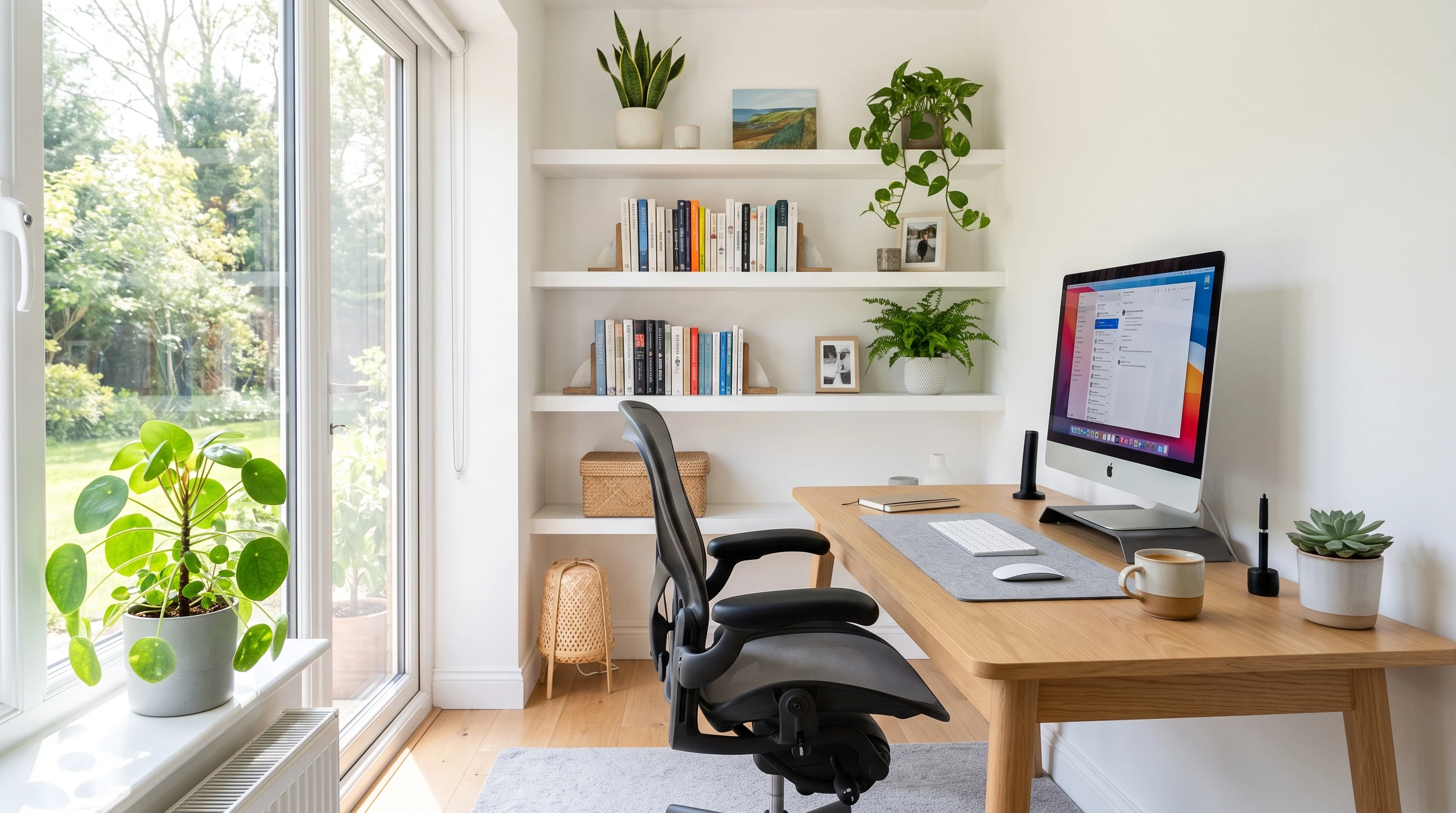
I’ve experimented with everything from old folding tables to full office setups, but some basics always make the biggest difference. Here’s a checklist of what I always recommend for anyone looking to boost their productivity at home:
Desk – A sturdy table or desk at a comfortable height.
Chair – An ergonomic chair with good back support. I’ve tried bargain options, but investing in a quality chair was a game changer for my comfort and posture.
Monitor or Laptop Stand – Helps keep your screen at eye level, reducing neck and shoulder fatigue.
Keyboard and Mouse – External versions are more comfortable for long work sessions.
Task Lighting – Add a desk lamp with adjustable brightness if natural light is limited in your spot.
Power Strip and Cable Management – Keep wires tidy and devices always charged up.
Noise Cancelling Headphones or a Good Microphone – Super useful for calls or blocking out background noise when you need to focus.
Notebook or Whiteboard – For quick notes, lists, or sketching out ideas as they come up.
Basic Storage – Shelves, drawers, or small bins for office supplies and paperwork to keep your workspace organized.
Extras like a standing desk converter, an extra monitor, or a footrest can be worth tracking down if they fit your budget and workflow.
Also, don’t overlook little things like a comfy desk mat, a matching pen holder, or a monitor light bar—small accessories might not look important, but they often make a real difference over time.
Do’s and Don’ts for Remote Work Success
What to Do:
- Stick to set work hours and build breaks into your routine.
- Personalize your space with a plant, art, or anything that makes you actually enjoy being there.
- Keep your workspace clean and clutter free to boost focus and minimize distractions.
- Invest in your main gear: chair, keyboard, mouse, and monitor for comfort and daily productivity.
- Communicate boundaries with the people you live with; let them know when you’re “at work.”
- Get up and stretch every hour or so to keep your legs, back, and mind feeling good.
What to Avoid:
- Avoid working from your bed or couch—your body and brain link these with relaxation and sleep.
- Don’t face away from windows or great lighting if you’re on video calls. Good light helps you look your best.
- Try not to clutter your space with non work stuff. Too many distractions slow you down.
- Don’t skip scheduled breaks; burnout sneaks up fast if you don’t take time to step away regularly.
Having a small snack and a glass of water nearby limits the urge to wander off to the kitchen.
Also, pre planning your playlist or background sounds before the workday helps you stay on track (and frees your mind from hunting for the right music between tasks).
Optimize Your Workspace for Focus
Small tweaks make it way easier to lock in and get in the zone. Here’s what worked great for me:
- Use Noise Solutions: When things are busy or loud at home, I use noise cancelling headphones or play low volume white noise to drown out distractions. Sometimes, I even use a sound machine with rain or nature sounds for variety.
- Organize Your Desk: Only keep gear and supplies you use every day within easy reach. Store less used items in drawers, on shelves, or even in a closet.
- Try the “One Screen Rule”: I limit myself to just my work monitor or laptop screen during focus periods—no phone or tablet lying within arm’s reach.
- Designate Zones: If space allows, pick a spot for work, another for breaks. Physically moving helps reset your focus so your brain knows when it’s time to work versus relax.
- Set a Start Up Ritual: A simple routine like making coffee or doing a quick desk tidy signals to my brain it’s time to get into work mode.
Experiment with routines to see what keeps you motivated and focused. Try adding a tiny houseplant, using color coded folders, or stacking your to do list with small wins early in the day to boost your confidence.
FAQs About Home Office Productivity
How do I stop home distractions from ruining my workday?
I set up a few clear boundaries. I use noise cancelling headphones for focus. I also let others know my work hours, then silence non work notifications and even shut my office door when possible. Giving myself a set lunch break helps curb random snacking or laundry breaks.
What if I don’t have space for a real office?
Even a small dedicated space makes a big difference. I’ve used a tiny corner with a folding table and it still worked out fine. Use vertical space—add wall shelves or hooks—and keep only essentials out. If you need to pack up at the end of the day, keep your gear in a storage bin or rolling cart for easy access tomorrow.
How do I look better on video calls?
Good lighting is a game changer. Facing a window works best. If that’s not possible, a simple desk lamp helps a lot. Raise your laptop or camera to eye level for a more flattering angle. A tidy, uncluttered background looks most professional.
Can I make my space more motivating or energizing?
A few favorite things—a plant, a framed photo, or even a scented candle—can make a big difference for me. Swapping in a bright mousepad or playing upbeat music during breaks helps too. Adding sticky notes with quick goals or positive reminders keeps my energy up throughout the day.
If you share a workspace, check in with others about schedules and meeting times. Try to be flexible and supportive—sometimes a little teamwork makes the whole day go smoother and less stressful for everyone around.
Wrap-Up: Turning Your Space Into a Productivity Powerhouse
Building an effective home office isn’t about snazzy gadgets or claiming a giant room. It’s about picking a spot you’ll actually use, adding a few key pieces for comfort and focus, and making sure your workspace matches how you work best. A dedicated, clean, and comfortable office helps me feel ready to get to work every day—and it can for you, too.
Your Next Steps:
- Pick and set up your dedicated workspace, even if it’s just a small corner or an unused nook.
- Add or upgrade one essential item that makes your day more comfortable, organized, or productive.
- Try a daily start up and shut down ritual to mentally start and wrap up your workday for better balance.
Got a home office tip or product you swear by? Share it below—we’re always open to fresh ideas and real world hacks.
Rights that’s it for now peeps, have a great day!