
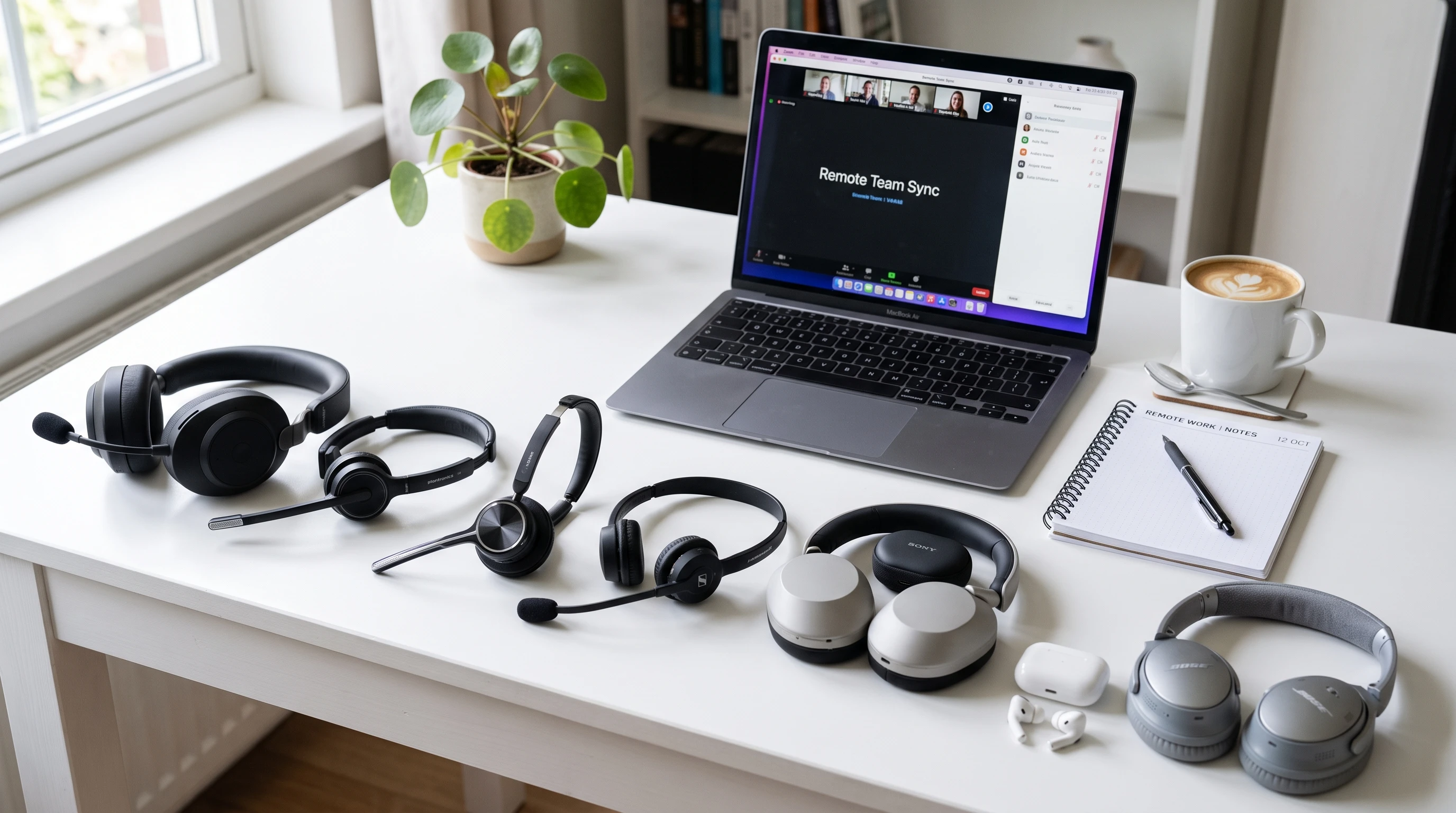
Reliable audio is a game changer when you’re working from home. A good headset makes online meetings smoother, keeps distractions to a minimum, and leaves your ears feeling comfortable after hours of calls. I know how tricky it can be to pick the right one when every brand promises top level sound, clarity, and comfort. Not every headset nails all these things, though, which is why it helps to get the full scoop before buying.
I’ve checked out a bunch of popular options for remote workers (and tried a few myself). Here’s my take on the top headsets that actually make remote work easier, more productive, and a whole lot less stressful. Let’s jump in and see what your next desk companion could be.
1. Jabra Evolve2 65 Wireless Headset
This one lands high on my list because it feels lightweight, delivers rich sound, and comes with a coollooking design that doesn’t scream “call center.” Whether you’re jumping between Zoom calls or listening to music, you’re covered.
Why It’s Worth Considering
- Built in busy light helps others know you’re in a call (super helpful when you’re sharing space at home).
- Strong Bluetooth connection means you can move around during calls.
- Noise cancelling mic filters out background noise like barking dogs or chatty roommates.
Pros & Cons
- Pros: Excellent voice clarity, long battery life (up to 37 hours), comfortable for alllong wear.
- Cons: Costs more than some wired models, busy light isn’t always visible in bright rooms.
Who It’s Ideal For
Remote professionals who need to sound clear and move around the house. If you do back to back calls or work in a busy space, this is a solid pick.
2. Logitech Zone Wired Headset
I use this headset whenever I’m after a reliable, affordable option. It has pluginplay simplicity and delivers a crisp sound that works great for meetings and voice dictation. You don’t get tangled up in setup issues either.
Why It’s Worth Considering
- USBA and USBC connectors make it easy to use with most laptops and tablets.
- Noise cancelling microphone does a nice job blocking out distractions.
- Inline controls let you mute, adjust volume, or hang up super fast.
Pros & Cons
- Pros: Sleek look, affordable price, lightweight feel for daylong comfort.
- Cons: Wired only, so you won’t be wandering far from your desk; not quite as immersive for music lovers.
Who It’s Ideal For
Perfect for students, freelancers, or anyone on a budget who does a lot of voice or video calls. If you don’t care about wireless features, it’s a reliable everyday option.
3. Bose 700 Noise Cancelling Headphones
When I really want to block out the rest of the world, this is my goto. The active noise cancelling is honestly impressive and the audio quality is as good as you’d expect from Bose.
Why It’s Worth Considering
- Adjustable noise cancellation gives you control over just how much outside noise you want to let in.
- Multiple microphones help you sound super clear on calls, which is nice if your workspace is loud or unpredictable.
- Touch controls on the earcup are easy to use for quick adjustments.
Pros & Cons
- Pros: Top notch noise cancellation, great for both music and meetings, looks stylish out and about or at your desk.
- Cons: Expensive, battery lasts about 20 hours (good but not endless); headband can feel snug after a while.
Who It’s Ideal For
This is the choice for anyone needing to work in open or noisy environments, or those who want one headset for both meetings and highquality music listening.
4. Poly Voyager Focus 2 UC
Poly (formerly Plantronics) has always been strong on call clarity, and the Focus 2 delivers that with serious comfort. I’ve found the lightweight design and foam ear cushions easy on my ears, even if I forget to take it off at lunch.
Why It’s Worth Considering
- Active noise cancelling adapts as your environment changes to step up your focus.
- Smart sensors know when the headset is on or off and mute or unmute your mic automatically.
- Comes with a charging stand for easy desk storage.
Pros & Cons
- Pros: Multipoint Bluetooth, up to 25 hours talk time, easily switches between devices.
- Cons: ANC can sometimes give a little pressure feeling to your ears, price puts it at the premium side.
Who It’s Ideal For
If you’re constantly on calls and switch between your laptop and phone, this is a practical, allpurpose headset. Especially nice for remote workers who want a tidy workspace with the included stand.
5. Anker Soundcore Life Q30
This headset is a favorite for its balance of price, features, and pretty solid sound. I like how the noise cancelling works for midrange environmental noise, even though it’s less advanced than some premium picks. For the price, you get a lot.
Why It’s Worth Considering
- Hybrid noise cancelling covers low to mid range noise, which is handy for fans, fridges, or passing cars.
- Battery lasts up to 40 hours with noise cancelling on (crazy for this price!).
- Soft earcups and light headband don’t squeeze too much, making it good for long sessions.
Pros & Cons
- Pros: Affordable, excellent battery life, comfortable fit, foldable for travel.
- Cons: Microphone isn’t on par with higherend models for meetings, can get warm after hours of use.
Who It’s Ideal For
Best for people who split their time between focus sessions and calls. Good pick for anyone who wants wireless noisecancelling on a budget without losing too much on sound quality.
How to Choose the Right Headset for Remote Work
Narrowing down the right headset depends on your job, workspace, and what bugs you most—background noise, comfort, call quality, or cost. If nonstop meetings are your usual, noise cancelling microphones and comfy ear cushions are your friends. Working in a shared kitchen or open space? Strong noise cancellation rises higher on the list.
Wireless convenience is really important if you get up often, while wired models keep things simple and cut down on dropped audio. Multipoint Bluetooth feels super useful if you juggle between devices like your phone and laptop.
I’ve shared a mix here so you can match the gear to your daily needs. If you’re a creative professional, someone in sales, or you just need a headset for casual use, these picks offer something for everyone. Remember, even small differences in comfort or audio can make a huge impact over a full workday, so don’t be afraid to invest in a headset that truly fits your lifestyle.
Final Thoughts
A great headset makes remote work a whole lot smoother, helping you focus and sound clear every time you hop on a call. I’ve found that comfort and consistent audio matter most after hours at the desk. Whether you prefer a budget wired setup or want top level noise cancelling, there’s a solid option for every style and need.
Have a favorite headset I missed? Share your pick below, I’m always looking for new gear to check out!
That‘s it for now peeps, have a great day!