
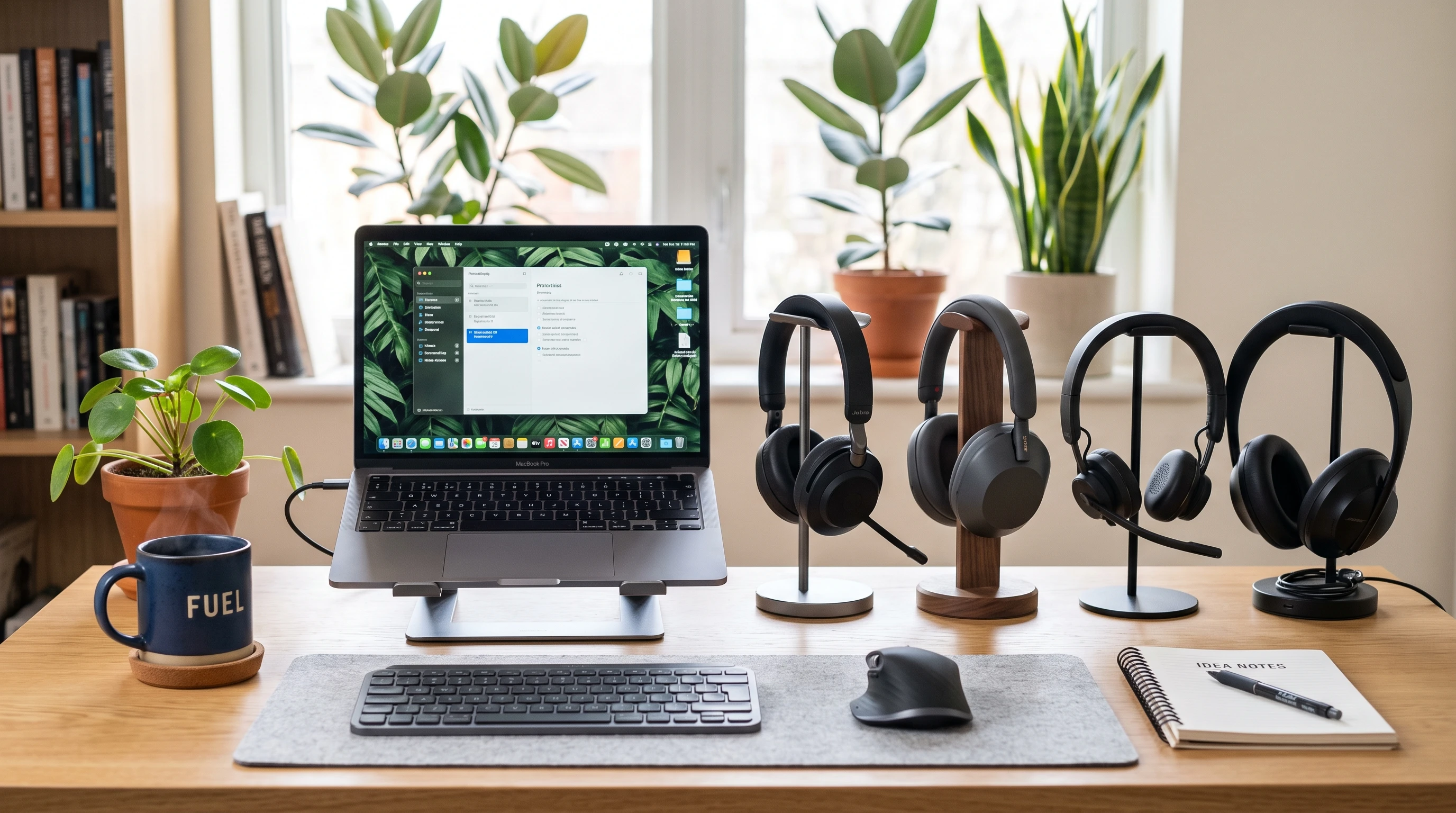
 Choosing the right wireless headset can make working from home more comfortable and productive. It gets easier to focus on calls, block out distractions, and stay connected whether you’re in back-to-back meetings or tuning into music while tackling your to-do list.
As someone who spends a lot of time on calls and loves a fuss free workspace, I’ve seen how the right headset can totally change your home office experience.
The market is packed with options, but not all of them are created equally when it comes to sound quality, comfort, or handy features for remote work.
I’ve rounded up some of the best wireless headsets for the home office, laying out the specs and details you actually care about; plus, I’ve included the pros, cons, and who’ll get the most out of each one.
Disclosure: This post may contain affiliate links which means that I may earn commission if click and make a purchase but no additional cost to you.
1. Jabra Evolve2 65
The Jabra Evolve2 65 combines comfort, style, and topnotch sound. It’s lightweight, sits easily over the ears, and works with most major conferencing platforms, so you don’t need to worry about compatibility headaches.
- Cool Features: Up to 37 hours of battery life, passive noise canceling, onear controls, and a super clear boom mic that blocks out a lot of background noise.
- Pros: Comfortable for allday wear, easy on controls, works instantly with Teams/Zoom/Slack. Battery life is really impressive, which means less time tethered to your charger.
- Cons: The ear cups might feel a bit warm during long sessions, and the design is more on the sturdy side than super sleek.
Who It’s Great For: Anyone who’s on calls a lot, juggles multiple meetings, or likes to listen to tunes while working. If you sometimes switch between devices, the multi connect feature comes in pretty handy.
You can get the full in depth review here!
Check it out for yourselves here!
2. Poly Voyager Focus 2 UC
The Poly Voyager Focus 2 UC is designed with remote work in mind. The active noise canceling makes it easier to zone in, and the wireless range is pretty generous.
- Cool Features: Active noise canceling, a dynamic mute alert, smart sensors that pause what you’re listening to when you take the headset off, and a comfy padded headband.
- Pros: Noise canceling works well for both the mic and listening experience. The design is really light, and you get up to 19 hours of talk time on a single charge.
- Cons: The price is on the higher side, and it sometimes takes a second to reconnect to devices after sleep mode.
Who It’s Great For: People working from shared spaces, busy homes, or anywhere with background noise. If you’re in meetings all day and value comfort and clarity, this one’s worth checking out.
3. Logitech Zone Wireless
Logitech’s Zone Wireless is simple to use and really reliable for calls or video conferences. It’s known for its compatibility and connection strength, plus it won’t break the bank.
- Cool Features: Flip to mute mic, wireless Qi charging, multi device support, and solid sound for music and calls.
- Pros: Affordable, reliable Bluetooth range, pairs easily with computers and mobile devices. Fliptomute is quick when you want privacy midcall.
- Cons: The build is lightweight but may not feel as robust as some pricier models. Noise isolation is decent but not as strong as dedicated noise canceling options.
Who It’s Great For: Remote workers who want value and simple setup. It’s a good pick for anyone jumping between phone and computer or joining a mix of formal meetings and casual calls.
4. Sennheiser MB 660 UC MS
The Sennheiser MB 660 UC MS is all about premium audio. The adaptive noise canceling and customizable sound profiles make it a nice upgrade if you’re after solid call quality and enjoy music or podcasts while working.
- Cool Features: Adaptive noise cancellation, touch controls on the earcups, around 30 hours of battery life, and personalized sound settings.
- Pros: Topoftheline audio, super soft memory foam ear cushions, stays comfortable during long days. Great noise canceling for both sides of the call.
- Cons: Pretty pricey, and the headset is a bit on the bulky side for small heads. Touchsensitive controls might take some getting used to.
Who It’s Great For: Audiophiles and professionals who want a headset that performs for both calls and music. Also solid for anyone dealing with a lot of distractions at home.
5. Bose 700 UC Headphones
Bose 700 UC Headphones set the bar high for noise canceling and microphone clarity. While technically headphones, the builtin mics are tuned for conference calls, and the noise canceling is some of the best around.
- Cool Features: 11 levels of noise canceling, adaptive mic system with voice pickup, 20hour battery, and plush ear cushions.
- Pros: Incredible noise reduction, clear sound even in loud environments, modern look. Comfortable to wear for long jams or workdays.
- Cons: Higher price tag, and the headphones are larger than typical callonly headsets.
Who It’s Great For: Folks who want something that’s awesome for both Zoom and relaxing with playlists between calls, especially in noisy homes or apartments.
Features To Look Out For When Buying a Wireless Headset
- Noise Canceling: Noise canceling (for both mic and speakers) cuts distractions. Active noise canceling is especially useful if there’s a lot going on in your home. Keep an eye out for headsets with both types built in if your space gets loud.
- Batteries And Charging: Look for long battery life and easy charging. Wireless Qi charging or USBC charging make recharging simpler, and some models even let you see battery status at a glance so you’re never caught off guard.
- Comfort: If you’re wearing these all day, soft ear cushions and an adjustable headband are super important. Try to find models that don’t squeeze or get too hot too fast. Some people prefer memory foam or cooling gel cushions for extended wear, while others go for lightweight designs and flexible bands for less head pressure.
- Connectivity: Check compatibility with your devices and conferencing software. Multipoint Bluetooth means you can swap between your phone and laptop without hassle, making meetings and switching tasks easier. It’s smart to check how fast and reliably a headset reconnects after sleep mode or switching devices, since this can make a big difference day to day.
- Mic Quality: If you’re on a lot of calls, clear voice pickup with background noise reduction makes you sound professional without extra software. The difference in mic pickup can be huge—even in similar price ranges—so looking for headsets with good reviews for mic clarity is always a good move.
- Onear Controls: Physical or touch controls help you mute, change volume, or answer calls quickly, which is handy during meetings. Fast, easy-toreach controls also limit distractions so you can stay focused on your work instead of searching for buttons.
Careful research helps buyers make smart decisions, especially since comfort and mic quality can vary a lot between brands and price points.
Trying to identify what matters most in your daily routine is a key way to narrow down your options.
Spending a little time figuring out what features will actually benefit the way you work can help you find the right fit faster and avoid buyer’s remorse.
Final Thoughts
The difference between a mediocre headset and a really good one can be huge when you’re working from home.
Better focus, less frustration, and a more comfortable setup come from features like strong noise canceling, comfy padding, and clear sound on both ends.
Whether you’re after a budget friendly choice or ready for a bit of a splurge, there’s an option out there that fits your work at home lifestyle and the way you like to communicate.
Next time you shop for a new headset, keep your main needs in mind and trust your comfort over flashy specs—your ears (and meetings) will thank you.
That’s it for now peeps, have a great day!