
If you work from home, manage teams remotely, or find yourself jumping into one Zoom call after another, you’ve probably wondered if there’s a headset that makes the whole experience easier. The Jabra Evolve2 65 pops up a lot in those conversations.
After spending time using it for everything from video calls to blasting playlists between meetings, I’m sharing my honest experience in this all-in-one review. You’ll find everything you need to know here, including what worked (and what didn’t).
Check out my quick summary of the Jabra Evolve2 65 specs and rating, and then I’ll go deep with what you can expect if you buy it.
Disclosure: This post may contain affiliate links which means that I may earn commission if click and make a purchase but no additional cost to you.
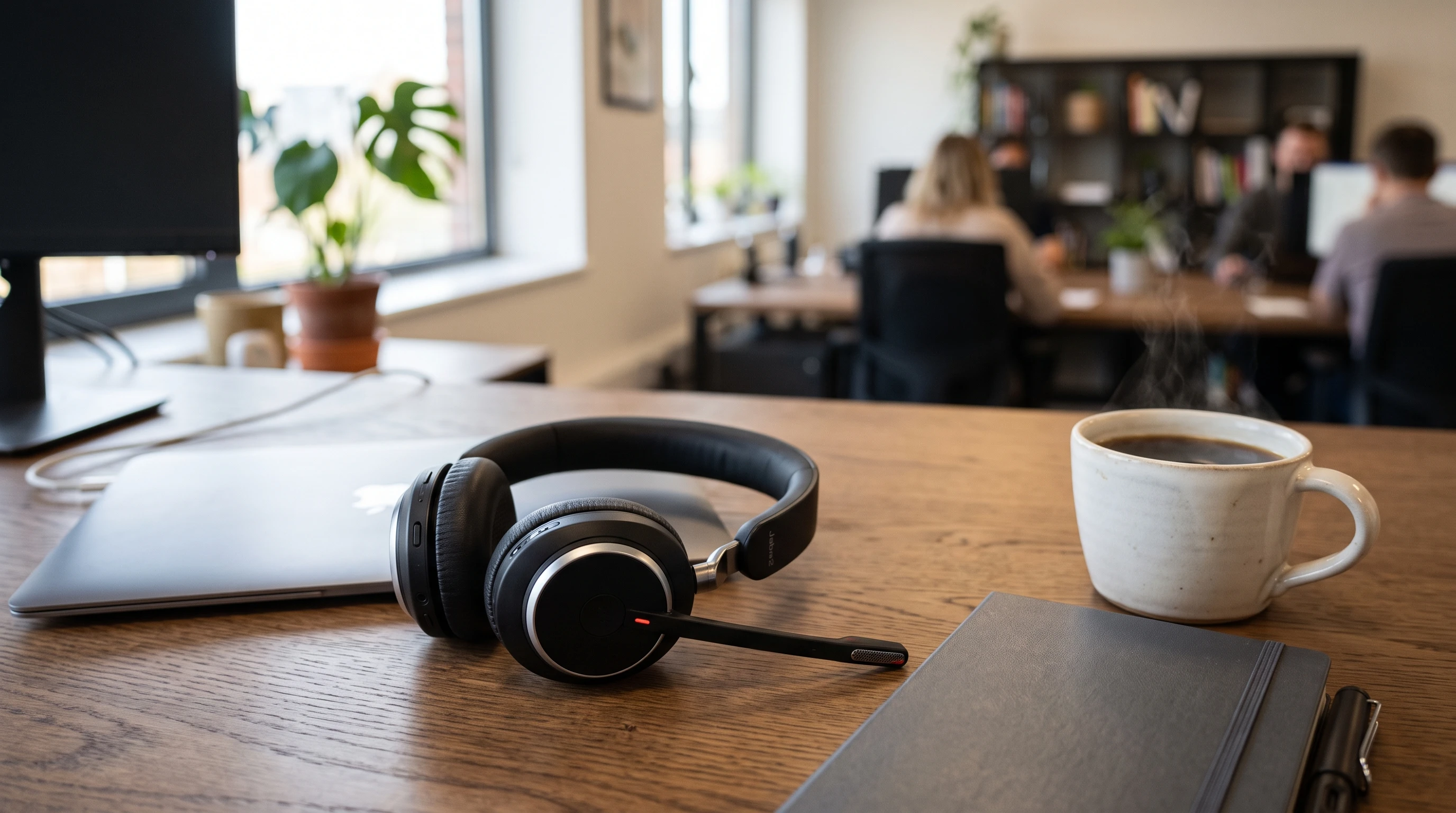
Model: Jabra Evolve2 65
Type: On-ear, wireless (also usable wired with USB cable)
Release Year: 2020
Connectivity: Bluetooth 5.0, USB-A/USB-C dongle
Price Range: $180–$250 (varies by color, features, retailer)
Microphone: 3-mic array, noise cancelling boom
Battery Life: Up to 37 hours
Charging: USB cable or charging stand (optional)
Compatibility: PC, Mac, mobile, major UC apps (Zoom, Teams, Webex, more)
Overall Rating: 4.7/5
Voice/Mic Quality: 4.8/5
Comfort: 4.7/5
Battery: 5/5
Value for Money: 4.5/5
Jabra Evolve2 65 First Impressions
Right out of the box, the Jabra Evolve2 65 feels pretty high end. The hinges are solid, and the headset is lightweight but doesn’t feel flimsy at all.
It’s a bit sleeker than most office headsets thanks to the smooth matte finish and memory foam earpads.
My model included a handy soft carrying pouch, USB-A dongle, USB charging cable, and a quick-start guide. (Depending on the model or bundle, there’s sometimes an optional charging stand, but mine just had the cable.)
Bluetooth pairing was quick, with both my laptop and phone finding the headset right away. The controls are all on the right earpiece.
They’re very easy to learn after a few minutes of use. The microphone boom is adjustable and moves up and down smoothly.
Overall, getting started was fast and didn’t require any app downloads or registration, though Jabra’s free Direct software is available for firmware updates (which I’ll talk about later).
Key Features and Cool Functions
The Jabra Evolve2 65 comes packed with features that make day-to-day remote work easier and calls clearer. Here’s what stood out most in my experience:
Wireless Bluetooth & USB Dongle: Connect wirelessly to two devices at once (like phone + laptop). The included Jabra Link 380 dongle helps with PC connection and gives a more stable link than using Bluetooth alone.
Up to 37-hour Battery Life: One full charge got me through an entire work week of calls and music without plugging in. Battery anxiety just wasn’t a thing for me anymore.
Noise Canceling Microphone: The 3-microphone boom arm blocks out a surprising amount of background noise. Colleagues reported my voice sounding clear, even when my dog barked or a delivery truck went by.
Busy Light: Integrated LED lights on both sides glow red whenever you’re on a call; very handy for letting family or office mates know you’re busy (and less likely to get interrupted mid-demo).
On-Ear Controls: Volume, answer/end call, play/pause, and mute are all on the right earcup. I liked not fumbling for my mouse to mute during calls.
Memory Foam Padding: Super comfortable for long call days. Soft on ears but doesn’t make them sweaty.
Quick Charge: A 15-min charge gives up to 8 hours of battery life, which is definitely a saver if you forget to plug in overnight.
Unified Communications (UC) & Teams Versions: It comes in two variants, one tuned for Microsoft Teams, the other for general UC (Cisco, Zoom, etc). My UC version worked well with all the apps I tried.
Is the Jabra Evolve2 65 Wireless?
Yes, it’s truly wireless and designed that way. It connects over Bluetooth 5.0, and the included USB dongle boosts audio quality on PC and increases range.
Honestly, I wandered more than 90 feet from my laptop before it cut out. You can also use it while charging with the USB cable, so you’re never really stuck if the battery does run out.
The dual-device connectivity worked as advertised. I was able to take a work call on Zoom, then immediately switch to a podcast on my phone without disconnecting or re-pairing anything.
That’s super handy if you’re used to juggling devices all day.
Detailed Pros and Cons
Here’s my honest breakdown of things I really liked, things that could be better, and things that might matter depending on how you use your headset:
- Pros
-
- Very comfortable for all-day wear (even with glasses)
- Great battery life; doesn’t need daily charging
- Mic cuts out most background noises
- Lightweight and portable, folds flat for carrying
- Stable wireless connection with dongle (better for office setups)
- Multipoint pairing for switching between phone and PC seamlessly
- Busy light reduces interruptions
- Easy mute/unmute (with automatic notification if you talk while muted)
- Cons
-
- No active noise cancellation for listening; ear cushions block some sound, but not ideal for super loud settings
- Price can climb with charging stand or Team-specific bundle
- Not ideal for large heads (might feel snug for some users)
- Plastic frame feels a bit less premium than some high end audiophile models
- Music quality is good, but not at the level of dedicated headphones
- Micro USB charging (not USB-C), so you’ll need an old school cable
- No foldable design (earcups rotate flat, but band doesn’t collapse)
Top Features Up Close
Some of my favorite features get even better with daily use. Here are a few details on the stuff I really appreciated:
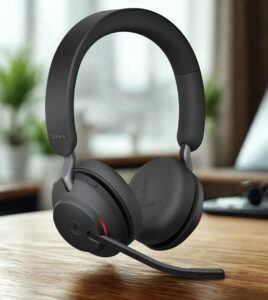 Comfort and Fit
I wore the Evolve2 65 for video calls that lasted 2+ hours, plus plenty of back-to-back meetings. The memory foam padding makes a huge difference, especially for anyone who wears glasses.
Clamping force is snug but not tight, so they stay put without causing headaches or sore spots. The headband adjustment slides smoothly and stays where you set it.
The only thing to watch for: people with larger heads or especially thick hair might find them a bit tight. I’ve got an average sized head and found the fit just right (and no pressure points).
Battery and Charging
Officially, you’ll get up to 37 hours per charge. I did all-day use for over a week (maybe 5-6 hours per day) before needing to plug in.
If you do forget to charge, a 15-minute burst gave me more than enough juice for another marathon.
The charging stand is optional, but it adds convenience if you hate dealing with cables. You just drop the headset on, and it’s powering up. One thing I wish was different: it still uses Micro USB instead of USB-C, which is rare on new tech these days.
Microphone Quality
Colleagues noticed a difference right away with how clear I sounded, even when my office was noisy.
The boom mic focuses your voice and blocks out most background chatter, keyboard noise, and traffic. It’s not fully immune to loud background interruptions (like sirens or construction next door), but it out performs standard laptop or phone mics by a mile.
The boom flips up when not in use, automatically muting the microphone. That’s pretty handy for snack breaks or stepping away when you don’t want to hit buttons or risk having a live mic on a call.
Audio Quality for Calls and Music
Sound quality for calls is crisp, balanced, and free of distortion. I had no trouble hearing anyone, even on international calls, and voices sounded natural both for calls and streaming video meetings.
For podcasts or music, these punch above most office headsets but fall short of true audiophile gear.
If you listen exclusively to music or want punchy bass and sparkling highs, you’ll get better sound from headphones that aren’t built for business use. For mixed work/music, though, they’re solid.
Software and Customization
If you like tinkering, Jabra offers the free Jabra Direct app (Mac and PC). This app lets you check for firmware updates, adjust sidetone (hearing your own voice in the headset), rebalance the EQ, and tweak how the buttons work.
I recommend updating the firmware regularly for connection improvements and occasional new features.
Who Is the Jabra Evolve2 65 Good For?
I’ve used a bunch of headsets, and the Jabra Evolve2 65 hits a really sweet spot for a big chunk of remote workers, office users, and even students. Here’s who will like it the most:
- Remote workers and hybrid employees: If you spend your day on Zoom, Teams, or Slack calls, this headset seriously cuts down on the little annoyances that crop up (bad audio, messy wires, dead batteries).
- Sales teams and support agents: Anyone who’s always connected, switching calls, or multitasking between devices will love the reliable battery, clear mic, and quick controls.
- People in noisy environments: The mic blocks out enough noise to make calls from home offices, coworking spaces, or even coffee shops far less stressful.
- Those who hate charging daily: If plugging in every night sounds exhausting, 30+ hours of battery is a serious upgrade.
- People with backtoback meetings: All-day comfort without ear pain or headband pinches means you actually forget you’re wearing the headset, until someone asks what it is.
- Anyone needing a Teams/UC-certified solution: Companies that want approved, plug-and-play gear for their apps or unified communications setups will benefit from Teams or UC-certified models.
Who might want to skip it? If you need active noise cancellation for listening (like blocking out loud engines, trains, or office HVAC), you’ll want to look at something like the Evolve2 75 or higher end Bose or Sony models.
Also, pure audiophiles or people looking for a travel/music-first headset might not love the sound quality for high-res music; but for calls and daily office life, it really shines.
Is the Jabra Evolve2 65 Worth It?
If you handle a ton of calls, work in hybrid or remote environments, or just want one headset for work and personal use that you can genuinely forget about while you use it, I honestly think the Jabra Evolve2 65 delivers great value.
The biggest advantages for me are comfort, battery, and mic quality. Not needing to juggle cables, stress over dying batteries, or apologize for background noise made meetings so much less stressful. Is it a cheap headset?
Not exactly; there are plenty of no-brand office headsets for half the price. But if you rely on smooth communication and no-fuss tech, it’s worth the spend.
Durability also seems good after regular use for several months, with no major wear or connectivity issues (I’m careful with my gear, but this one seems built for daily use).
If your company provides headsets or you use it every single day, consider the cost spread over 1–2 years.
That’s about the cost of a latte per month. Plus, it just makes day-to-day work feel easier and more professional, especially when you don’t have to repeat yourself or untangle old cables in the middle of a client call.
Pricing and Model Options
Jabra Evolve2 65 pricing varies a bit based on features and where you buy. Here’s a general idea:
- Standard (no charging stand): About $180–$210 (USB-A or USB-C dongle variants, black or beige colors)
- With charging stand included: About $220–$250
- Microsoft Teams certified: Look for a sticker or label on the box; same price as UC, but Teams button is preconfigured for that app
Purchasing through authorized resellers or official Jabra partners is recommended for warranty and tech support.
You can usually find Evolve2 65 at retailers like Amazon, Best Buy, and specialist IT stores. Double-check compatibility for your setup. Most laptops and phones are covered, but Mac users will want the USB-C dongle for plug-and-play.
FAQ: Jabra Evolve2 65
- Does the Jabra Evolve2 65 work with Mac and PC?
Yes, it works with both, using either Bluetooth or the included USB-A or USB-C dongle. - Can I connect it to two devices at once?
Yes, it supports multipoint. For example, you can connect to your laptop and phone at the same time and swap between them. - How is the background noise suppression?
The mic is really solid, cutting most background noise out of calls. On the listening side, there’s some passive noise isolation but not active cancellation. - What happens if the battery dies mid-call?
You can plug the headset directly into your computer with the USB cable and continue using it as a wired headset, even while charging. - Is it good for music?
The sound is decent, much better than a basic office headset, though it’s tuned for speech. Podcasts and light music listening work well, but audiophiles may find it a little flat for bassheavy or classical tracks. - Is there a warranty?
Jabra typically includes a 2-year warranty. Check with your retailer to be sure. - Can I replace the ear cushions or battery?
The ear cushions snap on/off for replacement. The battery isn’t designed to be user-replaceable, but it should last years with normal use. - Does it work on Teams, Zoom, Webex, etc?
Yes. Both UC and Teams models work with just about every video or conferencing app out there.
Final Thoughts
The Jabra Evolve2 65 nails what most people want from a wireless office headset: strong all-day comfort, a microphone that keeps your voice sounding professional in any room, and battery life that’s hard to beat at this price point.
It doesn’t have every bell and whistle (no active noise cancellation, for example), but for anyone relying on digital communication, especially remote workers, sales teams, or frequent callers, it’s easy to recommend.
There are definitely cheaper options, and some headsets have eye-catching features. But for daily practical use, reliability, and comfortable design, the Evolve2 65 is a smart bet.
Still, it’s worth checking compatibility and picking the right bundle (UC vs Teams, USB-A vs USB-C dongle, and whether you want a charging stand).
Careful research can help you get the features you’ll actually appreciate. Don’t pay for stuff you won’t use.
If you’ve been frustrated by calls gone wrong, tired of tangled cords, or just want an easier workday, this is a headset that’ll make a difference right away.
You can check out more awesome wireless headsets here!
or purchase your own jabra evolve2 65 here!
Right that’s it for now, have a great day!