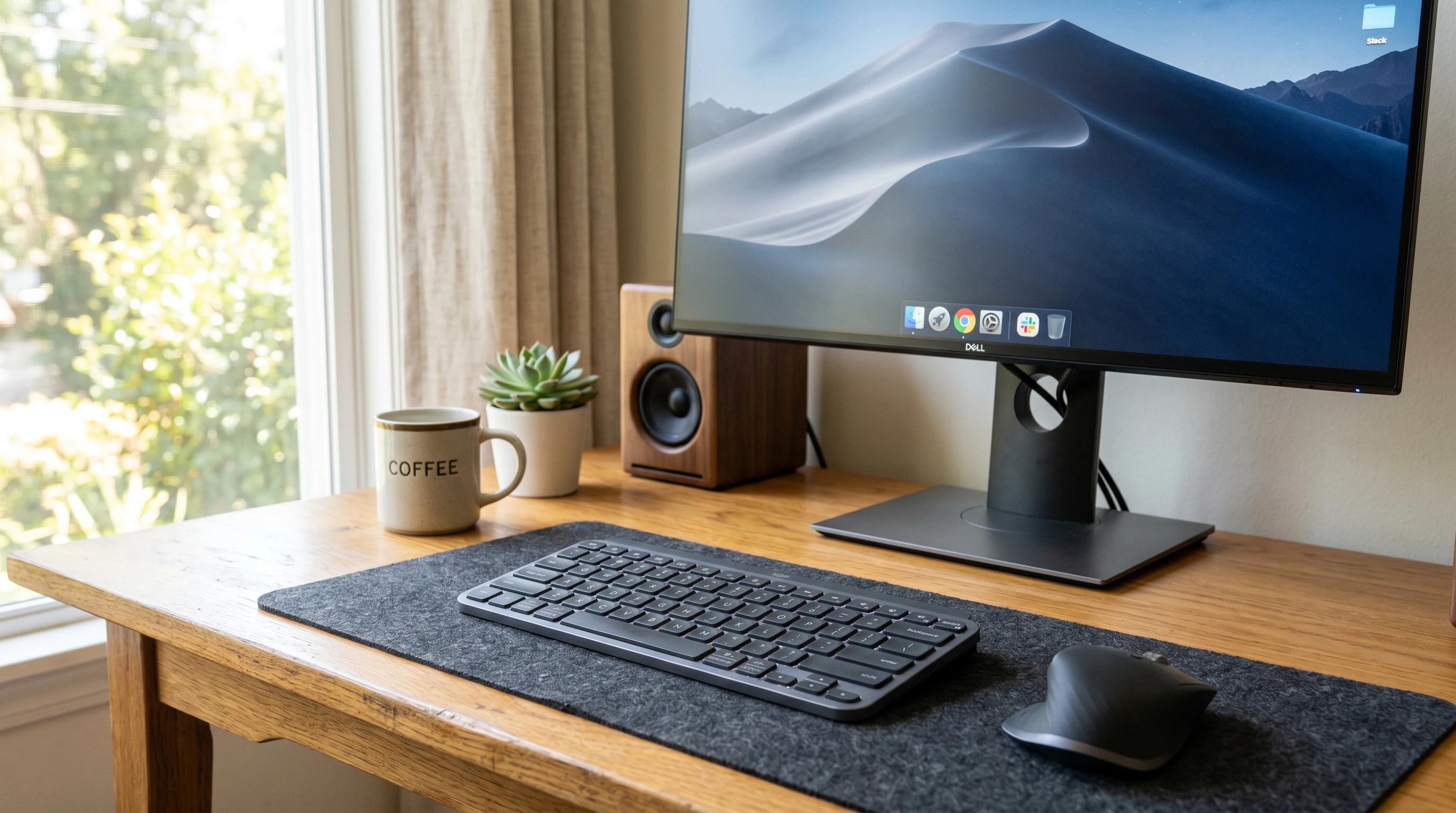
 If you’re looking for a no-fuss wireless keyboard for home office, school, or casual use, the Tecknet Wireless Keyboard keeps things easy, and affordable. I’ve used mine for a few months now, and my typing setup feels way more comfortable. It’s a simple gadget, but you might be surprised by what you get for the price point.
I’ll lay out everything I’ve learned about this keyboard, from setup to features, pros and cons, and even those little quirks I think you should know about. If you’re on the fence, this hands-on Tecknet Wireless Keyboard review can clear things up.
Disclosure: This post may contain affiliate links which means that I may earn commission if click and make a purchase but no additional cost to you.
Quick Look: Tecknet Wireless Keyboard Review
If you want the quick version, here’s my take: super budget friendly, easy to connect, and reliable for typing or casual work. Battery life is solid, and it’s lighter than you might expect. You won’t get premium extras like mechanical switches or RGB lights, but if you just want a wireless keyboard that works, it’s worth checking out.
Star Rating: ★★★★☆ (4/5)
Tecknet Wireless Keyboard Features
Several things about this keyboard make it really practical for day-to-day use, especially if you like things that just work out of the box.
FullSize Layout: You get a standard layout with function keys, arrow keys, and a number pad. This is super handy if you do a lot of data entry or use spreadsheets.
Wireless Connection: Tecknet keyboards use a small USB receiver (2.4GHz connection). You just plug in the dongle, and you’re set, no Bluetooth pairing or software installs required.
Quiet Keys: The keys are low profile and fairly quiet. They won’t be completely silent, but you won’t drive your housemates crazy during late-night typing. The low profile also helps if you type for long periods, keeping your hands more comfortable than oldschool chunky keyboards.
SplashResistant Design: Accidental coffee or water spills are less scary. The keyboard can handle small splashes (just don’t dunk it in the sink). That little bit of protection gives peace of mind for busy desks or workspaces with drinks around.
Long Battery Life: Power is supplied by two AAA batteries. Tecknet claims months of usage before you need to swap them out, which matches my experience so far. You’ll see more about battery life in a bit.
Lightweight Build: It’s pretty thin and light, so it fits easily in a bag for travel or school.
These features make it a straight forward pick for anyone who doesn’t want to mess with keyboards that are too fancy or complicated. If you just want something that works every time you sit down to type, this is a good bet.
How to Connect a Tecknet Wireless Keyboard
Getting this keyboard set up literally takes less than a minute. Here’s how I did it, and how you can too:
- Open the battery compartment on the back of the keyboard and insert two AAA batteries.
- Plug the included USB receiver into your computer’s USB port.
- Switch the keyboard on, if your model has a power switch. Not all Tecknet models include this, but it’s usually on the top or side.
- Wait a few seconds. Most computers will pick up the keyboard right away, no drivers needed.
If you unplug the receiver or swap devices, just plug it into the next computer and turn the keyboard on. You can get working again almost instantly. I’ve never had any annoying connection drops or delays, even after weeks of daily use.
Tecknet Wireless Keyboard Battery Life
This was something I really wanted to test, and honestly, it’s been really impressive. Tecknet advertises a battery life of up to 24 months (depending on your typing habits and battery brand).
In real-life use, I’ve gone over three months without swapping out the batteries, and it’s still going strong. If you remember to switch it off when not in use, the batteries last even longer. Not having to scramble around the house looking for spare batteries every month is a huge plus for me.
My Experience Using Tecknet Wireless Keyboard
I grabbed this keyboard mainly for my laptop dock at home, but I’ve since used it while traveling as well. It’s really comfortable for emails and light work, fits easily in my backpack, and the quiet keys are perfect for shared spaces.
The wireless connection hasn’t glitched once so far, and being able to just unplug the USB receiver and move rooms is super useful.
The keyboard doesn’t have some of the tactile feedback you’d get from a more expensive mechanical keyboard, but for emails, browsing, and even longer typing sessions, I haven’t run into hand strain or missed keystrokes.
The number pad comes in handy for spreadsheets, and all the shortcuts (like volume or play/pause) worked without me having to change anything in system settings.
To add a bit more to my perspective, I also tested the Tecknet keyboard with multiple devices and operating systems, including both Mac and Windows machines. The plugandplay nature worked consistently across both, and I didn’t have to install any drivers or fiddle with settings.
I also noticed that the keyboard, despite being lightweight, offers a sturdy typing experience that doesn’t wobble or slip around on my desk.
Pros and Cons of Tecknet Wireless Keyboard
- Pros:
-
- Budget price, often under $20
- Quick and easy setup
- Lightweight and portable
- Long battery life
- Splashresistant for minor spills
- Quiet typing for shared environments
- Works with both Windows and Mac
- Cons:
-
- No backlit keys
- Plastic build feels light, not premium
- No Bluetooth (USB receiver required, so you need a USB port)
- Not ideal for gaming or heavyduty programming
FAQ: Tecknet Wireless Keyboard
Does this keyboard work with Mac or ChromeOS?
Yes, it works with Windows, Mac, and Chromebooks. Some shortcut keys (like launching email) are Windows-specific, but standard typing works fine on any computer with a USB port.
Can I use it with my tablet or phone?
You’d need an adapter (like USB OTG) for tablets and phones that accept USB inputs. The keyboard doesn’t use Bluetooth, so it won’t pair wirelessly with tablets without the dongle.
Is it rechargeable?
No, you’ll use standard AAA batteries. Some folks use rechargeables, and that works perfectly.
How far can I use my Tecknet keyboard from my device?
It’s rated for up to 10 meters (about 33 feet), so you can even use it from the couch if your screen is that far away.
How do I clean the keyboard?
I usually use a slightly damp microfiber cloth. Avoid tons of moisture, but small splashes won’t do any harm thanks to the splashresistant design.
Is Tecknet Wireless Keyboard Worth Buying?
If you want a walletfriendly, dependable keyboard without a lot of bells and whistles, this one is a strong pick. It ticks all the important boxes for daily tasks: setup is a breeze, battery life lasts ages, and it’s not a big deal if it gets bumped or splashed.
For ultrabasic workspaces, student setups, or as a backup keyboard, Tecknet doesn’t disappoint. Just keep in mind you’ll want a different model if you’re after lighting or programmable keys.
Final Thoughts
- Easy plugandplay setup, no software headaches or pairing drama.
- Super handy for anyone jumping between work, school, and home.
- Won’t break the bank, so it’s a solid backup or travel keyboard too.
- Light design makes it perfect for carrying around, yet comfortable enough for long typing sessions.
- Battery life that really stands out compared to pricier models.
If you’re shopping for a basic wireless keyboard that just gets the job done, Tecknet is definitely worth a look.
If you want to check it out for yourselves then tap here!
Right thats it for now peeps, have a great day!