
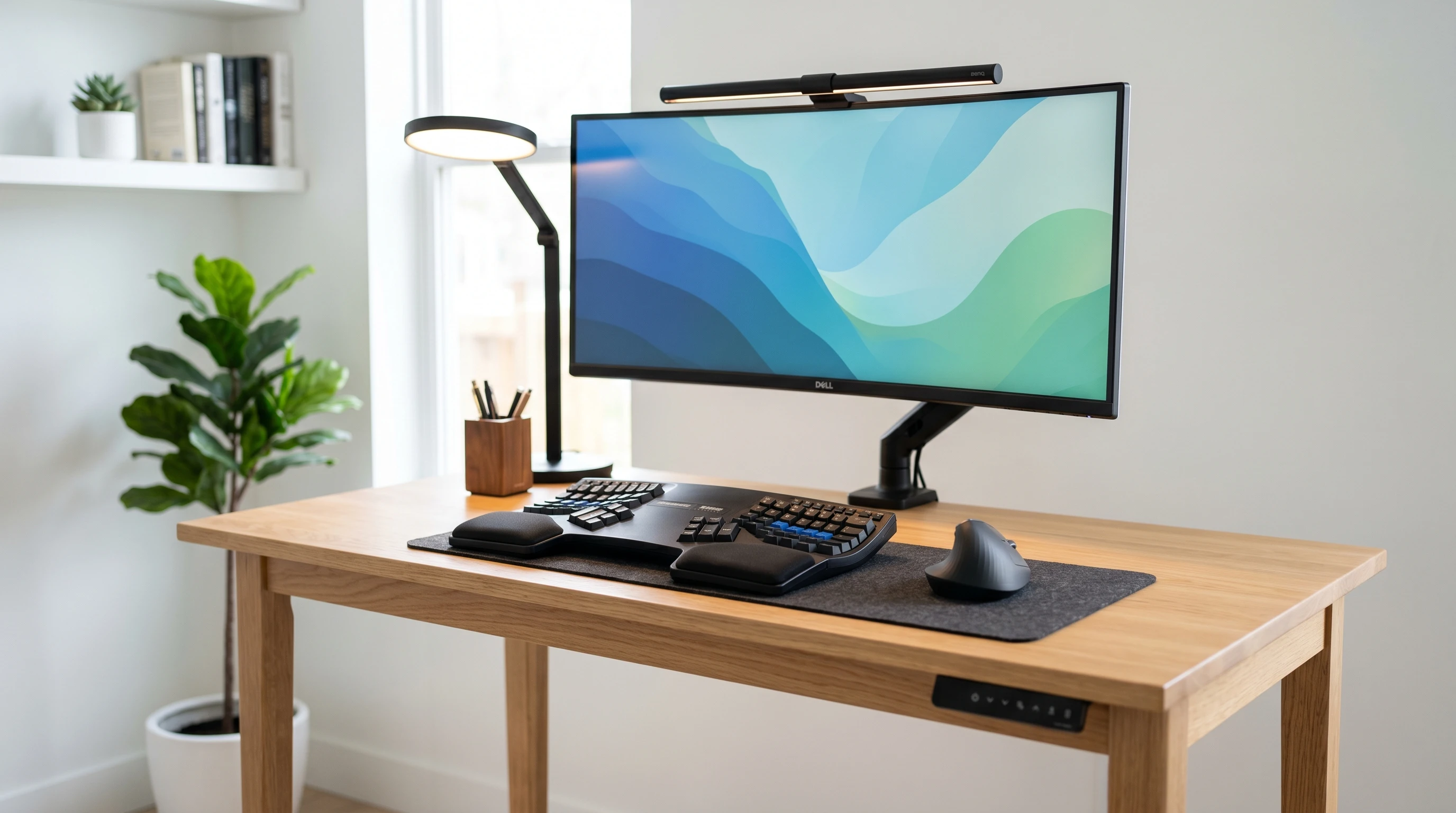
 Wired gadgets can tangle up your workspace and your hands, which isn’t ideal if you’re aiming for comfort during long workdays. Wireless ergonomic office accessories have changed the game for many people like me, helping with posture, reducing strain, and keeping everything flexible and clutter-free.
Ergonomics isn’t just a buzzword. It’s all about making work more comfortable by letting you get more done without those annoying aches popping up.
Choosing wireless devices makes things even easier since you’re not stuck dealing with cords that get in your way or clutter up your space.
This guide covers some top wireless ergonomic office accessories, why they work, how they could suit your needs, and a rundown of pros and cons for each one.
1. Wireless Ergonomic Keyboards
Wireless ergonomic keyboards are meant to reduce wrist strain and help you keep a more natural hand position. They’re helpful for anyone who writes a lot, whether that’s emails, code, or reports. These keyboards usually have a split or curved design that makes typing less stressful on your joints and muscles.
Pros:
- Reduces wrist and forearm strain
- Lets you place your keyboard anywhere for better posture
- No tangled wires on your desk
Cons:
- Can take some getting used to, especially the layout
- Batteries need changing or charging
- Usually costs more than traditional models
Who should use them? These keyboards are great if you work on the computer for several hours a day or deal with wrist pain. Writers, programmers, and anyone prone to repetitive strain will find them really helpful.
2. Wireless Ergonomic Mice
Wireless ergonomic mice are built to fit your hand comfortably, minimizing wrist twisting and finger strain. Some fit like a handshake, and others are trackballs or vertical style. Since they’re wireless, you have complete freedom of movement on your desk.
Pros:
- Supports a natural hand position
- Reduces risk of carpal tunnel and repetitive injuries
- Wireless setup keeps your workspace organized
Cons:
- Might feel bulky at first
- Not all designs fit every hand size
- Batteries or charging needed
Who are they for? An ergonomic wireless mouse is really helpful for office workers, gamers, graphic designers, and anyone using a mouse for a long time.
3. Wireless Charging Desk Lamps
Desk lamps with built-in wireless charging pads are pretty smart. They offer adjustable brightness and color temperatures for less eye strain; plus, you can keep your smartphone powered up wirelessly by dropping it on the lamp base. It’s an eye-catching way to keep devices charged without extra cables making a mess.
Pros:
- Reduces desk clutter with built-in phone charging
- Usually offers adjustable light settings for comfort
- Keeps your phone close for calls and alerts
Cons:
- Wireless charging can be slower than plug-in chargers
- Some lamps have smaller charging sweet spots
- Costs more than a standard lamp
Best for: People who love minimal setups, have multiple devices, or want lighting and charging rolled into one.
4. Wireless Standing Desk Converters
Standing desk converters transform a regular desk into a sitstand space. Some include wireless controls so you can adjust the height by tapping a button or even using your smartphone. Changing positions between sitting and standing helps reduce tiredness and can ease back pain.
Pros:
- Lets you change posture easily while working
- Wireless controls offer convenience and flexibility
- Can help boost focus and cut down on discomfort
Cons:
- Converters take up more space on your desk
- Wireless models can be more expensive
- May add overall weight to your setup
Who needs this? Anyone wanting to switch between sitting and standing, especially if you have back issues or want to move around more at work.
5. Wireless Ergonomic Headsets
Wireless headsets comfortable enough for all day use are really valuable, especially if you spend a lot of time making calls or on video conferences. Seek out types with padded ear cups, adjustable headbands, and easy controls so you won’t get tangled up in cords.
Pros:
- Freedom to move while talking
- Good noise isolation or cancellation on many models
- Reduces neck and shoulder strain from holding a phone
Cons:
- Headsets need charging
- Occasional connection drop or audio delay
- Premium models can get pricey
Best for: Remote professionals, support reps, or anyone who spends hours on calls or in virtual meetings.
6. Wireless Footrests
Some footrests come with wireless controls and special features like built-in heat, massage, or slight movement. You can adjust these features remotely, all meant to encourage active sitting, keep your legs feeling good, and boost circulation—especially helpful if you’re at your desk all day.
Pros:
- Improves posture and helps circulation
- Wireless controls make comfort adjustments easy
- Some models offer light massage or heat for added relaxation
Cons:
- Larger models need more space
- Requires batteries or recharging for powered features
- Can add to the cost of your overall setup
Who will benefit? Anyone with leg discomfort, those wanting more movement while seated, or anyone wanting a bit of luxury during work.
7. Wireless Smartpens and Notebooks
Writing by hand can be way more comfortable for some, so smartpens that send notes wirelessly to your computer are a next-level cool addition to any office. Coupled with smart notebooks, what you write syncs digitally without cords or manual scanning, so you always have searchable copies of your notes.
Pros:
- Keeps notes organized digitally
- No extra cords getting in your way
- Makes handwritten brainstorming fast, creative, and easy to save
Cons:
- Most smartpens need recharging
- Learning curve for the syncing features
- Some people just prefer oldschool pen and paper
Best for: Students, managers, creatives, or anyone who wants to mix their notes between paper and screen without extra hassle.
8. How to Choose the Right Wireless Ergonomic Office Accessories
Figuring out the best options comes down to what fits your style. Check on battery life, actual comfort during use, wireless range, and how involved any extra setup might be. Reading honest user reviews and checking return policies can save you a lot of trouble, too.
- Don’t just look at specs. Consider how it will fit with your actual work routine.
- Check that your device will work with your existing computer or mobile setup.
- Go for features that really matter to you, such as solutions for wrist pain, posture, or workspace layout.
Looking for recommendations? You don’t have to buy everything at once. Sometimes just updating your mouse, lamp, or keyboard can make a bigger difference than you expect. Browse user reviews or ask coworkers what wireless gear has helped them. Many offices are starting to let employees pick accessories that not only look clean but also keep bodies feeling better during busy days.
Bringing it All Together
Wireless ergonomic office gear takes your workspace from cramped and cluttered to flexible and comfortable. Whether you want a better typing angle, more natural lighting, or just a cleaner desk, there’s a product out there that can solve your issue.
Trying even one or two of these options can make a noticeable difference in how you feel at your desk—less pain and more freedom to move.
Over time, a thoughtful, wireless, ergonomic setup can help you get more done without paying for it with fatigue or discomfort. Small changes now can pay off in comfort and productivity down the road.
Rights thats it for now, have a great day!