
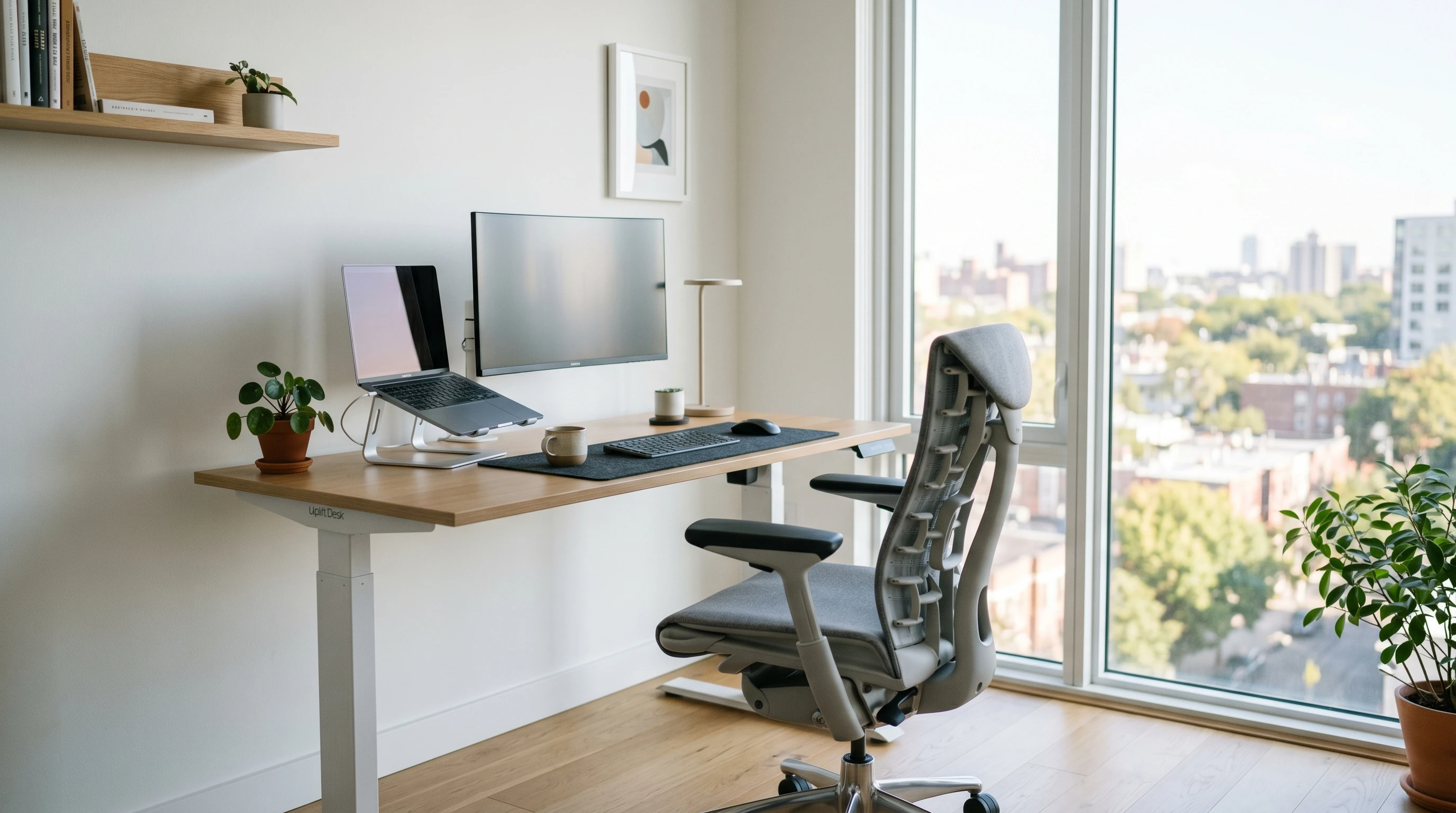
If you care about your comfort and health at work (like me), you’ve probably wondered if you’d be better off with a really good ergonomic chair or a standing desk. Both are super popular choices for office setups right now, and honestly, both can help you feel better after long hours at your computer.
Still, picking between them can be a little tricky since they each have their own perks, and some downsides worth knowing about.
I’ve spent plenty of time using both, so I’m here to break down what makes these two options different, how each can impact your day-to-day routine, and what you should look out for based on your needs.
What They Are – Quick Overview
What Is an Ergonomic Chair?
An ergonomic chair is designed to support your back, neck, and whole body while you sit. It usually features adjustable parts, things like lumbar support, seat height, recline tension, armrests, and headrests. When you get these adjustments just right, your chair will encourage a healthier sitting posture and help reduce the aches and pains a lot of us get from sitting for hours at a time.
What Is a Standing Desk?
A standing desk, or sitstand desk, is basically a desk you can either stand at or adjust to sit when you want to. Some are manually adjustable, while others are electric and move up and down with the push of a button. Lots of modern standing desks let you switch between sitting and standing throughout your workday to keep your body moving and avoid that “stuck in one position” feeling.
Who Benefits Most From Each?
- People who have to sit for super long stretches tend to appreciate ergonomic chairs, especially if they deal with low back pain or shoulder tension.
- Those who want to keep moving, burn a few more calories, or deal with fidgeting at their desk often enjoy a standing desk.
Pros and Cons: Ergonomic Chair
Pros:
- Great support for your spine and posture when set up right.
- Lots of adjustability so you can find what works for your body.
- More comfortable for long, focused sessions.
- Reduces back and neck fatigue.
Cons:
- You’re still sitting for most of the day, which isn’t ideal for long-term health.
- Quality ergonomic chairs can get pricey.
- Not much movement happens, so it’s easy to forget to stretch or walk.
Pros and Cons: Standing Desk
Pros:
- Encourages you to move and switch your stance more often.
- Can help improve alertness and reduce that afternoon slump.
- Standing burns a few more calories compared to sitting.
- Pairing with a timer can actually keep you more productive.
Cons:
- Standing too much can cause foot pain and tired legs.
- Can be tougher for people with certain health conditions (varicose veins, joint pain, etc.).
- Standing desks aren’t always cheap, especially for electric models.
- If you don’t have a good setup, you might slouch or shift your weight in unhealthy ways.
Feature Comparison: What to Think About
Comfort & Posture Support
Why It Matters: You want to avoid pain and fatigue while you work.
Ergonomic Chair: Offers top level sitting comfort and lets you really set up your workspace for how your body likes to sit. Big bonus if you’re glued to your computer.
Standing Desk: Lets you mix things up and keeps your muscles working throughout the day. Some folks stand straighter while working; others might need a little time to find their balance.
Health Benefits
Why It Matters: Sitting too much is linked to a laundry list of health problems. Think heart issues, diabetes, and even more back pain.
Ergonomic Chair: Makes sitting comfier, but doesn’t address sitting for hours on end. Still, less back pain is a big win.
Standing Desk: Helps break up long stretches of sitting, gets blood moving, slightly boosts calorie burn, and can lower risks linked to excess sitting (CDC on Sitting Risks).
Focus and Productivity
Why It Matters: Being comfortable can help you focus; too much discomfort leads to more distractions.
Ergonomic Chair: Makes it easy to get into deep work, especially if you’re writing, gaming, or coding.
Standing Desk: Good for tasks that don’t need intense concentration. Some people find they’re more energized and involved while standing.
Flexibility
Why It Matters: Your needs can change throughout the day.
Ergonomic Chair: You’re mostly stuck sitting.
Standing Desk: With a height adjustable model, you can quickly swap between standing and sitting for maximum variety.
Expert Tips and Real-Life Experience
- I’ve noticed less low back pain since switching to a standing desk for half my day, but my feet get tired if I overdo it. A padded anti fatigue mat really helps with that. I still keep a quality ergonomic chair around for longer meetings or when I need to buckle down for emails.
- Switching positions is super important. Standing all day is just as rough as sitting all day, so mixing it up is the way to go.
- If you want to step up your work setup, try pairing an ergonomic chair with a standing desk so you can switch between the two during your day. This combo gives a boost to comfort and keeps you moving more.
FAQs About Ergonomic Chairs and Standing Desks
What is the 20 8 2 rule for standing desks?
The 20 8 2 rule is a handy guideline for folks using standing desks. For every 30 minutes at your desk, try to spend 20 minutes sitting, 8 minutes standing, and 2 minutes moving around or stretching. Changing positions like this helps your body avoid stiffness or fatigue and supports better health overall.
Is standing 8 hours a day better than sitting?
Standing all day isn’t necessarily better than sitting all day. Both can cause discomfort if you’re not careful, and a mix of sitting, standing, and walking breaks leads to the best balance.
Extended sitting is linked with health problems, but spending your whole day standing can stress your feet, legs, and lower back. Alternating is what works best for most people, and using a supportive chair alongside a standing desk is a pretty solid combo.
What are some real health benefits?
Alternating between sitting and standing can cut down on back pain, boost energy, and even make your mood better.
Studies link reduced sitting time with better circulation, lower risk for heart disease (read more here), and that mid-afternoon energy crash feels less brutal when I’m regularly changing positions.
Ergonomic chairs, when set up right, help with posture, which means less strain in your back, shoulders, and neck.
Which Should You Choose?
There’s no onesizefitsall answer here. If you’re stuck at a desk for long chunks of the day, an ergonomic chair will keep you comfortable and supported, especially if back pain is already a problem.
If you want more movement in your day, feel restless after hours of sitting, or are looking to cut back on extended sitting, a standing desk is definitely worth a try.
- Choose an ergonomic chair if you want cushy support for serious desk work, or if you have specific pain points you need to manage.
- Go with a standing desk if you like to move, want to break up the monotony, and don’t mind investing in a good mat or supportive shoes for longer standing stretches.
- Pairing both is super effective. Switch when you need to and listen to what your body’s telling you. Most people I know (myself included) mix ergonomic seating with a standing option for the best blend of comfort and activity.
Want more tips on setting up your workspace? Check out reputable sites like Mayo Clinic’s Ergonomic Guide for extra advice.
If you’re just setting up your office or want to check in on your posture, little tweaks to your workspace can pay off. Track down tools that suit your routine and give yourself a boost by staying flexible with how you work.
Thanks for stopping by and have a great day!