Most advice on office lighting to reduce eye strain starts with a lamp recommendation. A better starting point is the source of the glare, because a new lamp does nothing for a reflection that comes from the window behind you. Find where the bright spots at your desk come from, then apply the matching fix below and skip the rest.
Find your glare source first: a two-minute check with the screen off
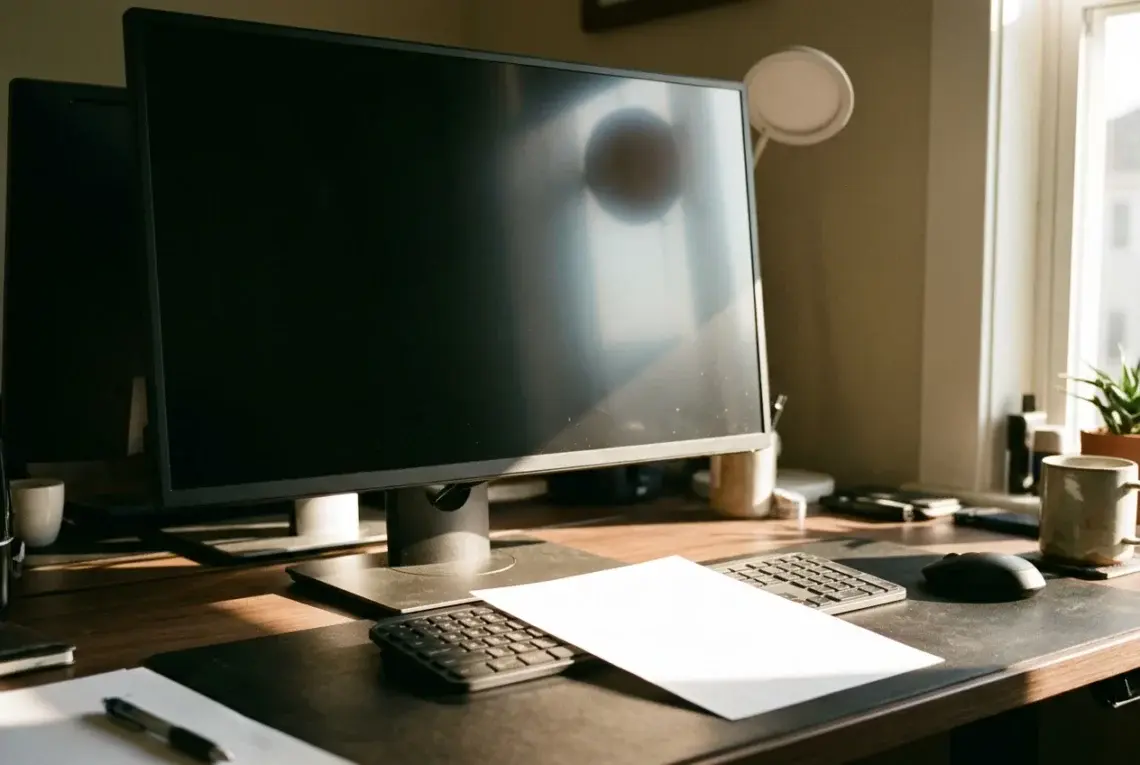
Do this in the afternoon, when your eyes usually feel worst, and with the room set up as you normally work it. Turn the screen off, sit in your usual position, and look at the dark panel.

- Look for reflections. A dark screen works like a mirror. Any bright shape on it is light that competes with your screen content: a window, a ceiling fixture, a lamp bulb.
- Look for direct brightness. Without moving your head, notice what bright thing sits in your field of view above, beside or behind the screen. A bare window or an uncovered bulb at the edge of your vision keeps your eyes adjusting all day.
- Check the desk surface. A glossy desk or a sheet of white paper can bounce light up into your eyes.
- Check your lamp. If you can see the bulb or the inside of the shade from your seated position, the lamp itself is a glare source.
Write down what you found. A reflection of a window and a visible bare bulb need different fixes, and most desks have one main problem, sometimes two.
Window light: screen angle, blinds, and when the desk has to move
Daylight is pleasant to work in, but it changes through the day and is far brighter than any lamp. That causes two separate problems. A window behind you reflects in the screen, and a window in front of you puts a bright rectangle in your view, so your eyes keep switching between it and a much dimmer screen.
The usual best position is a window to one side of the screen, with the screen at roughly a right angle to it. Light then crosses the desk without hitting the panel or your eyes head-on.
If you cannot move the desk, work through these in order:
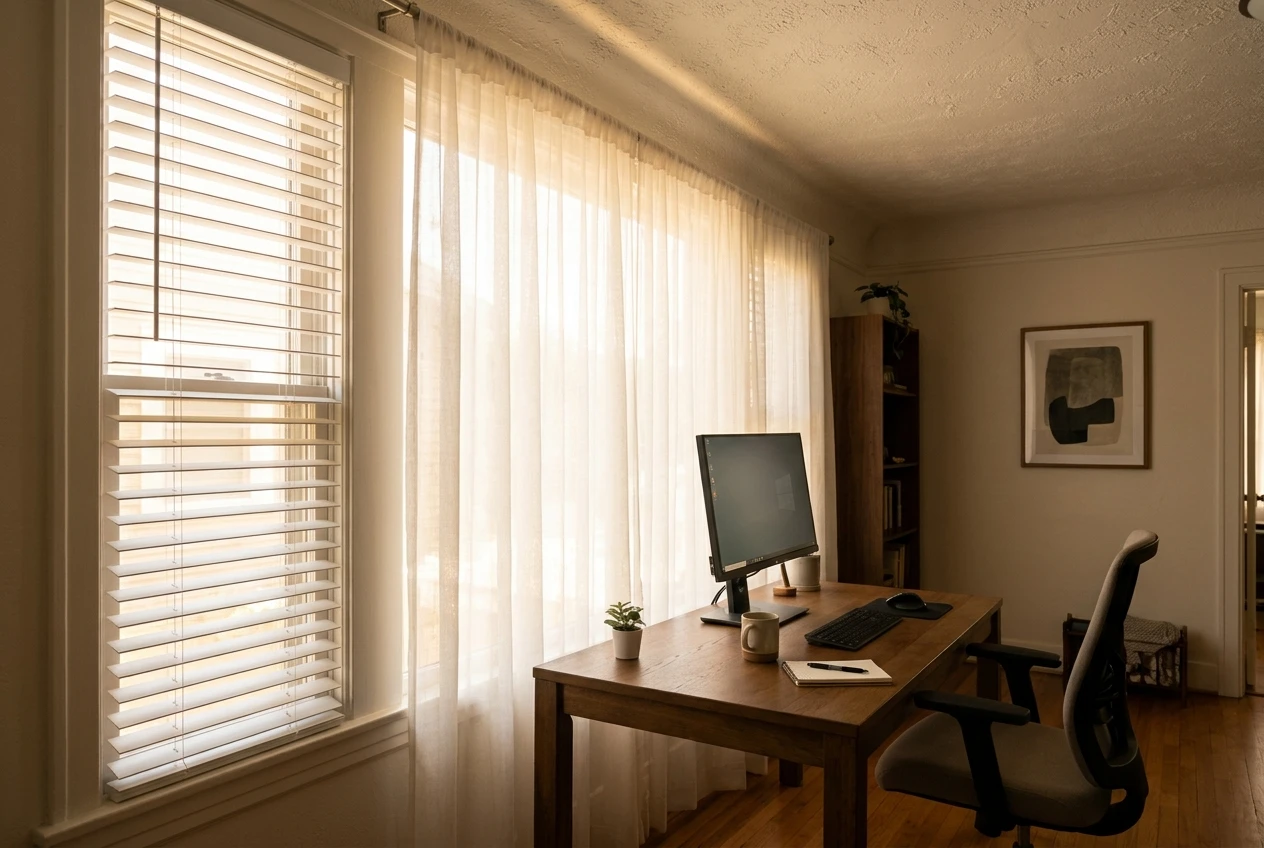
- Tilt the screen slightly down. A small change often moves a reflection off the panel and onto the desk. Monitors on fixed stands tilt less easily than ones on arms, which is covered in the post on monitor arm vs monitor stand.
- Use the blinds to redirect, not just block. Tilting slats upward sends light to the ceiling, which is softer than light hitting the desk. Sheer curtains or light-filtering shades cut brightness while keeping the view and the daylight.
- Cover only the problem section. If the glare comes from the lower half of the window during certain hours, a shade pulled up from the bottom or a blind lowered partway may be enough.
- Try a matte screen filter on a glossy display. These can reduce mirror-like reflections, though some people find they soften the image a little. They suit a reflection you cannot otherwise move.
The desk has to move when the window sits directly behind your screen or directly in front of your face and the blinds fix the glare only by leaving you in the dark. Turning the desk a quarter turn is usually cheaper than buying anything. If the room only permits one layout, accept some blind use in the sunniest hours and let a lamp make up the difference on the desk.
Overhead lights: dimming, diffusers, and bulb choices that cut reflections
Ceiling fixtures cause the most common reflection problem: a bright patch on the screen from a fixture above and slightly behind you. They also light the room evenly and flatly, which can leave a screen looking washed out.
Start with position. The reflection appears where the angle from the fixture to the screen matches the angle from the screen to your eyes. Tilting the screen down a few degrees or shifting your chair sideways often moves it. If the fixture sits directly over the screen, shift the desk so it sits to one side of you.
Then deal with the light itself:
- Dim it. If the fixture is on a dimmer, lower it and add a task lamp for the desk surface. Make sure the bulbs are labelled dimmable, because ordinary LEDs on a dimmer can flicker or buzz.
- Diffuse it. Exposed bulbs and clear glass shades throw hard points of light. A frosted shade or an opaque diffuser spreads the same light over a larger area and makes the reflection softer and less distracting.
- Reduce the number of bulbs overhead. In a multi-bulb fixture, removing or switching off the ones directly above the screen can help, as long as the room stays usable.
- Check the bulb label. Brightness is in lumens and colour in Kelvin. Many people find roughly 3000K to 4000K comfortable for desk work, with lower numbers looking warmer and higher numbers looking bluer. That range is a matter of preference, so try a bulb before replacing a whole room.
- Replace any bulb that visibly flickers. A bulb that flickers or buzzes is a poor choice for long screen hours.
Desk lamps compared: side-mounted, clamp, and floor lamps for screen work
A lamp for screen work has a different job from a lamp for paper. It should light the desk surface and the area around the screen so the screen is not the only bright thing in view, and it should never shine on the screen. Place it to the side, aim it at the desk, and make sure the bulb is out of your eye line.
How lamp height and brightness affect posture is covered in how lighting shapes posture and fatigue at your desk. Here is how the three common types compare for glare:

Lamp type | Best for | Watch out for |
|---|---|---|
Side-mounted (attached to the wall or the side of the desk) | Small desks, keeping the surface clear, steady light from one side | Fixed position, so check the angle before you commit |
Clamp | Adjustable direction, saving desk space, repositioning as the sun moves | Needs a desk edge that fits the clamp, and a long arm can swing the bulb into view |
Floor lamp | Softening a harsh room, shared spaces, lighting a whole corner | Placed behind you, it reflects in the screen; an uplight depends on a light-coloured ceiling |
A few rules apply to all three. Choose a shade or head that hides the bulb from where you sit. Pick a bulb with a diffuse finish over a clear one. Put the lamp on the side away from your writing hand if you handwrite, so your hand does not cast a shadow on the page.
A floor lamp that bounces light off the ceiling is the gentlest option for an office with only a harsh overhead fixture. It raises the general level of light without adding a new bright point at eye height. A clamp lamp is the most adjustable if the sun shifts through your day and you move the light to match.
Screen settings that do part of the lamp’s job
Screen settings are free to try, and they change how much the room has to do.
- Match brightness to the room. If the screen looks like a light box next to its surroundings, it is too bright. If white looks grey and you strain to read, it is too dim. Adjust it a few times across the day, since daylight changes.
- Increase text size. Larger text means less squinting and less leaning toward the screen. Zoom the browser or raise the system text size before reaching for a stronger lamp.
- Choose a mode you can read comfortably. Light text on a dark background shows reflections more clearly in a bright room, while dark text on white shows them less but is brighter overall. Try both for a few days.
- Use a warmer colour setting in the evening. Most operating systems can shift the screen toward warmer tones after sunset.
- Set the distance. A screen roughly an arm’s length away is a common starting point. The post on where everything on your desk should sit covers distances in more detail.
- Take breaks to look away. A widely used guideline is the 20-20-20 rule: every 20 minutes, look at something about 20 feet away for 20 seconds. It rests the focusing muscles, and a glance out of a window works as well as any object.
When you stare at a screen you also tend to blink less, which dries the eyes. Deliberate blinks during breaks are a fair reminder to build in.
Which setup fits which day: all-screen work, paper-heavy work, and shared offices
All-screen days. Keep the room light moderate and even, and keep the brightest thing in view no brighter than the screen allows. A dimmed overhead plus a lamp that lights the desk edge works well. Skip a strong task lamp aimed at the keyboard unless you need it, because it adds contrast between the desk and the screen.
Paper-heavy days. Paper needs more light on the desk surface than a screen does, so a task lamp earns its place. Position it at the side, away from your writing hand, and aim it at the page. A matte desk surface or a desk mat reduces bounce from glossy wood or glass.
Shared offices. You often cannot change the ceiling lights or the blinds. Concentrate on what you control: your screen angle, your screen settings, and a small clamp or desk lamp for your own space. If a fixture directly overhead is the problem and you cannot dim it, ask whether the bulbs above your desk can be swapped for lower-output or diffused ones, and move your seat sideways if you can.
Swap between these as the day changes. A setup that suits a morning of spreadsheets may not suit an afternoon of printed reports.
When tired eyes are not a lighting problem
Lighting is only one cause of tired eyes. If you have fixed the glare and your eyes still hurt by afternoon, consider these:
- Out-of-date glasses or contact lens prescription. Glasses made for distance or reading may not suit the screen distance. Ask an eye care professional about lenses for computer work.
- Dry eyes. Burning, grittiness or a sandy feeling can come from dry eyes, and air blowing directly across your face from a vent or fan makes it worse.
- Focusing problems. Trouble switching focus between near and far, common with age, can appear as tiredness.
- Posture and neck tension. Headaches that start at the neck or shoulders may come from the chair and screen height rather than the eyes. The ergonomic office checklist covers the full setup.
See an eye care professional if you have double vision, eye pain, a sudden change in your sight, frequent headaches, or tiredness that persists after the lighting is sorted. A regular eye exam is worth having even without symptoms, and none of the fixes above substitutes for one.
Examples of the best lighting for working from home
These are example setups built from the fixes above. None depends on a particular brand.
The window to one side. The desk sits so the window is on your left or right. Sheer curtains soften the daylight, and a clamp lamp on the opposite side fills the shaded half of the desk. The screen is square to the window, so little daylight lands on it directly.
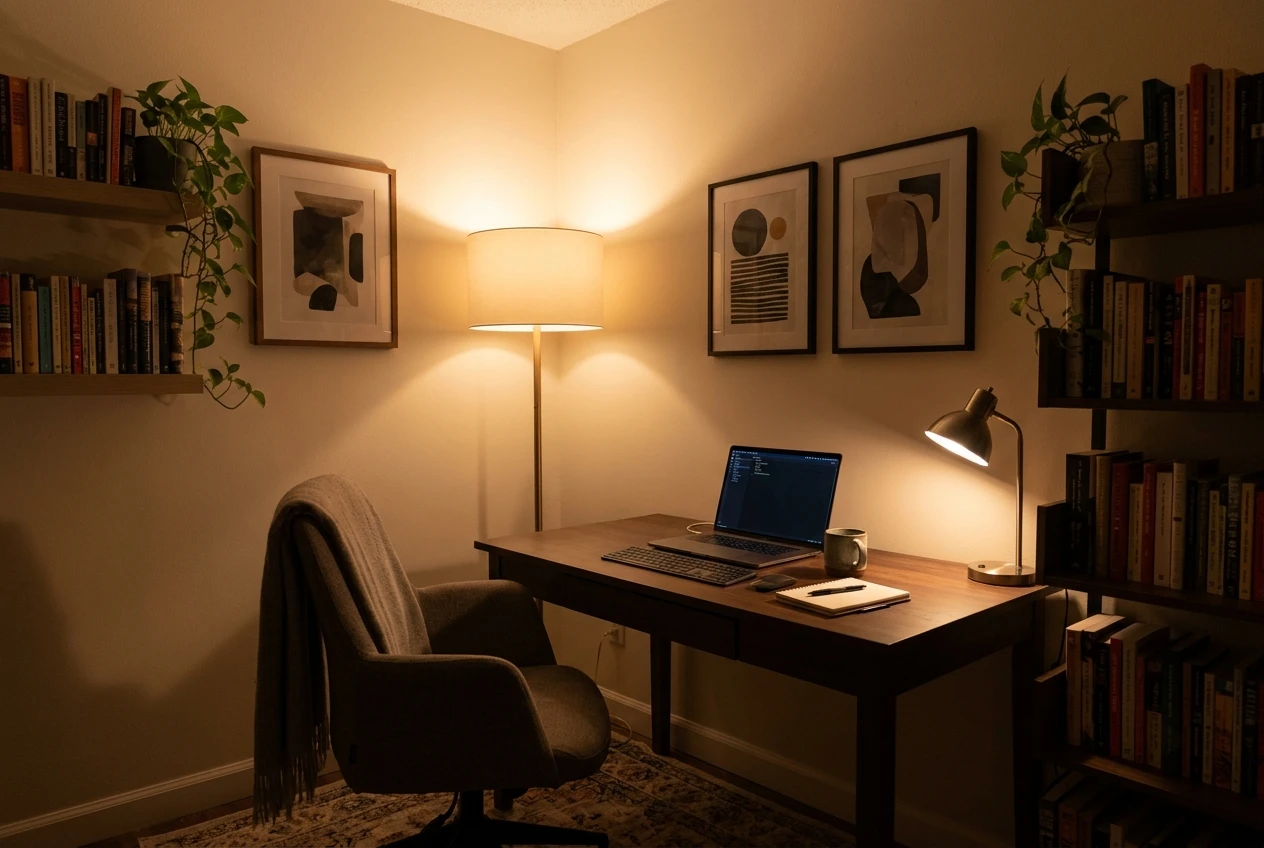
The room with one harsh ceiling fixture. Put the fixture on a dimmer or use a frosted shade with a lower-output bulb. Add a floor lamp with an uplight beside the desk so the ceiling does the lighting. The screen gets a slight downward tilt to move the reflection.
The corner with no window. The room is lit entirely by artificial light, so avoid any single bright point. Use a floor lamp for general light and a small desk lamp aimed at the desk surface at the side. Keep both at a similar warm colour so the room looks consistent.
The desk at the dining table. Everything gets put away daily, so choose lighting that is easy to set up: a portable clamp or weighted-base lamp and a screen angled away from the window. Check the dark-screen reflection test each time you set up.
Check out other posts on working from home on my website, starting with how to create a productive home office.